
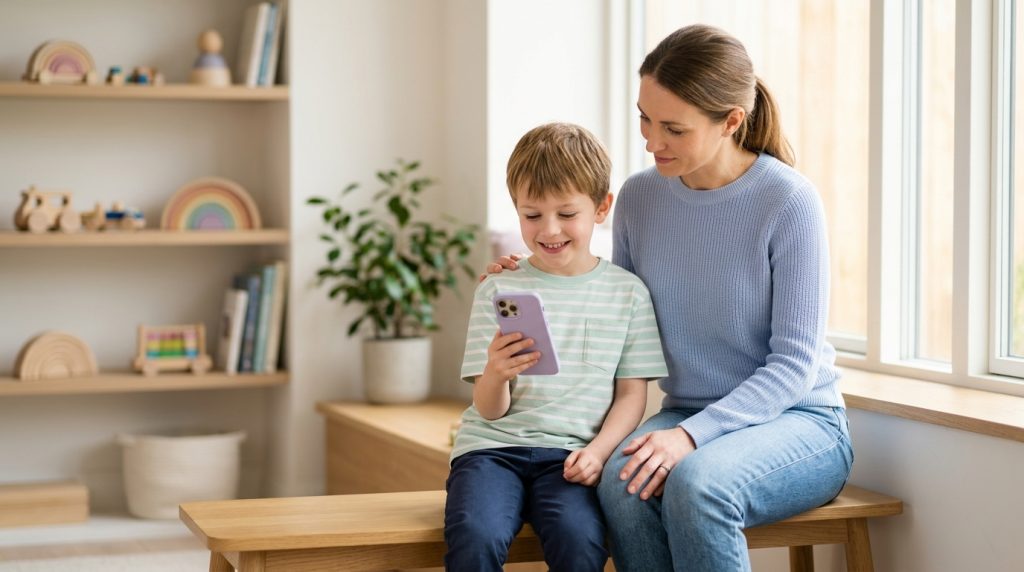
Handing a child their first smartphone is a major parenting milestone. It brings instant communication, social connection, and peace of mind when they are away from home. Yet it also opens a direct channel to the outside world—one that traditional household rules cannot always supervise. While many families establish ground rules around social media screentime and text messaging, voice calls frequently remain unmonitored.
Part of our complete guide: Call & Message Monitoring: The Complete Guide
A reliable call recorder for parents bridges this critical safety gap. Voice conversations carry nuance, emotional inflection, and direct pressure that written messages simply cannot convey. Knowing how call recording technology works, what features matter, and how to approach monitoring ethically allows you to safeguard your child while fostering digital independence.
Why Modern Phone Safety Requires Call Monitoring
When parents evaluate phone safety, they often focus on screen time limits, social media tracking, and text message reviews. While these measures are helpful, modern risk patterns show that predatory behavior and severe harassment frequently migrate off written channels and into voice communications.
The Rise of Phone Scams, Predatory Contacts, and Cyberbullying
Children and teenagers are prime targets for social engineering scams and manipulative contacts. Scammers frequently use spoofed numbers and high-pressure voice calls, posing as school officials, contest organizers, or tech support to extract personal details, passwords, or financial information. Unlike adults, minors often lack the skepticism required to identify urgent, coercive vocal tactics.
Similarly, cyberbullying does not always happen in public comment sections. Harassment often intensifies over private phone calls where perpetrators feel less accountable because words are spoken rather than typed. According to safety guidance from StopBullying.gov, recognizing the diverse forms of harassment—including verbal intimidation and relational pressure—is critical to timely parental intervention.
Why Text Monitoring Alone Misses Critical Context
Written messages are easily sanitized, deleted, or disguised using slang and disappearing-message features. More importantly, text strips away the acoustic indicators that reveal distress, fear, hesitation, or coercion:
- Tone and Inflection: A text that reads “I am fine” can sound terrified or trembling when spoken out loud.
- High-Pressure Coercion: Online predators often demand immediate voice calls to isolate a victim from their parents, knowing spoken manipulation works faster than written chat.
- Spontaneous Threats: Aggressors who want to avoid leaving digital paper trails deliberately choose voice or video calls to make derogatory remarks or threats.
Without audio oversight, parents only see half of their child’s digital life. Monitoring voice calls provides the unedited context needed to understand what is genuinely happening behind closed bedroom doors.
How a Call Recorder for Parents Works
Parental call monitoring software functions at the system level of the operating system to capture audio data as it passes through the device hardware. Understanding the underlying mechanics helps you choose a solution that delivers reliable recordings without disrupting the phone’s day-to-day operation.
Automatic Incoming and Outgoing Recording Mechanisms
When a call connects on the target device, the background recording service triggers automatically. The software hooks into the audio driver pipeline to capture both input (the microphone recording your child) and output (the incoming speaker audio from the other party). Once the call terminates, the software compresses the dual-stream audio into an efficient file format (such as MP3 or AAC) and saves it to a hidden cache directory on the device.
Modern mobile platforms handle these audio streams differently:
- Android Systems: Advanced software utilizes accessibility services or root-level audio routing to ensure both sides of the conversation are captured clearly, bypassing standard operating system recording restrictions.
- iOS Systems: Due to Apple’s strict sandboxing, system-level audio capture on iPhones typically requires specialized management profiles or tailored installations to intercept audio streams before they reach the earpiece.
Cloud Dashboard Access for Remote Listening
Parents do not need to physically inspect their child’s phone to review audio files. Once recorded, the software quietly uploads the audio files, along with caller metadata, to a secure web dashboard over encrypted SSL/TLS protocols. Parents can log in from any web browser on their computer or mobile device to stream the recordings, download high-priority clips, or search through historical logs.
Essential Features in a Parental Call Recording App
Not all recording tools are built equally. Basic utilities available on consumer app stores are often designed for simple voice memos or one-sided business notes, leaving them inadequate for comprehensive child protection. When selecting a dedicated monitoring tool, look for the following core capabilities:
1. Clear Audio Quality and Two-Sided Recording
The most common issue with entry-level recording apps is one-sided audio, where only the child’s voice is captured while the caller’s voice sounds faint or completely muted. A high-grade parental monitoring tool captures both channels with balanced amplification, ensuring you hear every word spoken by both participants clearly.
2. VoIP Call Recording for Modern Messaging Apps
Younger users rarely use standard cellular networks for voice conversations. Instead, they rely on data-driven VoIP (Voice over Internet Protocol) calls inside social media and private messaging applications. A modern call recorder must support voice capture across:
- WhatsApp voice and video calls
- Skype audio conversations
- Telegram and Signal voice chats
- Facebook Messenger and Instagram direct audio calls
- Viber, LINE, and Discord voice channels
If a monitoring solution only supports standard cellular calls, it misses the majority of conversations your child has with peers and online contacts.
3. Detailed Timestamps and Contact Matching
Audio is only part of the equation; context matters just as much. Quality parental software pairs every recording with critical metadata:
- Exact Timestamps: Date, start time, and call duration to identify late-night or school-hour conversations.
- Address Book Matching: Identification of whether the caller is a saved contact or an unknown, unsaved number.
- Call Direction: Clear labels marking whether the call was incoming, outgoing, or missed.
Comparison: Standard Call Recorders vs. Professional Parental Monitoring
To evaluate which tool meets your family’s needs, consider how basic utilities compare against specialized monitoring suites:
- Audio Coverage: Basic recorders only capture cellular calls and often struggle with two-sided audio; parental monitoring tools capture two-sided cellular and VoIP calls.
- Visibility: Standard utilities show persistent status-bar icons that can be disabled by a child; dedicated solutions run discreetly in the background.
- Remote Management: Consumer utilities save files locally on the phone’s internal storage; parental suites sync recordings securely to an online cloud portal.
- Supplementary Data: Simple recorders capture only audio; comprehensive suites provide location logs, keylogger history, and text monitoring alongside voice records.
Legal and Ethical Best Practices for Monitoring Your Child
Deploying digital monitoring tools requires a thoughtful balance between parental responsibility, ethical boundaries, and regional legal compliance. Supervision should never be arbitrary—it is a protective measure designed to support your child’s well-being.
Understanding Parental Rights and Legal Boundaries
In most countries and legal jurisdictions, parents and legal guardians have the authority to monitor the electronic devices and communications of their minor children without explicit consent, provided the parent owns the device and the child resides under their care. However, privacy laws vary, particularly when minors reach the age of majority (typically 18). Monitoring an adult child, spouse, or employee without their express knowledge and lawful consent is illegal.
Organizations like the Federal Trade Commission (FTC) offer guidance on child online safety and consumer privacy practices, emphasizing that protective oversight must remain within lawful, guardian-defined boundaries.
Balancing Safety with Open Communication
Technology alone cannot replace open parental dialogue. Monitoring works best when paired with clear family agreements about device usage. Consider these actionable steps to build trust while maintaining necessary oversight:
- Establish a Digital Device Agreement: Clearly outline expectations regarding who your child can call, hours of device use, and rules against talking to unverified strangers online.
- Explain the Purpose of Monitoring: Inform your child that protective software is active to defend against external risks, online harassment, and predatory behavior—not to micromanage innocent conversations with friends.
- Review Logs Constructively: If you detect an inappropriate conversation or a high-pressure caller, approach the situation with guidance rather than immediate punishment. Use the incident as a teaching moment on personal boundaries and digital skepticism.
Protecting Your Family with SPYERA Call Monitoring
For parents seeking comprehensive oversight across all voice channels, SPYERA offers an established, robust monitoring platform built on over two decades of digital-safety engineering. Designed to provide dependable visibility into your child’s communications, it ensures you remain informed of potential risks before they escalate.
Equipped with specialized features, SPYERA delivers complete voice supervision across modern smartphones:
- Automated Call Recording: Automatically captures incoming and outgoing cellular calls on supported devices, uploading balanced, two-sided audio files directly to your private web portal.
- VoIP Audio Logging: Extends recording capabilities beyond cellular calls to capture voice conversations on WhatsApp, Skype, Facebook Messenger, and other popular communication platforms.
- Live Call Listening: Allows parents to patch into a live conversation as a silent third party via the SPYERA SpyCall feature, offering immediate real-time insight when urgent safety concerns arise.
- Ambient Surround Listening: Enables remote activation of the device microphone through ambient environment listening, allowing you to check on your child’s immediate surroundings if they fail to answer their phone.
Cross-Platform Compatibility
Children use a variety of devices, from budget Android handsets to iPads and iPhones. SPYERA supports cross-platform monitoring with dedicated solutions for:
- Android Devices: Full call recording, VoIP capture, and application oversight via the SPYERA Android monitoring app.
- Apple Devices: Advanced call logging and system supervision through the SPYERA iPhone monitoring software.
- Multi-Device Families: Unified dashboard management to protect your family across multiple devices from a single administrative account.
By pairing clear family guidelines with reliable monitoring technology, you can grant your child the freedom to explore the digital world while maintaining the safety net they need to stay secure.
How SPYERA Can Help
SPYERA has helped parents and employers with call recorder for parents since 1999. Monitor calls, messages, locations, and app activity on Android, iPhone, Windows, and Mac — used responsibly, with consent, on devices you own or are authorized to monitor.
Frequently Asked Questions
Is it legal to use a call recorder on my child’s phone?
In most jurisdictions, parents and legal guardians have the legal right to monitor the phone communications of their minor children on devices they own. However, laws vary by region regarding two-party consent, so you should always verify local regulations.
Can parental call recording apps capture WhatsApp and VoIP calls?
Yes, advanced parental monitoring solutions like SPYERA record both standard cellular phone calls and VoIP audio from messaging apps like WhatsApp, Skype, Telegram, and Facebook Messenger.
Why is text monitoring not enough to protect kids?
Text messages lack vocal tone, inflection, and immediacy. Bullies and predators often shift conversations to voice calls to apply emotional pressure, make threats, or avoid leaving a readable written record.
Do I need physical access to my child’s phone to set up call recording?
Yes, initial installation requires brief physical access to the target Android or iOS device to configure the necessary audio capture permissions and link it to your dashboard.
Will a call recording app drain my child’s phone battery or slow it down?
A well-engineered call recorder runs efficiently in the background, encoding audio files into lightweight formats and uploading them only during idle network periods to prevent performance lag or noticeable battery drain.