
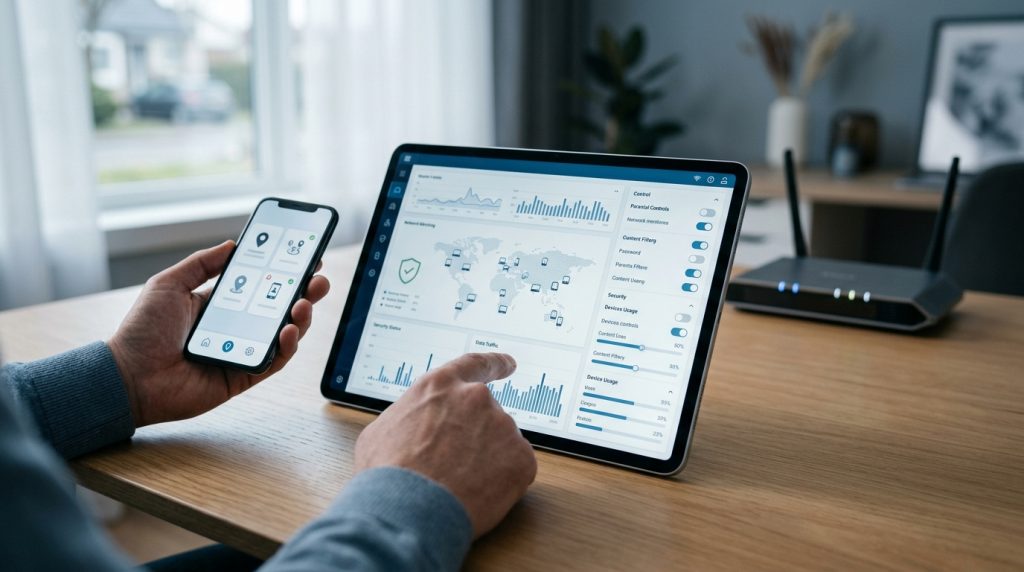
Setting up boundaries for your household’s digital life often starts right at the gateway: your home router. It sounds like the cleanest, least intrusive approach available. You install a wifi router monitoring app or open the administrative dashboard of your wireless system, flip a few switches, and expect a complete picture of everything happening across your home network. With one central configuration, you hope to manage every smartphone, tablet, laptop, and gaming console under your roof.
Part of our complete guide: Phone Monitoring Software: The Complete Guide
Network-level monitoring is an excellent foundation for digital hygiene, but relying on it exclusively creates a false sense of security. Modern internet protocols, hardware privacy features, and encrypted communication channels have dramatically changed what a router can actually see. When a parent or administrator believes a network filter catches everything, dangerous blind spots easily go unnoticed.
Understanding where network oversight ends and on-device monitoring begins is essential for any family navigating today’s connected world. Let us look closely at how router inspection operates, where its technical limits lie, and how to build a layered defense that keeps your family genuinely protected both on and off the home network.
How Home Network and Router Monitoring Works
Every internet-connected device in your home must communicate through your router to reach the broader web. Because the router acts as the digital front door, it sees raw data packets moving back and forth between internal devices and external servers. Router-based parental software and monitoring utilities operate by analyzing these exchanges at the network layer.
Network-Level Traffic Inspection and Device Discovery
When a smartphone joins your Wi-Fi, the router assigns it a local IP address using DHCP (Dynamic Host Configuration Protocol) and logs the device’s hardware identifier, known as its Media Access Control (MAC) address. From this point forward, the router tracks connection states and handles every Domain Name System (DNS) query the device makes.
When your child opens a web browser and types in an address, the phone first asks the router (or an upstream DNS server) to resolve that plain-text name into an IP address. A router monitoring tool captures these DNS lookups. If configured to do so, it can log:
- The domain names visited (e.g., example.com or tiktok.com).
- The exact local device (by MAC or IP address) making the request.
- The timestamp of each connection request.
- Total bandwidth consumed by each device over time.
Common Parental Controls in Modern Mesh and Standard Routers
Modern wireless systems—including popular mesh hardware from Netgear, TP-Link, ASUS, and eero—frequently bundle parental controls directly into their companion mobile apps. These features generally provide broad, category-level controls:
- Bedtime and Schedule Pauses: Cutting off Wi-Fi access for specific devices during dinner or late at night.
- Category-Based DNS Filtering: Automatically blocking domain categories such as adult content, gambling, known malware, or social media platforms.
- Bandwidth Throttling: Limiting streaming video speeds or gaming traffic to prioritize work-from-home activities.
- SafeSearch Enforcement: Forcing Google, Bing, and YouTube to operate in restricted modes by rewriting DNS responses at the gateway.
These features are valuable for establishing broad household rules. Setting a network curfew helps keep screens out of bedrooms after lights out, and blocking malicious domains shields smart home gadgets that cannot run standalone security software. However, the operational scope of a router stops at the perimeter of the network.
Limitations of a WiFi Router Monitoring App
While router utilities excel at managing bandwidth and blocking known malicious domains, they face severe architectural barriers when it comes to real-world behavioral safety. The modern internet was engineered specifically to prevent middle-tier observers—which includes your router—from reading user data.
The Encryption Wall: Social Media and Encrypted Messaging
Nearly all web traffic today uses Transport Layer Security (TLS/HTTPS). Encryption secures data moving between a mobile app and its remote cloud server. While this protects banking information from cybercriminals, it also means your router monitoring utility cannot read anything inside the data stream.
When a teenager uses an app like WhatsApp, Snapchat, or Instagram, the router can see that data packets are moving between the phone and the app’s hosting servers. It cannot, however, read:
- The contents of direct messages, chats, or group conversations.
- Photos, videos, or disappearing media sent or received.
- Deleted messages or covert second accounts.
- Specific profiles viewed or search queries entered inside the application.
If a child encounters cyberbullying, predatory contact, or inappropriate content inside an app, a router app will simply report steady traffic to a generic content delivery network. It offers zero contextual insight into what is actually occurring on the screen.
Network Mobility: Cellular Data and Public Wi-Fi Blind Spots
A router filter only applies to traffic passing physically through that specific wireless access point. The moment a child turns off their device’s Wi-Fi toggle, the phone switches seamlessly to 4G or 5G cellular data provided by their carrier. In an instant, every router rule, schedule, and DNS block ceases to function.
The same blind spot occurs whenever your child leaves the house. At school, a friend’s home, a library, or a coffee shop, their device connects to completely different networks where your home router has no presence. A safety setup that relies solely on a router monitoring utility leaves children completely unprotected during the hours they spend away from home.
Technical Bypasses: VPNs, Private DNS, and MAC Randomization
Modern operating systems and readily available software make bypassing network-level restrictions relatively simple, even for non-technical kids who share tips on social media.
Common circumvention techniques include:
- Virtual Private Networks (VPNs): A VPN encapsulates all internet traffic inside an encrypted tunnel routed to an external server. The router sees only an encrypted stream to a single IP address, blinding all DNS logs and content filters instantly.
- Encrypted DNS (DoH / DoT): Modern web browsers and mobile platforms support DNS-over-HTTPS (DoH). This encrypts standard domain lookups, preventing the router from seeing or filtering the websites being requested.
- MAC Address Randomization: Both iOS and Android now feature built-in privacy tools that cycle hardware addresses (such as Apple’s Private Wi-Fi Address feature). When a phone generates a new virtual MAC address, the router treats it as a brand-new device, bypassing existing time limits and profile restrictions assigned to the child’s real device profile.
Router-Level Filters vs Dedicated Parental Control Apps
To understand digital safety architecture, it helps to distinguish between network perimeter filtering and endpoint monitoring. A router manages traffic along the road; an on-device tracker understands what is happening inside the vehicle.
The table below highlights how these two approaches compare across standard monitoring scenarios:
| Monitoring Capability | WiFi Router Monitoring App | Dedicated On-Device Tracker |
|---|---|---|
| Coverage Off Home Wi-Fi | None (Fails on 4G/5G and external Wi-Fi) | Continuous (Functions across all networks) |
| Encrypted Social Media & Chats | Cannot inspect contents or media | Captures keystrokes, screenshots, and logs |
| Search Term Visibility | Domain only (e.g., google.com) | Full search queries and visited URLs |
| GPS Location Tracking | No physical tracking capabilities | Real-time GPS mapping and geofencing |
| Device-Level Screen Time | Network cut-off only (offline apps still work) | App-specific timers and total device lockout |
| Ease of Bypass | High (VPN, cellular toggle, MAC spoofing) | Low (System-level installation with tamper controls) |
Relying exclusively on domain-level blocking leaves critical gaps in your oversight. If your goal is simply to enforce a household bedtime or keep basic smart TVs from loading suspicious servers, network rules work well. However, when managing the personal devices of minors where risks like online harassment, inappropriate contact, and hidden apps occur, you require visibility at the device level.
Drawing on more than two decades of developing device-level safety software at SPYERA, we have consistently found that meaningful protection requires insight at the endpoint. A software solution installed directly on the phone or computer operates beneath the layer of network encryption, capturing critical events before they are scrambled and sent across the internet.
For parents seeking comprehensive oversight across various hardware platforms, exploring dedicated solutions like the SPYERA Android monitoring app or the SPYERA iPhone tracker bridges the gaps that network filters inherently leave behind. These endpoint tools log keystrokes, record application usage, monitor call logs, and track physical location regardless of what network connection the device uses.
Best Practices to Secure Your Family Network
The most effective digital safety strategy does not force you to choose between network controls and on-device software. Instead, it combines both into a layered framework. Network rules establish baseline hygiene for every gadget in the house, while endpoint tools handle in-depth protection for personal mobile devices.
Step 1: Harden Your Gateway and DNS Settings
Begin by securing your router against unauthorized changes and setting up family-safe DNS resolution:
- Change Default Admin Credentials: Update the default gateway password (the login for 192.168.1.1 or your router app) so tech-savvy children cannot log in and disable filtering rules.
- Implement Upstream Family DNS: Configure your router to use secure DNS providers that automatically drop adult and malicious domains at the network level. Reputable providers include Cloudflare Family (1.1.1.3) and OpenDNS FamilyShield.
- Disable Remote Management: Turn off WAN-side administrative access to ensure the router can only be configured from within the local network.
Step 2: Segment Devices Using Guest and IoT Networks
Most modern wireless access points allow you to broadcast multiple Service Set Identifiers (SSIDs). Take advantage of network segmentation:
- Primary Network: Reserved for parents’ work devices, administrative laptops, and primary family hardware.
- Kids’ Network: Configured with scheduled access windows, SafeSearch enforcement, and strict content filters.
- Guest/IoT Network: Keep smart TVs, gaming consoles, smart bulbs, and voice assistants isolated on an IoT network so they cannot communicate with personal computers.
Step 3: Establish Device-Level Rules and Open Communication
Technology is most effective when paired with clear family agreements. Authoritative organizations such as ConnectSafely emphasize that clear boundaries and ongoing conversations form the foundation of digital well-being.
Set clear expectations regarding device use:
- Establish screen-free zones in bedrooms overnight.
- Discuss why monitoring tools are in place—framing oversight around safety and guidance rather than mistrust.
- Maintain shared parental access to app stores to prevent unauthorized downloads of unvetted chat apps or proxy utilities.
Step 4: Layer Endpoint Protection for Mobile Devices
Because children spend much of their time away from home Wi-Fi, install dedicated monitoring software on smartphones and laptops. A dedicated tool provides location tracking, application management, and message logging that follows the child wherever they go. Implementing comprehensive options to protect your family across all devices ensures your safety rules remain active whether a phone is on the home mesh system, a public hotspot, or a 5G data connection.
Ethical & Legal Note: Monitoring software must always be deployed in compliance with local laws. In family contexts, parental monitoring tools are intended for minor children under your legal guardianship. In commercial environments, tracking software may only be deployed on company-owned equipment with the explicit written consent and awareness of employees.
How SPYERA Can Help
SPYERA has helped parents and employers with wifi router monitoring app since 1999. Monitor calls, messages, locations, and app activity on Android, iPhone, Windows, and Mac — used responsibly, with consent, on devices you own or are authorized to monitor.
Frequently Asked Questions
Can a wifi router monitoring app see search history?
A router can only log the domain names requested via DNS, such as google.com, but modern HTTPS encryption prevents it from capturing the actual search terms, clicked search results, or specific web pages visited.
Can my router see messages sent through WhatsApp or Instagram?
No. Messaging platforms and social networks utilize end-to-end encryption and secure transport layers, which encrypt all text, voice notes, photos, and video before they leave the phone, making them unreadable to network routers.
How do kids bypass router-level parental controls?
Common bypass methods include switching from Wi-Fi to cellular data, enabling a virtual private network (VPN), activating encrypted DNS (such as DNS-over-HTTPS) in their browser, or using randomized MAC addresses to bypass device-specific rules.
Is router-level filtering enough to keep my child safe online?
Router filtering works well as a baseline defense for home network hygiene, but it leaves massive blind spots outside the home, over cellular networks, and inside encrypted mobile apps where most modern digital risks occur.