
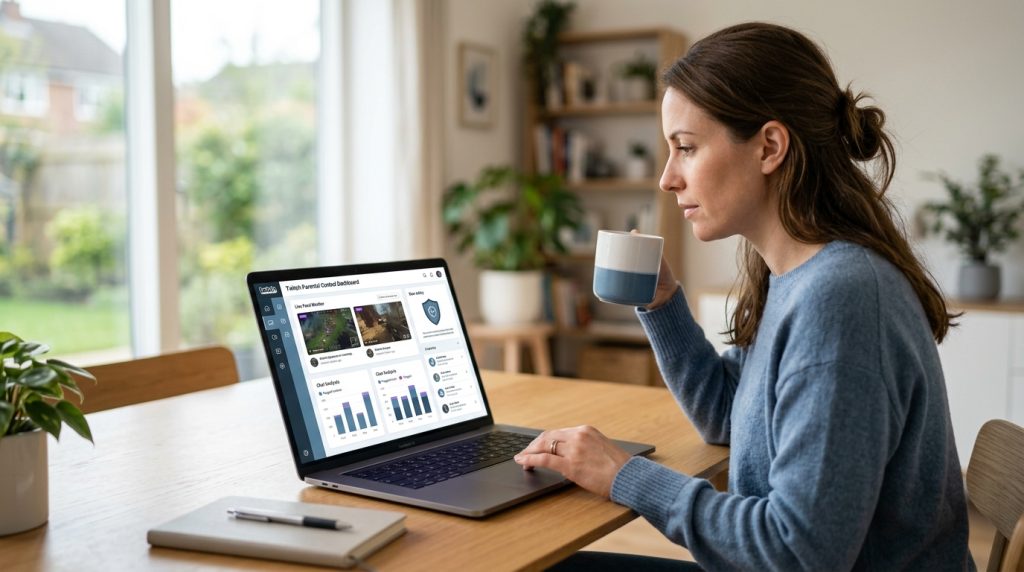
Live streaming has fundamentally transformed how kids and teenagers consume entertainment. Instead of watching pre-recorded television shows, young audiences flock to Twitch to watch their favorite creators play games, share daily routines, and interact in real time. For parents, this dynamic environment introduces unique challenges. Unlike on-demand video platforms where content can be screened in advance, live broadcasts are unpredictable, fast-moving, and interactive. Using a dedicated twitch parental control app alongside thoughtful family rules is often the most reliable way to let your child participate in gaming culture without leaving them exposed to mature themes, predatory behavior, or toxic digital environments.
Part of our complete guide: Phone Monitoring Software: The Complete Guide
Twitch brings together hundreds of thousands of active broadcasters at any given moment. While much of the platform revolves around creative gameplay and lighthearted esports commentary, the live nature of the service means moderation is never foolproof. A streamer might shift from a child-friendly title to an explicit topic in seconds, or an unmoderated chat room can flood with aggressive language before automated filters react. Managing these digital spaces requires understanding what happens on the screen, behind the chat box, and across the secondary platforms connected to the stream.
Balancing digital freedom with child safety does not require cutting off internet access or hovering over your child’s shoulder every afternoon. With the right mix of platform-level adjustments, device controls, and robust monitoring software, you can build a secure streaming environment that protects your family while giving young gamers room to explore their interests responsibly.
Hidden Risks on Twitch Every Parent Should Know
Understanding the architecture of live broadcasting helps clarify why standard web filters often fail to protect young viewers. Twitch is not simply a video repository; it is a sprawling social network built around real-time interactivity. When children tune in, they are not just passive spectators—they are participants in active communities where content is generated on the fly.
Unmoderated Live Stream Chat Interactions and Toxic Community Behavior
The beating heart of Twitch is the live chat room running alongside every stream. In busy channels, hundreds of messages scroll by every minute. While popular creators employ human moderators and automated filters, smaller streams often lack active moderation entirely. Children reading or participating in these chat rooms can quickly encounter:
- Targeted cyberbullying and harassment: Heated gaming moments frequently trigger aggressive text exchanges, name-calling, and coordinated trolling campaigns against participants.
- Hate speech and slurs: Bad actors routinely use deliberate misspellings, custom emojis, and Unicode tricks to bypass basic keyword blacklists.
- Spam and malicious links: Viewers frequently drop deceptive links promising free in-game currency, account upgrades, or downloadable cheats that actually lead to phishing sites or malware.
According to child safety advocates at ConnectSafely, real-time social feeds create heightened urgency for young users, making them significantly more likely to click suspicious links or engage impulsively with aggressive peers.
Exposure to Age-Inappropriate Gaming Content and Mature Themes
While many popular games like Minecraft, Rocket League, or Roblox attract younger audiences, Twitch hosts streams for virtually every genre. Categories like “Just Chatting,” virtual casino slots, and mature-rated tactical shooters (such as Grand Theft Auto V or Call of Duty) consistently rank among the most-watched content on the platform.
Even when a creator plays a family-friendly game, their commentary might be filled with graphic language, adult humor, substance references, or discussions of mature relationship topics. Broadcasters are supposed to apply Content Classification Labels to their streams, but labeling is voluntary and inconsistent. A young viewer searching for basic gameplay tips can easily stumble into broadcasts featuring graphic violence, suggestive themes, or high-stakes gambling promotions without any prior warning.
Predatory Contact Risks Through Unregulated Direct Whispers and Discord Links
Perhaps the most concerning aspect of live streaming is the funneling of young viewers into private, unregulated communication channels. Twitch features a direct messaging system known as “Whispers,” which allows users to message each other privately away from the public chat feed.
Beyond native direct messaging, almost every regular streamer maintains a dedicated Discord server to keep their community engaged between broadcasts. Broadcasters regularly post public invite links in their stream descriptions and chat bots. Once a child clicks an invite link and enters an external server, they move beyond Twitch’s ecosystem into multi-channel platforms where private voice calls, direct file sharing, and direct messaging are common. Child safety researchers at Common Sense Media emphasize that off-platform community funnels represent one of the primary pathways through which online grooming and unauthorized contact occur in gaming spaces.
Why Native Settings Fall Short Without a Twitch Parental Control App
When concerned parents explore Twitch’s account settings, they often expect to find comprehensive parental control dashboards similar to those available on modern game consoles or streaming video platforms. Unfortunately, Twitch’s native controls are designed primarily for user preference and creator moderation rather than parental oversight.
| Feature / Capability | Native Twitch Settings | Dedicated Monitoring (SPYERA) |
|---|---|---|
| Passcode-Protected Controls | No (kids can alter settings freely) | Yes (remote cloud portal) |
| Chat Keystroke Logging | No | Yes (captures typed text before sending) |
| Live Visual Verification | No | Yes (periodic screen captures) |
| Cross-Platform Tracking | Account-only (fails on logout) | System-level (Windows, Mac, iOS, Android) |
| Keyword Trigger Alerts | Basic word mute (hides text locally) | Instant parent notifications for safety risks |
Limitations of Built-In Account Restrictions and Viewer Filters
Twitch does include several safety features within its settings menu, but they come with severe structural limitations:
- No parental PIN or remote locks: Any safety toggle enabled inside the app—such as filtering mature content or blocking whispers from strangers—can be disabled instantly by anyone who has access to the account. There is no parent passcode requirement.
- Supervision gaps: Twitch accounts are not linkable through family groups. A parent cannot view an audit log of which channels their child followed, what messages they sent in public chat, or who they interacted with via whispers.
- Inconsistent tagging: Broadcasters self-tag their streams. If an adult streamer fails to classify their stream as containing mature themes, Twitch’s native filters will treat the stream as suitable for all viewers.
How Third-Party Monitoring Fills Gaps with Real-Time Screen Capture
Because native platform settings do not provide active oversight, parents need a solution that operates independently of the streaming app itself. Operating-system-level monitoring captures what actually appears on your child’s display in real time.
If a child is watching an unrated broadcast or browsing an unmoderated community, periodic automated screenshots provide visual context that text logs alone cannot convey. You can see the actual broadcast visuals, the active chat overlay, and any on-screen webcam feeds, allowing you to identify inappropriate content immediately rather than relying on self-reported channel tags.
Tracking Hidden Accounts and Private Browsing Sessions
One of the easiest ways for tech-savvy teenagers to bypass home network filters or logged-in account rules is by using private browsing modes (such as Chrome’s Incognito or Safari’s Private Browsing) or by simply logging out of Twitch entirely. Twitch allows full video playback and public chat viewing without requiring an active user login.
When a viewer watches streams as an anonymous guest, platform-level restrictions cease to exist. A robust family protection tool monitors the underlying operating system across desktop and mobile devices. Whether your child uses the official desktop client, a mobile application, or a private browser window, system-level tracking captures the active window titles, URLs, and screen output regardless of account status.
How to Monitor Live Stream Activity Discreetly Using SPYERA
When standard network filters prove insufficient for fast-paced streaming media, professional-grade monitoring software bridges the gap. With engineering roots dating back to 1999, SPYERA provides continuous, cross-platform visibility across mobile and desktop environments. By collecting data directly at the device level, parents gain a transparent view of how their children interact with streaming platforms without interfering with device performance.
Logging Keystrokes in Chat Boxes to Detect Cyberbullying and Personal Info Leaks
One of the most critical safety concerns during live broadcasts is the accidental sharing of personally identifiable information (PII). In the excitement of chatting with a popular streamer, young users often type their real names, school names, city locations, or social handles into chat rooms viewed by thousands of strangers.
Using an integrated Windows monitoring solution or a mobile tracking client captures every keystroke typed into Twitch chat boxes, web forms, and desktop messaging clients. This ensures you can verify:
- Whether your child is disclosing private personal details to strangers in chat.
- If they are being targeted by abusive language or participating in toxic harassment campaigns.
- What they are typing into private whispers or connected third-party communication apps before messages are sent or deleted.
Capturing Live Screen Activity During Active Streaming Sessions
Text logs only tell half the story on multimedia platforms. SPYERA’s screen-capture engine takes automated visual snapshots whenever specific streaming applications or web browsers are active on the device. These visual records are securely uploaded to your private web-based dashboard.
This allows parents to see precisely which channels are being viewed, the exact webcam behavior of broadcasters, and the surrounding visual context of the stream. For families managing devices across different ecosystems—including laptops, desktop gaming rigs, and mobile phones—this centralized visual reporting eliminates the guesswork associated with reviewing browser history hours after a live stream has ended.
Setting Up Keyword Alerts for Profanity, Grooming Language, and Scam Links
Parents do not have the time to sift through thousands of lines of chat logs or hundreds of screen captures every single day. Efficient digital safety relies on proactive alerts.
SPYERA allows you to configure specific keyword and phrase triggers inside your control panel. You can define sensitive terms related to:
- Predatory phrases: Terms frequently associated with off-platform grooming (e.g., “add me on Discord,” “are you home alone,” “send pictures,” “private voice call”).
- Financial scams: Keywords involving free gaming tokens, account trading, gift card exchanges, or unauthorized credit card requests.
- Inappropriate topics: Explicit language, substance abuse terminology, or self-harm references.
Whenever a configured keyword is typed on the target device or appears in monitored text inputs, the system immediately flags the entry and sends a notification to your parent portal. This allows you to address safety concerns promptly before they escalate into serious offline issues.
Ethical Note: Responsible parental monitoring is designed to safeguard minor children from real-world digital risks. Monitoring tools should always be deployed lawfully on devices you own or have explicit administrative authority to supervise, in full accordance with local regulations.
Practical Tips for Establishing Healthy Streaming Boundaries
Software tools are most effective when paired with clear family guidelines and practical device configurations. Setting up healthy digital boundaries early helps prevent power struggles and teaches children how to manage their digital consumption independently.
Checklist: Essential In-App Safety Settings on Twitch
- Block Whispers from Strangers: Open Twitch → Settings → Security and Privacy → Toggle on Block Whispers from Strangers. This prevents non-followed users from sending unsolicited private messages.
- Enable AutoMod Chat Filtering: In the same menu, adjust Chat Filtering to globally hide discriminatory language, profanity, and sexual content in streams your child watches.
- Disable Channel Gift Purchasing: In Settings → Payment Methods, ensure no credit cards or PayPal accounts are saved to prevent accidental or peer-pressured financial donations to streamers.
- Hide Sensitive Stream Tags: Navigate to Content Preferences and enable warnings for streams containing mature classifications (Gambling, Mature Ratings, Intense Violence).
Setting Daily Screen Time Limits Without Causing Family Friction
Live streams have no natural conclusion; when one broadcaster goes offline, Twitch immediately auto-hosts or recommends another live channel. This endless content loop makes it difficult for young minds to self-regulate screen time.
To establish healthy boundaries without daily arguments, leverage operating-system-level screen timers alongside consistent family agreements:
- Use OS-Level App Timers: On iOS devices, configure Screen Time (Settings → Screen Time → App Limits) to cap Twitch and related browser use to a specific number of minutes per day. On Android, utilize Google Family Link or the built-in Digital Wellbeing dashboard to lock the application once daily limits are reached.
- Establish Tech-Free Zones: Keep gaming PCs and mobile streaming devices in shared living spaces rather than bedrooms. Research from the American Academy of Pediatrics (AAP) consistently demonstrates that removing screens from bedrooms improves sleep hygiene and drastically reduces late-night unmonitored digital interactions.
- Plan Structured Stream Breaks: Encourage kids to watch streams in structured blocks (e.g., one hour after homework is finished) rather than keeping streams running as continuous background noise throughout the evening.
Educating Children on the Dangers of Sharing Location Data During Live Broadcasts
If your child is interested in broadcasting their own gameplay rather than just watching others, safety risks increase substantially. Streaming from a personal computer or console can inadvertently expose real-world location markers to anyone watching.
Before allowing your child to hit the “Go Live” button, walk through these foundational privacy protocols together:
- Check Webcam Backgrounds: Ensure no family photos, school certificates, sports jerseys with team names, or distinct window views are visible behind the player.
- Disable On-Screen Desktop Notifications: Turn off pop-up notifications for messaging apps, delivery services, and local weather widgets that might display real names, home towns, or incoming private messages during a screen-share session.
- Maintain Distinct Gamer Handles: Ensure your child’s broadcasting username does not contain their real name, birth year, or match handles used on personal social media accounts.
- Review Off-Platform Rules: Make it an absolute rule that your child must never transition a Twitch acquaintance to private voice calls, Discord direct messages, or secondary messaging apps without discussing it with you first.
Pairing transparent communication with comprehensive safety tools allows your family to navigate the modern streaming landscape with confidence. By combining native device limits, proactive monitoring across computers and mobile devices, and routine conversations about digital citizenship, you can ensure your child enjoys the creative entertainment of live streaming while remaining secure from online harm.
How SPYERA Can Help
SPYERA has helped parents and employers with twitch parental control app since 1999. Monitor calls, messages, locations, and app activity on Android, iPhone, Windows, and Mac — used responsibly, with consent, on devices you own or are authorized to monitor.
Frequently Asked Questions
Does Twitch have built-in parental controls?
Twitch offers limited native protections, such as content classification labels and chat filters, but lacks comprehensive parental control dashboards. It does not allow parents to set remote time limits, lock settings behind a master passcode, or track private messages.
What is the minimum age requirement to use Twitch?
Twitch requires users to be at least 13 years old to create an account. However, users between the ages of 13 and 17 are technically required to have a parent or legal guardian supervise their use of the service under Twitch’s Terms of Service.
Can my child browse Twitch without an account?
Yes. Anyone can open Twitch in a web browser or download the mobile app and watch live streams without creating an account or logging in. This bypasses any account-level content filters or blocks a parent might have set up.
How does third-party software monitor Twitch activity?
Comprehensive monitoring tools operate at the operating system level across Android, iOS, Windows, and Mac devices. They capture keystrokes typed into chat, record periodic screen captures of active streams, and alert parents when specific safety keywords are triggered.
Is it legal to monitor my child’s Twitch activity?
Yes, parents and legal guardians have the legal right to monitor the digital activity and communications of their minor children on devices they own. Monitoring should always comply with local laws and is most effective when combined with open communication.