
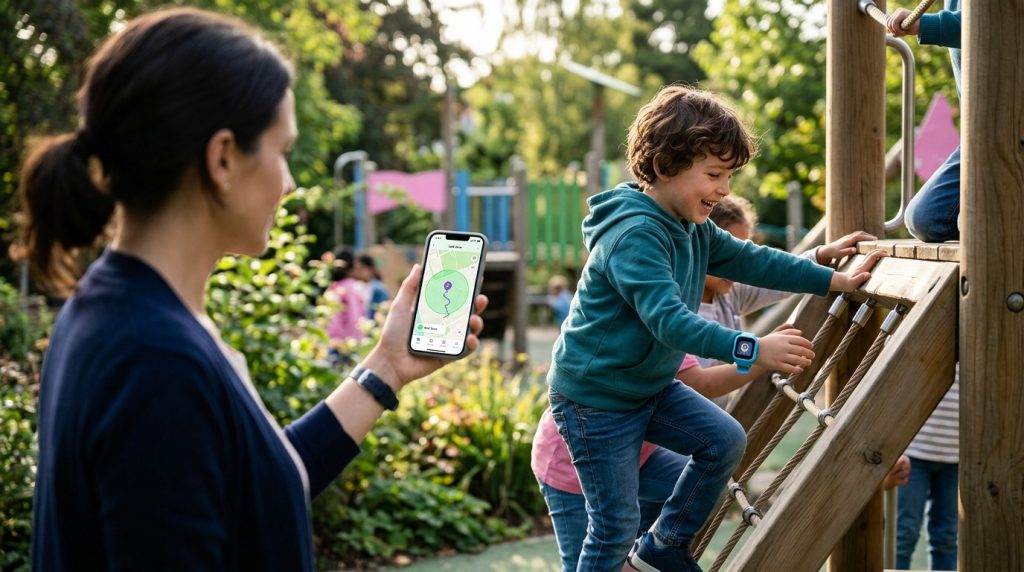
Handing an elementary schooler an unrestricted smartphone often feels like opening the front door to a crowded highway. You want to know they reached soccer practice safely or stepped off the neighborhood bus at the right stop, but you probably do not want them navigating unmoderated social media feeds, algorithmic video loops, and open web browsers. This dilemma is precisely why wearable technology has transformed modern parenting. Choosing a dedicated kids smartwatch tracking app bridges the gap between granting everyday independence and maintaining responsible oversight.
A connected wearable strapped securely to your child’s wrist gives you real-time geographic reassurance without the physical loss risks or digital pitfalls of a pocket device. Unlike phones that get buried at the bottom of a backpack on silent mode, a smartwatch stays attached, charges quickly, and provides straightforward safety controls. When paired with an intuitive parent dashboard, these devices turn simple hardware into a reliable digital safety net.
Understanding which features matter—and how to configure them properly—ensures your child stays protected while learning personal autonomy. From live positioning and emergency triggers to secure data transmission, here is everything you need to know about implementing wearable location monitoring effectively.
Why Wearable GPS Monitoring Is Essential for Child Safety
Parenting styles evolve alongside technology, but the fundamental priority remains constant: knowing your children are safe when they are out of sight. Wearable GPS devices offer unique physical and developmental advantages over conventional mobile phones, especially for children aged five through twelve.
The Shift from Smartphones to Smartwatches for Younger Children
Smartphones present significant challenges for younger kids. They are fragile, expensive to replace, easily misplaced on playgrounds, and act as portals to digital distractions. Research from organizations like Common Sense Media consistently highlights the screen-time battles and attention hurdles linked to early smartphone adoption.
Smartwatches solve these operational problems through intentional design constraints:
- Physical retention: Fastened to the wrist with durable silicone bands, watches are far less likely to be dropped on concrete or forgotten in school cubbies.
- Distraction-free communication: Most wearables limit interaction to predefined contacts, eliminating unsolicited calls, spam messages, and web browsing during class hours.
- Frictionless connectivity: Simple voice messages or pre-scripted text replies allow quick check-ins without requiring the typing dexterity needed for a mobile phone.
Immediate Emergency Response via SOS Buttons and Real-Time Location Pinging
When an unexpected situation arises, complexity is the enemy of safety. If a child feels lost, intimidated, or separated from a group, navigating phone lock screens and dialing keypad numbers can be overwhelming. Wearables address this with dedicated hardware SOS buttons.
Holding down an SOS button for three to five seconds initiates a sequence of automated safety actions configured through the companion monitoring dashboard:
- The watch immediately sends high-priority push notifications and SMS alerts to primary emergency contacts.
- The internal GPS receiver switches from standard power-saving mode to aggressive, continuous location broadcasting, updating coordinates every few seconds.
- The device cycles through programmed emergency phone numbers sequentially until an adult answers the voice call.
This rapid chain of communication ensures that parents receive immediate context during critical moments rather than discovering a missed text hours later.
Key Features to Look For in a Kids Smartwatch Tracking App
Not every companion application offers the precision or stability required for dependable tracking. When evaluating software to manage your child’s wearable, look for core capabilities that balance granular visibility with practical usability.
Live GPS and Historical Route Logging Capabilities
Accurate location reporting relies on multi-source positioning. High-grade systems combine satellite GPS, GLONASS, regional Wi-Fi network mapping, and cellular tower triangulation. When satellite visibility is blocked by tall buildings or school roofing, Wi-Fi sniffing calculates proximity based on nearby public routers, preventing sudden tracking dropouts.
Historical route logging is equally valuable. Beyond seeing where your child is right now, the companion software should map the path taken over the past 24 to 72 hours. This historical playback helps confirm whether your child took the agreed-upon walking route home from school or took an unexpected detour through unfamiliar streets.
Custom Geofencing Boundaries with Automated Entry and Exit Alerts
Parents cannot—and should not—spend their day staring at a live map interface. Geofencing automates spatial awareness by establishing virtual perimeters around everyday destinations such as home, school, sports fields, or grandparents’ houses.
Within the parent dashboard, you can define geographic zones with specific radiuses (typically between 100 and 1,000 meters). Once set, the tracking software triggers immediate push notifications whenever the smartwatch crosses those boundaries:
- “Arrived at Lincoln Elementary at 8:22 AM.”
- “Departed Westside Community Park at 4:15 PM.”
These automated timestamps provide peace of mind throughout the workday without requiring disruptive check-in calls that interrupt class or play.
Ambient Listening and Two-Way Communication Controls
Clear communication channels keep parents connected without exposing kids to outside interference. High-end monitoring platforms incorporate whitelisted calling lists, allowing the watch to send and receive calls only from approved family numbers. Any inbound call from an unknown number is automatically blocked at the network level.
For situations where a parent needs to verify physical safety—such as an unacknowledged SOS trigger or a child failing to arrive at a scheduled pickup—advanced solutions offer audio monitoring tools. Specialized platforms like environmental listening applications enable parents to open a discrete, one-way audio connection to understand surroundings, identify traffic noise, or determine if immediate assistance is required.
How to Pair Smartwatch Location Data with Parental Monitoring
A child’s digital ecosystem rarely stops at a single device. As children grow, they transition between wrist trackers, household tablets, classroom laptops, and eventually handheld smartphones. Managing these devices through fragmented, standalone apps creates monitoring blind spots.
Integrating Wearable Trackers into Comprehensive Parental Control Dashboards
Centralized monitoring provides a complete picture of your family’s physical and digital safety. When location telemetry from a wearable is paired with broader oversight tools, parents can cross-reference physical movement with digital habits. Engineering safety solutions for more than two decades, SPYERA builds cross-platform architectures that bridge these gaps across operating systems.
By connecting device activity to an overarching family protection system, parents gain unified visibility. Whether tracking the real-time coordinates of a primary schooler’s watch or reviewing app usage on an older sibling’s tablet, managing alerts from a single centralized web console simplifies digital parenting.
Managing Multiple Devices Across Android and iOS Platforms
Modern households are rarely platform-exclusive. A mother using an iPhone may need to track a child wearing an Android-powered standalone smartwatch, while managing an Android tablet kept at home. Reliable monitoring infrastructure must function smoothly across ecosystem boundaries.
When selecting your tracking software, verify that the companion management app supports both platforms:
- Real-time push notifications delivered seamlessly to both iOS and Android parent phones.
- Interactive mapping software compatible with desktop browsers for emergency access from office computers.
- Unified account licensing, allowing you to add, reassign, or upgrade managed hardware as your child matures from basic wearables to dedicated mobile phones managed via an Android monitoring app or an iPhone tracking solution.
Ethical Note: Location tracking and device monitoring tools must always be deployed within legal and ethical boundaries. In family contexts, monitoring is designed exclusively for minor children under parental guardianship. Maintaining open conversations about why tracking is enabled builds lasting digital responsibility and mutual trust.
Securing Your Child’s Wearable Data Against Cyber Threats
A wearable tracker transmits sensitive telemetry continuously: your child’s precise GPS coordinates, daily movement routines, audio clips, and contact lists. If the underlying software infrastructure lacks rigorous security, that private stream of personal data becomes vulnerable to interception. Cybersecurity guidance from the Federal Trade Commission warns against internet-connected devices that cut corners on data privacy.
Ensuring End-to-End Encryption for Transmitted Location Coordinates
When a smartwatch determines its position via satellite, it packages those latitude and longitude coordinates into data packets and transmits them across cellular networks to cloud servers, which then push the data to your parental phone. Every stage of this transmission pipeline must be secured.
Reliable tracking systems use industry-standard Transport Layer Security (TLS/HTTPS) and robust AES-256 encryption. This ensures that even if bad actors intercept radio packets on public Wi-Fi networks, the underlying data remains completely unreadable.
Preventing Unauthorized Remote Access and Data Interception
Inexpensive, unbranded smartwatches often flood online marketplaces with default, unchangeable administrative passwords (such as “123456”) or unauthenticated SMS command backdoors. Flaws like these allow unauthorized third parties to query the device directly for location coordinates or alter emergency contact numbers.
To safeguard your child’s hardware, use this essential security checklist before putting any tracking device into regular use:
- Update Default Credentials Immediately: Never keep factory-set PINs or master passwords. Create a complex, unique password for the primary companion account.
- Enable Multi-Factor Authentication (MFA): Require an authentication app code or SMS verification token whenever logging into the parent tracking portal from a new browser.
- Verify Server Infrastructure: Ensure the software provider maintains clear data retention policies and hosts infrastructure in jurisdictions with strict privacy protections.
- Apply Firmware Updates Regularly: Manufacturers frequently patch network vulnerabilities. Keep the watch firmware and the mobile companion app updated to the latest stable versions.
Decision Framework: Evaluating Smartwatch Tracking Software
Use the following comparison to assess tracking capabilities and choose the right configuration for your family’s routine:
- Update Interval: High Precision (Every 1-2 minutes)
Best For: Walking home through busy city streets or navigating crowded events.
Battery Impact: High; requires daily charging.
Network Requirement: Consistent 4G/LTE cellular connection. - Update Interval: Balanced Geofence Mode (Every 10-15 minutes)
Best For: Typical school days where the child remains in a static location.
Battery Impact: Moderate; easily lasts 24 to 36 hours.
Network Requirement: Standard cellular or school Wi-Fi connectivity. - Update Interval: On-Demand Manual Ping
Best For: Older children who primarily need a communication device, with location used strictly for occasional check-ins.
Battery Impact: Minimal; maximizes battery life across multiple days.
Network Requirement: Basic mobile data connectivity.
How SPYERA Can Help
SPYERA has helped parents and employers with kids smartwatch tracking app since 1999. Monitor calls, messages, locations, and app activity on Android, iPhone, Windows, and Mac — used responsibly, with consent, on devices you own or are authorized to monitor.
Frequently Asked Questions
Can a kids smartwatch tracking app work without a cellular SIM card?
Most smartwatches require an active cellular SIM card or eSIM to transmit real-time GPS coordinates when your child is away from home. While some basic devices can log coordinates locally or connect via Wi-Fi, continuous live tracking and emergency calling depend entirely on a mobile data network.
How accurate is the real-time GPS tracking on children’s smartwatches?
Under open skies with strong satellite connectivity, GPS accuracy is typically within 5 to 15 meters. When indoors, trackers fall back on Wi-Fi triangulation and cellular tower signals, which can widen the margin of error to roughly 50 to 100 meters depending on network density.
Is it legal to use a tracking app on my child’s wearable device?
Yes, parents and legal guardians have the legal right to monitor the location and digital activity of their minor children for safety reasons. It is always recommended to maintain open communication with your child about why the tracking device is being used to build digital trust.
Will a smartwatch tracking app drain the watch battery quickly?
High-frequency GPS updates—such as refreshing location every 60 seconds—will drain a small smartwatch battery in a few hours. Configuring the companion app to update every 10 to 30 minutes, or using on-demand location pings, preserves battery life across a full school day.