
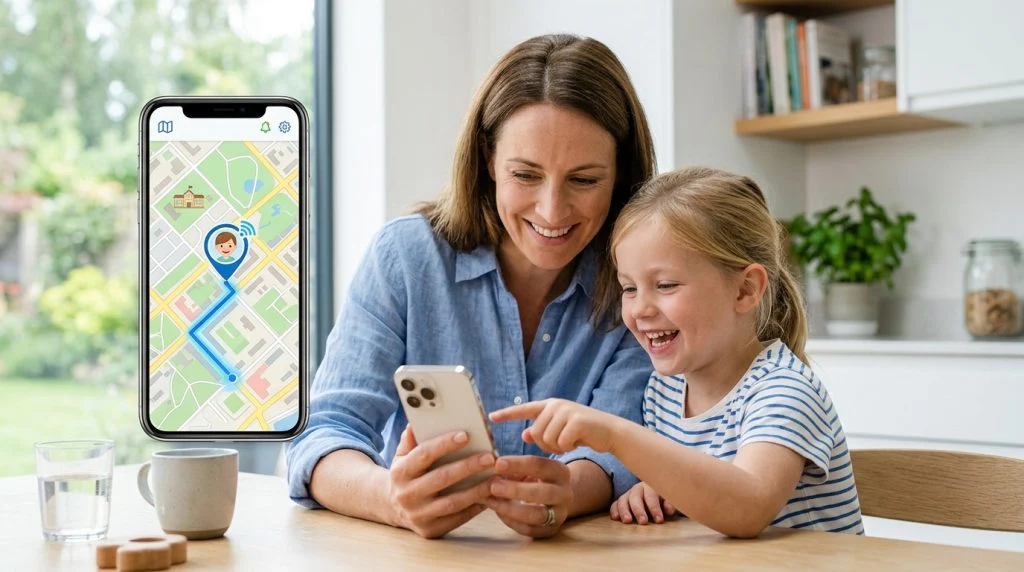
Few milestones feel quite as monumental—or as nerve-racking—as handing your child their first mobile device. One moment you are holding their hand across the crosswalk; the next, they are boarding a city bus alone or walking home from middle school with friends. The instinct to keep them safe is universal, but navigating the line between protective oversight and overbearing surveillance requires intentionality. Choosing the right kids phone gps tracker allows parents to grant age-appropriate freedom while securing absolute peace of mind.
Today’s mobile ecosystem provides unprecedented visibility into your child’s physical safety. Gone are the days when an unexpected thirty-minute delay on the walk home meant pacing the floor in silence. With modern positioning systems, parents can verify arrivals, track routes through high-traffic neighborhoods, and recognize route deviations immediately. The goal is not to police every step, but to establish a reliable safety net that works quietly in the background.
To implement location tracking effectively, it helps to understand how modern mobile positioning actually operates, which features matter when an emergency strikes, and how to frame tracking conversations so your child feels supported rather than managed. Here is a definitive guide to keeping your family safe using real-time location technology.
Why Real-Time Location Tracking Matters for Modern Parents
Parenting today takes place in an active, decentralized world. Children often move between split households, sports fields across town, tutoring centers, and friends’ houses across multiple neighborhoods. While previous generations relied on landlines and fixed check-in times, modern transit schedules and after-school commitments demand a more dynamic approach to physical safety.
The Realities of Independent Commutes and School Transit
Between the ages of 10 and 14, many children take their first steps toward real-world autonomy. They walk to neighborhood bus stops, pedal bicycles across town, or navigate public transit systems. While statistics from organizations like ConnectSafely emphasize that fostering independence is essential for healthy development, the physical environments kids navigate remain unpredictable.
Heavy traffic intersections, missed transit transfers, and sudden weather shifts can quickly turn an ordinary afternoon commute into a stressful ordeal. A dependable tracking system provides an objective, real-time pulse on your child’s whereabouts. If a bus breaks down or a child takes a wrong transfer on the subway, parents do not need to wait for a panicked phone call; they can view the coordinates immediately and provide calm, accurate directions.
The Evolution from Bulky Hardware Beacons to Smartphones
In the early days of personal location monitoring, parents relied heavily on standalone hardware beacons. These dedicated devices—often clipped to backpacks or worn as bulky wristbands—suffered from distinct vulnerabilities. They required proprietary charging cradles, carried separate cellular contracts, and were frequently left behind in school lockers, dropped in playgrounds, or forgotten on kitchen counters.
The ubiquity of smartphones fundamentally altered this equation. Because kids actively value their phones for communication, music, and entertainment, they rarely leave home without them. Leveraging the device already in your child’s pocket eliminates the friction of dedicated hardware. Modern smartphones integrate multi-band satellite receivers, Wi-Fi radios, and motion sensors, creating a tracking foundation far more capable than any single-purpose plastic tag could ever achieve.
How a Kids Phone GPS Tracker Works Behind the Scenes
To make smart decisions about location settings and battery life, it helps to look beneath the glass. When a parent opens a map dashboard to check a child’s location, the software does not simply fire up a single satellite receiver. It conducts a split-second calculation utilizing three distinct positioning layers to balance pinpoint accuracy with power consumption.
1. Assisted GPS (A-GPS) and Global Navigation Satellite Systems (GNSS)
At the foundation of real-time tracking is a constellation of satellites circling the globe. Standard Global Positioning System (GPS) units must download orbital data (ephemeris) directly from satellites, which can take several minutes during a “cold start.” Modern smartphones use Assisted GPS (A-GPS), downloading satellite orbital maps over the mobile network in milliseconds. Under clear skies, high-precision GNSS can establish your child’s coordinates down to an accuracy radius of 5 to 15 feet.
2. Wi-Fi BSSID Mapping and Indoor Positioning
Satellite signals have a critical weakness: physical mass. Dense concrete, steel beams, and heavy roofs scatter satellite frequencies, rendering standard GPS unreliable inside shopping malls, schools, or subway stations. To overcome this limitation, mobile location engines quietly scan for surrounding Wi-Fi routers.
Even without connecting to a wireless network, a phone can read the Basic Service Set Identifiers (BSSIDs)—the unique hardware addresses broadcast by nearby routers. By comparing these visible identifiers against global databases of known router positions, the software determines the phone’s position within a building almost instantly, requiring minimal power.
3. Cellular Tower Triangulation
When satellite signals are blocked and Wi-Fi networks are scarce—such as on rural highways or deep within multi-level parking garages—the device falls back on cellular triangulation. By measuring the signal strength and time-delay between the device and three or more nearby cell towers, the tracking platform calculates an estimated position. While this method carries a wider margin of error (typically 100 to 1,000 meters), it ensures that device tracking never goes entirely dark.
Taming the Battery Drain: Accelerometers and Doze Architectures
Historically, keeping continuous GPS tracking active would drain a phone’s battery in four to six hours. Today’s software takes advantage of the phone’s internal motion coprocessor. When the device is completely still—resting inside a classroom backpack or on a study desk—the tracking platform remains in a low-power listening state, checking Wi-Fi signals periodically.
The moment the internal accelerometer detects physical motion, the software activates precise GPS polling. This intelligent, motion-aware cycle preserves the phone’s battery throughout a 16-hour school day while delivering pinpoint accuracy during active travel.
Key Features to Look For in a Child Tracking Solution
Not all location monitoring tools offer the same level of reliability. Simple check-in utilities are often insufficient when an urgent situation develops. If you are comparing platforms to safeguard your household, prioritize these technical capabilities:
- Configurable Geofencing with Instant Alerts: A geofence is a virtual perimeter mapped around a real-world location, such as a school campus, sports complex, or home address. The tracking engine should trigger an immediate notification to your device the second your child crosses that boundary, confirming arrivals and departures without requiring manual checks.
- High-Resolution Historical Route Logs: Real-time visibility is vital, but historical breadcrumb trails provide necessary context. An effective platform records the path taken, travel speeds, and idle times. This allows you to confirm whether your child took the agreed-upon walking route or made unexpected stops along the way.
- Cross-Platform Compatibility: Family households are rarely uniform. Your child might carry an Android device while you manage updates from an iPad or a Windows laptop. Choose software built to report smoothly across varied operating systems without degraded functionality.
- Tamper Resistance and Process Protection: Children are technologically curious. If a tracking app sits exposed on the home screen as a generic utility, an inquisitive middle-schooler or teen can easily uninstall it, force-close the process, or disable permissions when they want privacy. Enterprise-grade tools protect the application from casual tampering.
Evaluating Native OS Tools vs. Dedicated Safety Software
Operating systems include basic location sharing, such as Apple’s native location sharing within Family Sharing and Google’s built-in location options. While these tools offer a helpful baseline, parents often discover clear limitations when evaluating them against comprehensive safety tools:
| Safety Capability | Built-In OS Tools | Dedicated Safety Platforms |
|---|---|---|
| Real-Time Map Refresh | Intermittent (often delayed to conserve system resources) | Real-time continuous updates or short user-defined polling intervals |
| Historical Route Playback | Rarely available; usually displays current coordinates only | Full historical logs with timestamps, speeds, and dwell durations |
| Tamper Protection | Easily disabled through device Settings or Airplane Mode | Operates in hidden background modes with uninstallation protection |
| Environmental Context | Location pins only | Ambient audio monitoring, surrounding context, and emergency alerts |
Balancing Digital Safety and Respect for Growing Independence
Installing a kids phone gps tracker without clear communication can quickly undermine trust. Tracking should never be framed as an invisible leash or an interrogation tool. Handled properly, location monitoring acts as a seatbelt: a protective safeguard that runs quietly in the background, designed to help if something goes off course.
Adapting the Conversation by Age
How you frame tracking depends heavily on your child’s developmental stage:
- Ages 8 to 11 (Foundation Years): At this stage, focus on safety and reassurance. Explain that the app helps you verify they arrived safely at soccer practice or school without having to interrupt their day with phone calls. Most children in this age bracket view location tracking as an extension of parental comfort.
- Ages 12 to 14 (Early Adolescence): As kids transition to middle school, social dynamics shift and the desire for privacy grows. Frame tracking as an agreement that unlocks personal freedom: “Because I have this safety net running on your phone, I feel confident letting you walk to the plaza or ride your bike to a friend’s house on your own.”
- Ages 15 and Up (Emerging Drivers): For teenagers operating motor vehicles or navigating public transit after dark, emphasize logistical support and road safety. Location history reveals sudden highway stops, unexpected detours, or mechanical issues long before a teen might think to call for roadside assistance.
The Legal and Ethical Ground Rules
From an ethical and legal standpoint, monitoring technology belongs in clear, well-defined boundaries. Parents have an established legal right and protective obligation to monitor minor children under their guardianship using devices purchased and managed by the household. This oversight protects them from external hazards, real-world dangers, and digital vulnerabilities.
Conversely, location monitoring software should never be deployed covertly against adults without explicit legal consent. True digital safety rests on responsible guardianship, parental accountability, and compliance with local privacy regulations.
How SPYERA Provides Total Location Awareness and Protection
When consumer-grade location apps fall short, dedicated tracking suites provide the depth and resilience parents need. Backed by more than two decades of dedicated software development since its inception in 1999, SPYERA delivers complete oversight designed specifically for modern family safety.
Unlike standard apps that merely display a pin on a basic map, SPYERA transforms location monitoring into a dynamic safety dashboard. If your child’s phone travels through a spotty cellular corridor or into an unfamiliar part of town, you can inspect their exact path step-by-step. The platform’s integrated mapping displays coordinates, precise address lookups, and exact transit speeds, allowing you to identify immediately if your child is walking, riding a bicycle, or traveling in an unexpected vehicle.
The true power of SPYERA lies in how it unifies location data with environmental awareness:
- Remote Ambient Listening: Coordinates tell you where a child is; environmental awareness tells you what is happening around them. With SPYERA’s ambient listening technology, parents can remotely activate the phone’s microphone to hear the surrounding environment in real time. If a child’s location shows them stopped at an unfamiliar address after school, you can listen to verify whether they are in a safe, friendly setting or a potentially hazardous situation.
- Platform-Wide Stealth and Stability: Standard apps can be swiped away, silenced, or deleted when a child faces peer pressure or tries to bypass rules. SPYERA operates discretely within the system architecture. It cannot be bypassed by simply opening app settings, ensuring that your connection to the device remains intact when it matters most.
- Full Mobile Ecosystem Support: Whether your household uses our Android monitoring app or our iPhone monitoring solution, SPYERA delivers uninterrupted tracking data directly to your personal web dashboard. The system functions smoothly across phone and tablet operating systems, providing complete visibility across all your family’s connected hardware.
- Holistic Child Protection: Location is just one piece of digital parenting. By combining pinpoint GPS reporting with communication logs, social media tracking, and keylogging, SPYERA enables parents to protect family members from real-world threats and digital harms through a single, secure control panel.
Real-World Scenario: When Context Saves the Day
Imagine your 13-year-old daughter is scheduled to walk home directly after band practice ends at 4:30 PM. By 5:15 PM, she has not walked through the front door. A standard phone call goes straight to voicemail because her ringer is still muted from class.
Using a traditional messaging app, you are left staring at a blank screen hoping for a text. With a professional tracking setup, you open your dashboard. You immediately see her location pin located four blocks off her typical walking route, stationary outside a local convenience store. Activating ambient listening reveals she is standing with a classmate whose bicycle chain broke, waiting calmly while they try to fix it. In under sixty seconds, panic is replaced with clarity. You drive directly to their location to give both kids a ride home. That is the fundamental purpose of real-time tracking: eliminating dangerous uncertainty with verifiable facts.
Best Practices for Setting Up a Kids Phone GPS Tracker
To ensure your tracking setup operates reliably and accurately without causing unexpected battery drain or system conflicts, follow these concrete implementation steps during initial setup:
- Set Location Permissions to “Always Allow”: On both Android and iOS, operating systems regularly prompt users to downgrade location permissions to “Only While Using the App.” Make sure the background permission is set permanently to “Always Allow.” Without this setting, the operating system will terminate coordinate reporting the moment your child locks the screen or puts the phone in their pocket.
- Disable Aggressive OS Battery Optimizations: Modern phone manufacturers (including Samsung, Xiaomi, and Google) incorporate aggressive battery-saving features that automatically close background apps after periods of screen inactivity. Navigate to the phone’s power management settings and set an explicit exception for your monitoring software, allowing unrestricted background execution.
- Calibrate Geofence Radii Realistically: When setting up geofencing boundaries around schools or homes, avoid setting the radius too tightly. A radius smaller than 100 meters can cause false departure alerts if satellite signals drift while your child is inside a metal-roofed gym or basement classroom. A geofence buffer of 150 to 200 meters provides reliable boundary triggers without nuisance notifications.
- Test the System Under Real-World Conditions: Once installed, conduct a brief field test. Have your child walk around the block or visit a nearby neighbor while you monitor the web console. Confirm that geofence alerts fire promptly, route lines reflect real transit paths, and battery usage over several hours remains steady.
Parenting in a connected world brings new responsibilities, but it also provides remarkable tools to keep our children safe. By pairing dependable positioning software with open, trusting communication, you give your children the confidence to explore their world—and yourself the calm assurance that you are always there to support them.
How SPYERA Can Help
SPYERA has helped parents and employers with kids phone gps tracker since 1999. Monitor calls, messages, locations, and app activity on Android, iPhone, Windows, and Mac — used responsibly, with consent, on devices you own or are authorized to monitor.
Frequently Asked Questions
How accurate is a kids phone GPS tracker in urban or indoor areas?
GPS alone can struggle inside dense concrete buildings or high-rise urban canyons where satellite signals bounce. Modern tracking tools solve this by integrating Wi-Fi network positioning and cellular tower triangulation, bringing typical outdoor accuracy down to 5 to 15 feet and maintaining reliable indoor location awareness.
Will keeping location services active drain my child’s phone battery quickly?
Continuous raw GPS polling will drain any phone battery within several hours. High-grade tracking solutions utilize intelligent geofencing and motion coprocessors, querying satellite fixes only when the accelerometer detects movement and relying on low-power Wi-Fi beacons while the phone remains stationary.
Can my child disable the GPS tracker on their phone?
Native operating system tools can often be toggled off directly from the device settings or bypassed by putting the phone into Airplane Mode. Dedicated monitoring solutions like SPYERA operate in a protected background mode that prevents standard uninstall attempts and alerts you if location services are manually altered.
At what age should parents transition away from real-time location monitoring?
Most developmental specialists recommend shifting from continuous real-time tracking to check-in-based systems as teenagers reach mid-adolescence (ages 15 to 17). The transition should be gradual, replacing constant active tracking with geofenced arrival alerts as your teen demonstrates reliable communication and road safety awareness.