
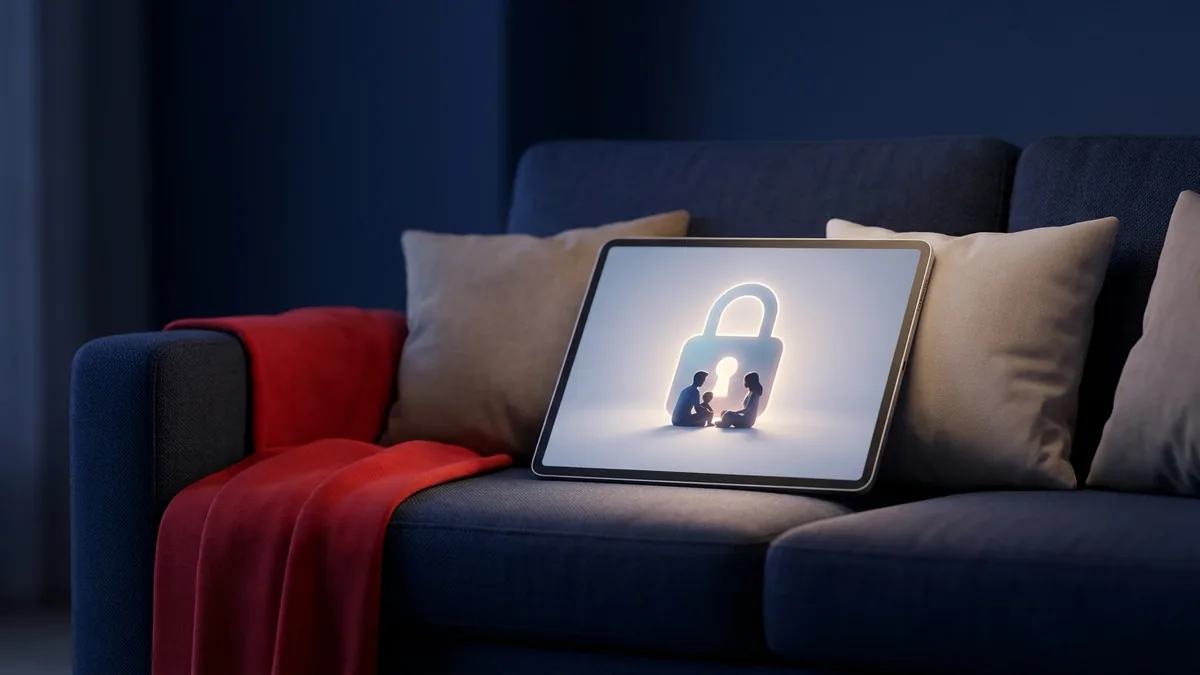
For decades, the Disney brand was shorthand for safe, wholesome family entertainment. Today, that’s no longer the whole picture. Disney Plus parental controls have become essential because the app now streams far more than cartoons — with Star, Hulu, and Marvel content folded into the same library, ratings run from G all the way up to TV-14, PG-13, and TV-MA. Whether you search for it as Disney parental controls, disney parental control settings, or disney plus age restrictions, the settings all live in the same place, and this guide walks through every one of them — what they can do, what they can’t, and how to close the gaps in 2026.
Why You Need Disney Plus Parental Controls Today
With mature dramas, intense superhero action, and TV-MA series now living on the same home screen as toddler-friendly shorts, relying on Disney’s reputation alone is no longer a safety strategy. Without configured disney parental control settings on a child’s profile, they can move from a colorful children’s show to a gritty psychological thriller in a couple of taps. Setting up disney plus parental controls properly — not just assuming the app filters things for you — is the only way to be sure.
International acquisitions and unrated documentaries add another wrinkle. Content ratings vary by region, so a foreign film or documentary with mature themes can slip past default filters if a profile isn’t restricted manually. The disney app parental controls apply per profile, not device-wide, which is exactly why every profile in the house — kids’ and adults’ — needs to be configured individually.
Understanding the Risks of Unlimited Screen Time
Managing what your children watch is only half the job; managing how long they watch matters just as much. Pediatric health experts have long linked unlimited screen time to disrupted sleep, reduced physical activity, and higher rates of childhood obesity (see the American Academy of Pediatrics’ guidance at HealthyChildren.org). Hours in front of a screen crowd out imaginative play, exercise, and face-to-face interaction — all of which matter more for development than any single show.
Streaming platforms are also engineered to keep kids watching. Autoplay removes the natural stopping point between episodes, feeding a dopamine loop that’s nearly impossible for a young brain to resist on its own — which is why “just one more episode” so often turns into bedtime battles. A few household habits go a long way toward counteracting that design:
- Establish screen-free zones. Keep TVs, tablets, and phones out of bedrooms, especially at night, to protect sleep.
- Set tech-free times. Make meals and family gatherings device-free to encourage real conversation.
- Use physical tokens. A simple “screen-time token” system, where kids earn viewing blocks through chores or reading, builds self-regulation that a timer alone can’t.
How to Configure Disney Plus Parental Controls Step-by-Step
None of this requires technical expertise. Here’s exactly how to set disney plus parental control settings for each child’s age and maturity level.
Step 1: Creating a Junior Mode Profile
For toddlers and early elementary-aged kids, Disney Plus offers Junior Mode — a simplified, curated interface that removes mature titles entirely and presents an easy-to-navigate layout built for young viewers.
- Log in to your account on a web browser or the mobile app.
- Select your profile icon (top-right on web, bottom-right on mobile) and choose Edit Profiles.
- Tap Add Profile and choose an avatar.
- Enter a profile name and switch Junior Mode to “On.”
- Tap Save to apply the changes.
Step 2: Setting Content Rating Limits and Age Restrictions
Older kids and teens need more than Junior Mode but still need a ceiling. Disney Plus lets you set a maximum content rating per profile, which controls the disney plus age rating your child is allowed to browse and stream.
- Go to Edit Profiles and select the profile you want to restrict.
- Open the Parental Controls section and tap Content Rating.
- Enter your account password to confirm it’s you.
- Choose the maximum age rating for that profile — options range from G and PG up through TV-14 and TV-MA/R.
- Tap Save. Anything above that disney plus age restriction will no longer appear in search, recommendations, or the home screen for that profile.
Step 3: Securing Profiles With a PIN
Content limits mean nothing if a child can simply tap into an unrestricted adult profile. Lock every adult profile with a PIN so kids can’t switch their way around the rules.
- Go to Edit Profiles and select your primary adult profile.
- Under Parental Controls, tap Profile PIN.
- Enter your account password.
- Turn on “Require PIN” and choose a 4-digit code your kids can’t guess — skip obvious picks like “1234” or a birth year.
- Tap Save, then repeat for every adult profile on the account.
Step 4: Restricting Profile Creation
Tech-savvy kids sometimes work around restrictions by simply creating a fresh, unrestricted profile. Close that loophole from Account Settings.
- Open Account settings.
- Scroll to the Parental Controls section.
- Turn on Restrict Profile Creation.
- Confirm with your account password. From now on, adding any new profile requires that password.
Step 5: Blocking or Hiding Specific Shows
This is where expectations and reality diverge. Disney Plus still doesn’t offer a way to block a single named title the way some platforms let you blacklist one show — you can’t right-click “block” on a specific series. What you can do: set the content rating ceiling low enough that any show carrying that rating disappears from search and browse for that profile, and remove titles from “Continue Watching” or a shared Watchlist so they’re less discoverable. For true title-by-title blocking, you’ll need to combine Disney Plus’s rating limits with device-level app restrictions or dedicated monitoring software — covered below.
How to Change or Turn Off Disney Plus Parental Controls
Settings aren’t permanent. To change parental controls on Disney Plus — say, raising the content rating as a child gets older — return to Edit Profiles > [Profile] > Content Rating, re-enter your password, and pick a new maximum rating. To turn off Disney Plus parental controls for a profile entirely, select the highest available rating (TV-MA/R) or disable Junior Mode from the same menu. Removing the Profile PIN works the same way: go to Profile PIN, enter your password, and uncheck “Require PIN.” Because every change requires your account password, kids can’t undo restrictions on their own as long as adult profiles stay PIN-locked.
Enhance Your Family’s Digital Safety With SPYERA
Native settings are a strong first layer, but tech-savvy kids are remarkably good at finding workarounds — borrowing a friend’s device, discovering a written-down password, or watching mature content through an unmonitored browser instead of the app. In 25+ years helping families navigate the digital landscape, we’ve learned that real digital safety needs visibility that goes beyond any single app’s settings menu.
That’s where dedicated monitoring fills the gap. Our Android Spy App and iPhone Spy App let you see overall screen time and app usage and confirm your child isn’t slipping past Disney Plus’s limits through a mobile browser or another streaming app entirely. SPYERA’s web and app monitoring feature flags exactly which sites and apps a device visits, while screen recording lets you review what actually played on screen if a title’s rating is unclear. If viewing happens on a laptop or desktop, our Windows monitoring software and Mac monitoring software extend the same visibility there, so the rules you set in the living room hold across every device in the house.
Use monitoring tools responsibly and in compliance with local law — this guide is intended for parents overseeing their own minor children or employers managing company-owned devices with proper notice. Compare plans on the SPYERA pricing page to find the right fit for your family.