
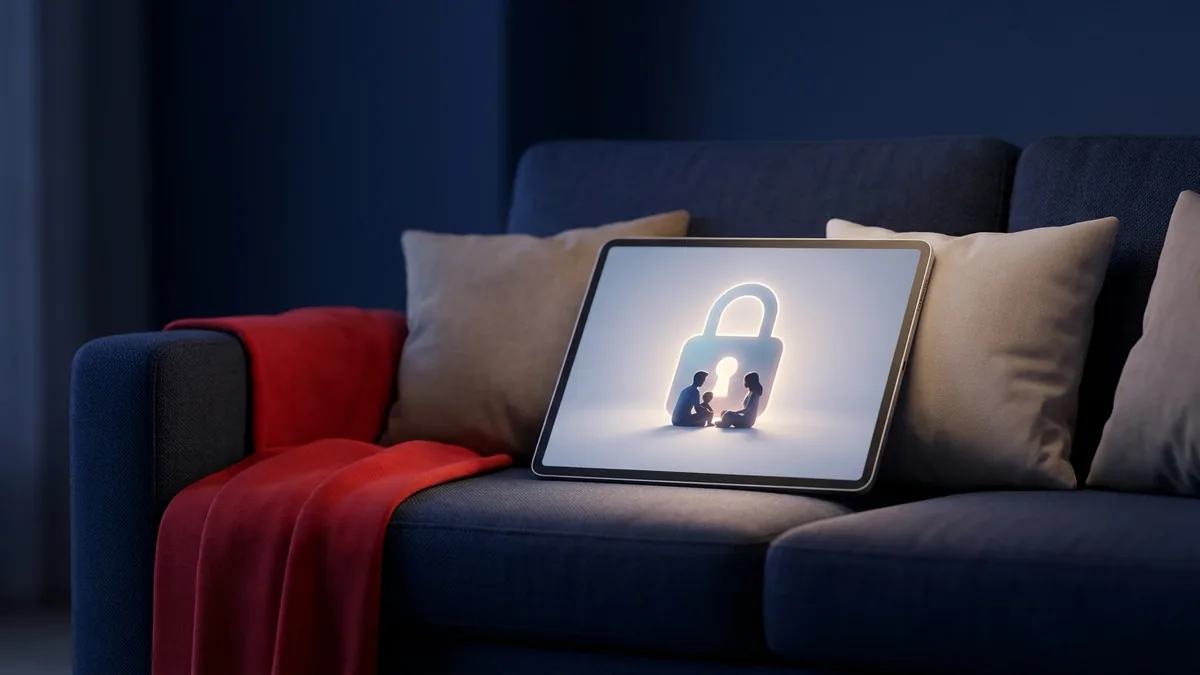
Trong nhiều thập kỷ, thương hiệu Disney là từ đồng nghĩa với chương trình giải trí gia đình an toàn và lành mạnh. Ngày nay, điều đó không còn hoàn toàn đúng nữa. Tính năng kiểm soát của phụ huynh trên Disney Plus đã trở nên thiết yếu vì ứng dụng này hiện phát trực tuyến nhiều nội dung hơn là chỉ hoạt hình — với nội dung từ Star, Hulu và Marvel được tích hợp vào cùng một thư viện, các xếp hạng độ tuổi trải dài từ G cho đến TV-14, PG-13 và TV-MA. Cho dù bạn tìm kiếm bằng cụm từ kiểm soát của phụ huynh trên Disney, cài đặt kiểm soát của phụ huynh trên Disney, hay giới hạn độ tuổi trên Disney Plus, tất cả các cài đặt này đều nằm cùng một nơi, và hướng dẫn này sẽ đi qua từng cài đặt một — những gì chúng có thể làm, những gì không thể, và cách khắc phục các lỗ hổng vào năm 2026.
Tại sao bạn cần tính năng kiểm soát của phụ huynh trên Disney Plus ngày nay
Với các bộ phim truyền hình dành cho người lớn, hành động siêu anh hùng dữ dội và các loạt phim TV-MA hiện đang hiển thị trên cùng một màn hình chính với các video ngắn thân thiện với trẻ mới biết đi, việc chỉ dựa vào danh tiếng của Disney không còn là một chiến lược an toàn nữa. Nếu không cấu hình cài đặt kiểm soát của phụ huynh trên Disney trên hồ sơ của trẻ, trẻ có thể chuyển từ một chương trình thiếu nhi đầy màu sắc sang một bộ phim giật gân tâm lý gai góc chỉ sau vài lần chạm. Thiết lập tính năng kiểm soát của phụ huynh trên Disney Plus đúng cách — chứ không chỉ mặc định rằng ứng dụng sẽ tự động lọc nội dung cho bạn — là cách duy nhất để đảm bảo an toàn.
Các thương vụ mua lại quốc tế và phim tài liệu chưa được phân loại xếp hạng càng làm tăng thêm sự phức tạp. Xếp hạng nội dung khác nhau tùy theo khu vực, vì vậy một bộ phim nước ngoài hoặc phim tài liệu có chủ đề người lớn có thể lọt qua các bộ lọc mặc định nếu hồ sơ không được giới hạn thủ công. Tính năng kiểm soát của phụ huynh trên ứng dụng Disney áp dụng cho từng hồ sơ chứ không phải trên toàn bộ thiết bị, đó chính là lý do tại sao mọi hồ sơ trong nhà — của trẻ em và người lớn — cần phải được cấu hình riêng biệt.
Hiểu rõ những rủi ro của thời gian sử dụng thiết bị không giới hạn
Quản lý những gì con bạn xem chỉ là một nửa công việc; quản lý thời gian xem của chúng cũng quan trọng không kém. Các chuyên gia sức khỏe nhi khoa từ lâu đã liên kết thời gian sử dụng thiết bị không giới hạn với việc giấc ngủ bị gián đoạn, giảm hoạt động thể chất và tỷ lệ béo phì ở trẻ em cao hơn (xem hướng dẫn của Viện Hàn lâm Nhi khoa Hoa Kỳ tại HealthyChildren.org). Nhiều giờ ngồi trước màn hình sẽ lấn át các trò chơi tưởng tượng, hoạt động thể chất và tương tác trực tiếp — tất cả những điều này đều quan trọng đối với sự phát triển hơn bất kỳ chương trình đơn lẻ nào.
Các nền tảng phát trực tuyến cũng được thiết kế để giữ chân trẻ em tiếp tục xem. Tính năng tự động phát (autoplay) loại bỏ điểm dừng tự nhiên giữa các tập phim, nuôi dưỡng một vòng lặp dopamine mà bộ não non nớt của trẻ gần như không thể tự mình cưỡng lại — đó là lý do tại sao câu nói “chỉ một tập nữa thôi” thường biến thành những cuộc chiến vào giờ đi ngủ. Một vài thói quen trong gia đình sẽ giúp ích rất nhiều trong việc chống lại thiết kế đó:
- Thiết lập các khu vực không có màn hình. Để TV, máy tính bảng và điện thoại ngoài phòng ngủ, đặc biệt là vào ban đêm, để bảo vệ giấc ngủ.
- Đặt thời gian không sử dụng công nghệ. Quy định các bữa ăn và buổi họp mặt gia đình không có thiết bị để khuyến khích trò chuyện thực tế.
- Sử dụng thẻ quy đổi vật lý. Một hệ thống “thẻ thời gian sử dụng thiết bị” đơn giản, nơi trẻ em kiếm được các khoảng thời gian xem thông qua việc làm việc nhà hoặc đọc sách, giúp xây dựng khả năng tự điều chỉnh mà chỉ một chiếc đồng hồ hẹn giờ không thể làm được.
Cách cấu hình tính năng kiểm soát của phụ huynh trên Disney Plus từng bước một
Không có bước nào trong số này yêu cầu chuyên môn kỹ thuật. Dưới đây là cách chính xác để thiết lập cài đặt kiểm soát của phụ huynh trên Disney Plus cho từng độ tuổi và mức độ trưởng thành của trẻ.
Bước 1: Tạo hồ sơ Chế độ Junior (Junior Mode)
Đối với trẻ mới biết đi và trẻ tiểu học nhỏ tuổi, Disney Plus cung cấp Chế độ Junior — một giao diện đơn giản hóa, được tuyển chọn kỹ lưỡng giúp loại bỏ hoàn toàn các tựa phim dành cho người lớn và trình bày một bố cục dễ điều hướng được xây dựng cho người xem nhỏ tuổi.
- Đăng nhập vào tài khoản của bạn trên trình duyệt web hoặc ứng dụng di động.
- Chọn biểu tượng hồ sơ của bạn (ở góc trên cùng bên phải trên web, góc dưới cùng bên phải trên thiết bị di động) và chọn Chỉnh sửa hồ sơ (Edit Profiles).
- Nhấn vào Thêm hồ sơ (Add Profile) và chọn một ảnh đại diện.
- Nhập tên hồ sơ và chuyển Chế độ Junior (Junior Mode) sang “Bật” (On).
- Nhấn vào Lưu (Save) để áp dụng các thay đổi.
Bước 2: Thiết lập giới hạn xếp hạng nội dung và hạn chế độ tuổi
Trẻ lớn hơn và thanh thiếu niên cần nhiều thứ hơn là Chế độ Junior nhưng vẫn cần một giới hạn trần. Disney Plus cho phép bạn thiết lập xếp hạng nội dung tối đa cho mỗi hồ sơ, giúp kiểm soát xếp hạng độ tuổi trên Disney Plus mà con bạn được phép duyệt và phát trực tuyến.
- Đi tới Chỉnh sửa hồ sơ (Edit Profiles) và chọn hồ sơ bạn muốn giới hạn.
- Mở phần Kiểm soát của phụ huynh (Parental Controls) và nhấn vào Xếp hạng nội dung (Content Rating).
- Nhập mật khẩu tài khoản của bạn để xác nhận đó là bạn.
- Chọn xếp hạng độ tuổi tối đa cho hồ sơ đó — các tùy chọn trải dài từ G và PG cho đến TV-14 và TV-MA/R.
- Nhấn vào Lưu (Save). Bất kỳ nội dung nào vượt quá giới hạn độ tuổi trên Disney Plus đó sẽ không còn xuất hiện trong tìm kiếm, đề xuất hoặc màn hình chính của hồ sơ đó nữa.
Bước 3: Bảo mật hồ sơ bằng mã PIN
Giới hạn nội dung sẽ không có ý nghĩa gì nếu trẻ có thể dễ dàng chạm vào một hồ sơ người lớn không bị giới hạn. Hãy khóa mọi hồ sơ người lớn bằng mã PIN để trẻ không thể chuyển đổi hồ sơ nhằm lách luật.
- Đi tới Chỉnh sửa hồ sơ (Edit Profiles) và chọn hồ sơ người lớn chính của bạn.
- Dưới mục Kiểm soát của phụ huynh, nhấn vào Mã PIN hồ sơ (Profile PIN).
- Nhập mật khẩu tài khoản của bạn.
- Bật “Yêu cầu mã PIN” (Require PIN) và chọn mã gồm 4 chữ số mà con bạn không thể đoán được — bỏ qua các lựa chọn rõ ràng như “1234” hoặc năm sinh.
- Nhấn vào Lưu (Save), sau đó lặp lại cho mọi hồ sơ người lớn trên tài khoản.
Bước 4: Hạn chế tạo hồ sơ
Trẻ em am hiểu công nghệ đôi khi lách các hạn chế bằng cách tạo một hồ sơ mới, không bị giới hạn. Hãy đóng lỗ hổng đó từ Cài đặt tài khoản.
- Mở cài đặt Tài khoản (Account).
- Cuộn xuống phần Kiểm soát của phụ huynh (Parental Controls).
- Bật Hạn chế tạo hồ sơ (Restrict Profile Creation).
- Xác nhận bằng mật khẩu tài khoản của bạn. Từ giờ trở đi, việc thêm bất kỳ hồ sơ mới nào đều yêu cầu mật khẩu đó.
Bước 5: Chặn hoặc ẩn các chương trình cụ thể
Đây là nơi kỳ vọng và thực tế khác xa nhau. Disney Plus vẫn chưa cung cấp cách chặn một tựa phim cụ thể theo tên như cách một số nền tảng cho phép bạn đưa một chương trình vào danh sách đen — bạn không thể nhấp chuột phải vào “chặn” trên một loạt phim cụ thể. Những gì bạn có thể làm là: đặt giới hạn trần xếp hạng nội dung đủ thấp để bất kỳ chương trình nào mang xếp hạng đó biến mất khỏi mục tìm kiếm và duyệt của hồ sơ đó, đồng thời xóa các tựa phim khỏi mục “Tiếp tục xem” (Continue Watching) hoặc Danh sách xem chung để chúng ít bị phát hiện hơn. Để chặn thực sự theo từng tựa phim, bạn sẽ cần kết hợp giới hạn xếp hạng của Disney Plus với các hạn chế ứng dụng ở cấp độ thiết bị hoặc phần mềm giám sát chuyên dụng — được đề cập bên dưới.
Cách thay đổi hoặc tắt tính năng kiểm soát của phụ huynh trên Disney Plus
Các cài đặt không phải là vĩnh viễn. Để thay đổi tính năng kiểm soát của phụ huynh trên Disney Plus — ví dụ: nâng xếp hạng nội dung khi trẻ lớn hơn — hãy quay lại Chỉnh sửa hồ sơ (Edit Profiles) > [Hồ sơ] > Xếp hạng nội dung (Content Rating), nhập lại mật khẩu của bạn và chọn xếp hạng tối đa mới. Để tắt hoàn toàn tính năng kiểm soát của phụ huynh trên Disney Plus cho một hồ sơ, hãy chọn xếp hạng cao nhất hiện có (TV-MA/R) hoặc tắt Chế độ Junior từ cùng một menu. Việc xóa mã PIN hồ sơ cũng hoạt động theo cách tương tự: đi tới Mã PIN hồ sơ (Profile PIN), nhập mật khẩu của bạn và bỏ chọn “Yêu cầu mã PIN” (Require PIN). Vì mọi thay đổi đều yêu cầu mật khẩu tài khoản của bạn, trẻ em không thể tự mình hoàn tác các hạn chế miễn là các hồ sơ người lớn vẫn được khóa bằng mã PIN.
Nâng cao an toàn kỹ thuật số cho gia đình bạn với SPYERA
Các cài đặt gốc là một lớp bảo vệ đầu tiên mạnh mẽ, nhưng trẻ em am hiểu công nghệ lại cực kỳ giỏi trong việc tìm cách lách luật — mượn thiết bị của bạn bè, phát hiện ra mật khẩu được viết lại, hoặc xem nội dung người lớn thông qua một trình duyệt không được giám sát thay vì ứng dụng. Trong hơn 25 năm giúp đỡ các gia đình định hướng bối cảnh kỹ thuật số, chúng tôi đã học được rằng sự an toàn kỹ thuật số thực sự cần một khả năng hiển thị vượt ra ngoài menu cài đặt của bất kỳ ứng dụng đơn lẻ nào.
Đó là lúc hoạt động giám sát chuyên dụng lấp đầy khoảng trống. Ứng dụng giám sát Android và Ứng dụng giám sát iPhone của chúng tôi cho phép bạn xem tổng thời gian sử dụng thiết bị và mức độ sử dụng ứng dụng, đồng thời xác nhận con bạn không vượt qua các giới hạn của Disney Plus thông qua trình duyệt di động hoặc một ứng dụng phát trực tuyến hoàn toàn khác. Tính năng giám sát web và ứng dụng của SPYERA gắn cờ chính xác những trang web và ứng dụng mà thiết bị truy cập, trong khi tính năng ghi màn hình cho phép bạn xem lại những gì thực sự đã phát trên màn hình nếu xếp hạng của một tựa phim không rõ ràng. Nếu việc xem phim diễn ra trên máy tính xách tay hoặc máy tính để bàn, phần mềm giám sát Windows và phần mềm giám sát Mac của chúng tôi sẽ mở rộng khả năng hiển thị tương tự tại đó, để các quy tắc bạn thiết lập trong phòng khách được áp dụng trên mọi thiết bị trong nhà.
Hãy sử dụng các công cụ giám sát một cách có trách nhiệm và tuân thủ luật pháp địa phương — hướng dẫn này dành cho các bậc cha mẹ giám sát con cái chưa thành niên của họ hoặc các nhà tuyển dụng quản lý các thiết bị thuộc sở hữu của công ty có thông báo thích hợp. Hãy so sánh các gói trên trang bảng giá SPYERA để tìm ra lựa chọn phù hợp nhất cho gia đình bạn.