
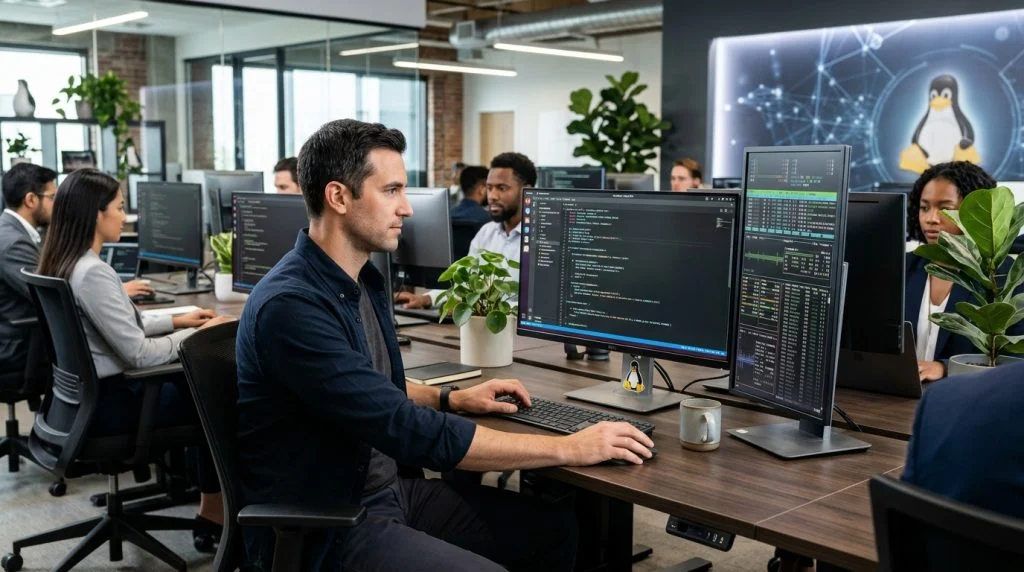
Modern engineering teams run on Linux. From custom kernels running automated build pipelines to the workstations used by your senior software architects, Linux distributions like Ubuntu, Fedora, and Debian underpin the infrastructure of the tech sector. Yet, for all its power, flexibility, and stability, the open-source operating system presents an acute visibility challenge for engineering leaders. The very tools that make developers productive—unrestricted command-line interfaces, raw network sockets, and scriptable automation—can also leave organizations completely blind to operational bottlenecks, unintended misconfigurations, and data leaks.
Part of our complete guide: Employee Monitoring: The Complete Guide for Employers
Implementing effective linux employee monitoring is not about micromanagement or policing every keystroke. It is about establishing verifiable operational integrity, ensuring that sensitive source code remains secure, and keeping distributed technical teams aligned. When your engineers hold the keys to production databases, proprietary algorithms, and customer data, passive trust must be reinforced with systematic oversight.
Navigating this space requires balancing granular technical audit capabilities with team morale and legal compliance. Whether your company is scaling a remote DevOps team or hardening internal security postures against emerging insider threats, this guide walks through the architectural, practical, and ethical essentials of monitoring Linux environments.
Why Modern Businesses Rely on Linux Employee Monitoring
For years, enterprise endpoint monitoring focused almost exclusively on desktop environments running Windows or macOS. Linux was treated as a server-room inhabitant, managed through static access permissions and basic secure shell (SSH) keys. Today, that operational model is obsolete. Technical workstations, continuous delivery terminals, and remote development laptops running Linux handle the most valuable intellectual property an enterprise owns.
Growing Adoption of Linux Among Developers and System Administrators
Top-tier software engineers, data scientists, and infrastructure architects increasingly demand native Linux machines. Containerization technologies like Docker and Kubernetes run natively on Linux kernels, offering a performance advantage and parity with production cloud environments that virtual machines on other platforms struggle to match. However, standard administrative visibility tools built for conventional enterprise operating systems cannot simply be ported over. Without specialized tracking, these powerful endpoints become operational blind spots inside your corporate perimeter.
The Need for Visibility into Terminal Commands, File Transfers, and App Usage
The core of an engineer’s workflow is the terminal. While an office administrator might spend the day in spreadsheet software and web browsers, an infrastructure engineer works within bash, zsh, or remote command consoles. Standard desktop tracking tools often capture window titles, which might tell you an employee had a terminal window open for six hours, but reveals nothing about what happened inside it.
Comprehensive monitoring must reach deeper. Organizations need visibility into:
- Interactive shell commands, including arguments passed to system utilities like curl, rsync, and scp.
- File system events, specifically when source repositories are cloned, copied to unmanaged directories, or packaged into encrypted archives.
- Application life cycles, tracking which development environments, local microservices, and debugging suites are actively consuming time.
- Network requests initiated directly through CLI utilities or script interpreters like Python, Perl, or Node.js.
Identifying Insider Risks and Operational Bottlenecks on Technical Teams
Technical organizations face two intertwined operational risks: internal security incidents and workflow friction. On the security side, legitimate developer credentials can be misused—either through negligence, compromised workstation keys, or deliberate intellectual property theft. Tracking helps organizations spot anomalous behavior, such as off-hours mass repository downloads or unexpected attempts to alter production configuration manifests.
On the operational side, engineering velocity often degrades quietly. If an entire tier of developers spends several hours a day dealing with broken local dependencies, failing local container builds, or unoptimized compiler toolchains, standard ticket metrics will only show that tasks are running late. Detailed operational logs reveal precisely where technical friction consumes billable hours, allowing leadership to remove systemic obstacles.
Key Features to Look for in Linux Employee Monitoring Solutions
Monitoring a Linux environment demands technical maturity from your tooling. Engineers understand operating systems intimately; poorly designed monitoring software will be identified quickly, flagged for excessive resource consumption, or bypassed through simple environment modifications. Choosing an enterprise-grade solution requires evaluating specific low-level capabilities.
Silent Background Operation Without Draining Workstation Resources
Software engineers need computational power. A background monitoring service that consumes significant CPU cycles or hogs system memory during code compilation will immediately disrupt engineering work. Monitoring agents must run as efficient background daemons, ideally interacting with system audit frameworks or kernel-level hooks rather than relying on heavy polling mechanisms.
The daemon must maintain an exceptionally small footprint, dynamically buffering logs during network outages and flushing them securely to your centralized dashboard without spiking input/output operations per second (IOPS). When evaluating overall fleet coverage, engineering leaders often pair workstation oversight with complementary enterprise tooling, deploying Windows monitoring software and Mac computer monitoring software across cross-platform teams to maintain unified visibility across every operating system in the organization.
Keystroke Logging and CLI Session Recording
Visual screen capture can help review design or user-interface work, but command-line recording is indispensable for technical staff. A capable Linux monitoring tool should incorporate robust input logging that maps keystrokes and command executions directly to specific local and active directory users. Looking at raw terminal logs clarifies intentional scripts versus unintended typos that cause system downtime. Dedicated endpoint keylogger technology provides an immutable audit trail of what was typed, ensuring that critical environmental variables, modified files, and shell history cannot simply be wiped with a history -c command or a modified .bash_profile.
Web Activity and Application Usage Analytics
Engineers rely heavily on web research to solve complex problems, referencing technical documentation, community repositories, and cloud administrative consoles. However, excessive context switching and unauthorized software usage can severely impact project delivery timelines. Monitoring solutions should categorize application usage and web browsing patterns without relying solely on simple domain-level inspection.
| Capability | Basic Monitoring | Advanced Technical Monitoring |
|---|---|---|
| Terminal Visibility | Window title only (“Terminal – bash”) | Full session input, commands, and piped outputs |
| File Oversight | Checks manual desktop drag-and-drop | Tracks CLI transfers, USB mounts, and archive creation |
| Privilege Tracking | None (assumes regular user space) | Alerts on sudo elevation, group changes, root shells |
| Audit Resistance | Easy to kill via standard task managers | Tamper-resistant systemd daemons, root-protected configs |
Automated Alerts for Unauthorized File Downloads or Privilege Escalation
Modern system operations rely heavily on the principle of least privilege. When an employee executes sudo su or modifies the /etc/sudoers file, security personnel need to know immediately. Real-time alerting mechanisms allow security leads to configure custom behavioral triggers. If an unauthorized binary is executed, if sensitive configuration folders like ~/.ssh/ or ~/.aws/ are copied, or if unapproved cloud sync clients are installed, administrators receive immediate notification rather than discovering the breach weeks later during a forensic audit.
Protecting Sensitive Code and Company Assets on Linux Systems
Your codebase represents hundreds or thousands of hours of development and contains your core competitive advantages. For distributed or hybrid teams, code lives not just on central servers, but locally on remote laptops. Safeguarding this intellectual property requires active measures that prevent both accidental exposure and calculated exfiltration.
Preventing Source Code Leaks and IP Theft Across Distributed Teams
Source code is portable, lightweight, and deceptively easy to exfiltrate. A complete proprietary platform can easily be compressed into a single archive file and pushed to a personal Git repository, uploaded to a personal cloud drive, or moved via an encrypted chat application in seconds. When engineers leave a company, risks increase substantially; departing employees often feel a misplaced sense of personal ownership over the code they wrote.
Organizations deploy tracking tools to mitigate the risk of corporate espionage and intentional theft. By monitoring active processes, file system changes, and clipboard usage, security teams can detect when large codebases are being staged for extraction outside approved corporate repositories.
Audit-Ready Logs for Compliance with Industry Standards (ISO 27001 and GDPR)
Compliance is rarely optional for modern technology businesses. Standards such as ISO/IEC 27001, SOC 2 Type II, and the Payment Card Industry Data Security Standard (PCI-DSS) mandate that organizations log, monitor, and regularly review access to environments containing customer data or source environments. Data protection frameworks like GDPR require organizations to know precisely who interacted with personal records and when.
Under guidance from the Federal Trade Commission (FTC) on business data security, organizations have a clear responsibility to maintain reasonable security practices to safeguard customer information against unauthorized access and internal compromise. Having immutable, auditable logs generated by endpoint monitoring tools ensures that your business can demonstrate complete control over endpoints during third-party compliance audits. You can prove exactly which accounts accessed sensitive infrastructure, what commands were issued, and confirm that proper access isolation was maintained.
Monitoring USB Device Usage and External Data Exports
Network perimeters can be fortified with firewalls and zero-trust access brokers, but physical ports remain an open door if left unmonitored. A common vector for offline data exfiltration on Linux systems is the humble flash drive. Because Linux handles peripheral mounting via low-level kernel subsystems, robust monitoring solutions must identify when mass storage devices are attached, track block-device mounting events, and log files transferred to external drives. Restricting or tracking removable media ensures that code, cryptographic keys, and internal configurations cannot quietly exit your business on a hardware drive.
Best Practices for Implementing Workplace Monitoring Ethically
Rolling out monitoring tools across a technical organization can trigger pushback if handled poorly. Software engineers and system administrators value autonomy and privacy, often displaying heightened sensitivity to software running on their local machines. Successful implementations require strategic transparency, clear boundaries, and ethical execution.
Drafting Transparent Acceptable Use Policies for Linux Environments
The foundation of any legitimate monitoring initiative is an unambiguous Acceptable Use Policy (AUP). Secretly tracking staff on work devices breeds resentment and can create legal liabilities under various regional employment and privacy laws. As an established tracking technology developer with over a quarter-century of engineering history, SPYERA advocates that businesses clearly define the scope of workplace monitoring before installation begins.
Ensure that your documentation outlines:
- Ownership of Hardware and Data: Explicitly state that corporate-issued laptops, workstations, and network resources are company property intended strictly for business purposes.
- Scope of Monitoring: Clarify exactly what data is captured (e.g., application runtime, terminal commands, web domains) and why it is necessary (security, compliance, IP protection).
- Access Controls: Detail who within the company has access to the gathered logs and under what conditions those logs may be reviewed.
- Written Consent: Require every team member to read, sign, and date the policy as part of their onboarding or equipment handover process.
Security guidance from organizations like the National Cybersecurity Alliance emphasizes that building a culture of transparent cybersecurity awareness is substantially more effective at preventing incidents than relying solely on purely covert policing.
Differentiating Between Work-Related Tasks and Personal Developer Accounts
In modern remote work environments, the boundaries between personal and professional life can easily blur. Developers often maintain personal open-source projects, write technical blog posts, or access personal accounts during off-hours. A thoughtful monitoring strategy accounts for these realities.
Encourage strict separation of duties on company hardware. Establish a rule that personal projects, personal email, and private social accounts are kept off company-owned Linux machines entirely. If your company permits incidental personal use during breaks, configure your monitoring policies to avoid logging private credential vaults, password managers, or non-work-related communication tools. Respecting boundaries where personal data might intersect with business oversight maintains goodwill while keeping corporate intellectual property secure.
Ensuring Data Privacy While Maintaining Critical Network Oversight
Deploying monitoring tools means the business collects sensitive operational data. If your monitoring tool records terminal sessions, it might inadvertently collect environment secrets, API tokens, or test database credentials typed into shell environments. You must protect the data gathered by your monitoring systems with the same rigor applied to your customer databases.
Apply strict role-based access control (RBAC) to your centralized management console. Access should be restricted to designated security officers, compliance directors, or human resources leadership—never distributed casually across mid-level engineering managers. Enable multi-factor authentication (MFA) on every dashboard account, audit monitoring portal access regularly, and establish strict data retention policies so that operational logs are purged automatically once their regulatory or compliance life cycle concludes.
How SPYERA Can Help
SPYERA has helped parents and employers with linux employee monitoring since 1999. Monitor calls, messages, locations, and app activity on Android, iPhone, Windows, and Mac — used responsibly, with consent, on devices you own or are authorized to monitor.
Frequently Asked Questions
Is Linux employee monitoring legal for remote engineering teams?
Yes, monitoring is generally legal when conducted on company-owned equipment for legitimate business purposes such as security and productivity oversight. However, employers must provide transparent acceptable use policies and comply with regional privacy regulations such as GDPR or local labor statutes. Always obtain written acknowledgment from staff before deploying tracking software.
Can monitoring software capture raw Linux terminal commands?
Comprehensive solutions track shell sessions, recording typed bash or zsh commands, script executions, and privilege escalation attempts like sudo. This creates an auditable record of system modifications and deployment tasks. Transparent session tracking helps identify unintentional configuration errors alongside deliberate data leakage.
How does Linux monitoring impact developer system performance?
Modern monitoring utilities operate as lightweight background daemons that hook into native kernel interfaces or system audit frameworks without exhausting CPU or memory. When configured correctly, the agent consumes negligible system overhead, ensuring builds, container runs, and compilation tasks proceed smoothly.
What is the difference between Linux employee monitoring and standard server logging?
Standard server logging records centralized system events, network traffic, and daemon outputs, often lacking direct correlation to specific individual actions on a local workstation. Employee monitoring links application usage, web activity, file system transfers, and interactive terminal input directly to authenticated user sessions for productivity and compliance analysis.