
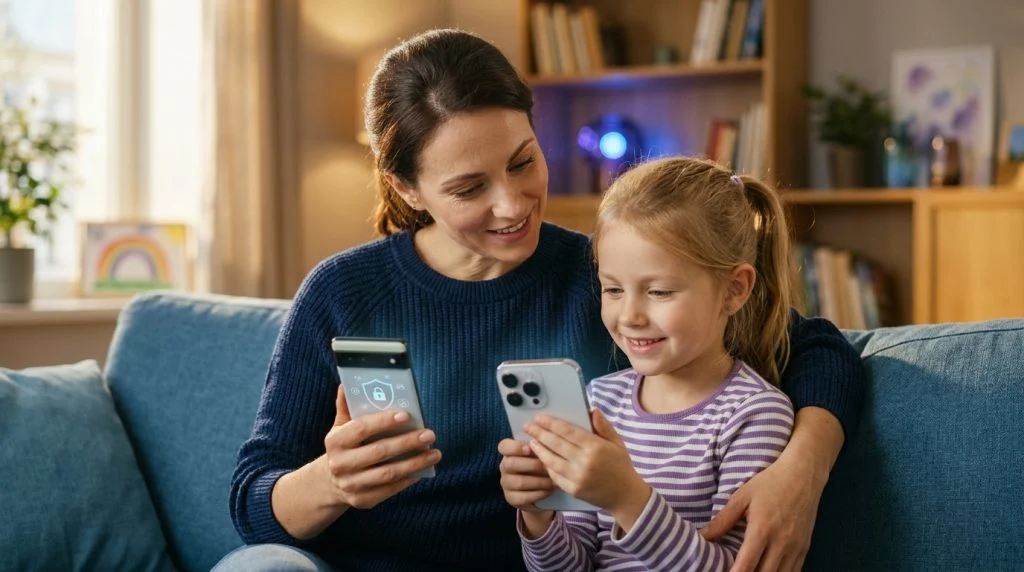
Understanding the Digital Risks Modern Children Face
Handing your child their first mobile device represents a significant milestone. It delivers instant communication, access to learning tools, and social connection with peers. Yet, handing over a connected smartphone also opens the door to an uncurated digital landscape that developing minds are rarely equipped to navigate alone. As a parent, recognizing the modern threat environment is not about succumbing to paranoia; it is about establishing realistic defenses based on how young people actually use technology today.
Part of our complete guide: Phone Monitoring Software: The Complete Guide
Prevalence of Cyberbullying, Predatory Behavior, and Explicit Content
Online harassment has migrated far beyond school hallways into personal messaging feeds and community gaming channels. According to official StopBullying.gov guidance on digital harassment, digital bullying frequently occurs through private chat channels, direct messages, and gaming forums where malicious interactions remain hidden from parents and educators. Unlike physical bullying, digital harassment follows children directly into their bedrooms, offering no sanctuary.
Simultaneously, children are exposed to sophisticated predatory grooming and unsolicited explicit content. Predatory actors frequently exploit the interactive mechanics of casual multiplayer games and popular social platforms, establishing rapport through peer-level gaming discussions before attempting to transition conversations onto encrypted messaging apps. In addition, algorithmic recommendation feeds on content-sharing networks can rapidly direct curious kids toward sexually explicit material, dangerous viral challenges, or communities promoting self-harm within just a few taps.
Screen Addiction and Unmonitored Social Media Exposure
Mobile platforms leverage psychological feedback loops—such as infinite scrolling, ephemeral stories, and push notifications—specifically engineered to maximize screen engagement. When left unchecked, prolonged device exposure disrupts sleep hygiene, interferes with academic concentration, and exacerbates adolescent anxiety. Clinical research and the American Academy of Pediatrics media recommendations underline that unstructured, excessive digital consumption correlates directly with mood disruptions and decreased physical activity.
Unmonitored social platforms also introduce chronic social comparison. Young users constantly evaluate their real lives against curated, filtered representations of their peers. When negative interactions happen in private disappearing messages, parents rarely notice the warning signs until severe emotional withdrawal, sudden academic decline, or chronic distress becomes undeniable.
Why Choose a Parental Phone Monitoring App Over Basic Controls
When seeking digital guardrails, most parents first inspect the native features bundled with their child’s smartphone. While these stock utilities serve a baseline purpose, active parents quickly encounter significant structural limitations when attempting to manage real-world risks.
Limitations of Built-In Operating System Screen Time Settings
Both Apple Screen Time and Google Family Link offer helpful baseline utilities for establishing bedtime schedules and setting generic application time allowances. However, their security architectures focus almost entirely on aggregate time management rather than content contextual awareness. For example, Screen Time can inform you that your teenager spent three hours on a social messaging app, but it cannot reveal whether that session involved coordinated peer harassment, sharing compromising photographs, or communicating with an unidentified adult stranger.
Kids routinely share circumvention tricks online. Bypassing stock controls is often as simple as changing the system time zone, deleting and reinstalling apps from cloud backups, utilizing guest profiles, or switching to alternative third-party web browsers that lack native filtering. Once a child discovers these basic loopholes, native parental restrictions lose their protective value.
Advanced Tracking Capabilities: Stealth Mode, Keystroke Logging, and Live Call Listening
A professional parental phone monitoring app functions at a much deeper system tier. Instead of simply tabulating screen minutes, dedicated safety software provides proactive visibility into what actually happens across the operating system:
- Comprehensive Keystroke Logging: Every word typed across search engines, private chat sessions, note apps, and incognito browser tabs is recorded. This allows parents to detect dangerous search queries or covert conversations even if the messages are deleted immediately after typing.
- Live Audio Oversight and Ambient Listening: Cutting-edge monitoring frameworks allow parents to listen in real time to suspicious voice calls or activate the device microphone on demand to evaluate their child’s immediate physical environment during emergencies.
- Discreet Background Operation: Sophisticated monitoring tools run without draining excessive battery, generating conspicuous system tray warnings, or leaving telltale app icons in the launcher, preventing children from easily tampering with safety configurations.
Cross-Platform Oversight Across Android and iOS Devices
Modern households rarely operate within a single hardware ecosystem. A child might carry an Android smartphone while completing school assignments on an iPad, or hold an iPhone while using a family Windows laptop. Native parental tools do not communicate cross-platform; Apple Screen Time cannot oversee a Samsung tablet, and Google Family Link offers severely diminished utility when managing iOS hardware.
Comprehensive software bridges these technical silos. Whether deploying an Android monitoring application or configuring an iPhone spy app, cross-platform solutions feed tracking metrics into a unified parent control portal. This central viewpoint ensures your household safety rules remain consistent across all physical hardware.
Key Features to Look for in Parental Monitoring Software
Investing in digital oversight software requires evaluating which technical features actually contribute to your child’s physical and emotional safety. Avoid generic trackers and look for robust functional capabilities designed specifically for modern mobile behavior.
Real-Time GPS Tracking and Geofencing Alerts
Physical safety remains the bedrock of parental peace of mind. High-grade monitoring solutions provide continuous satellite location monitoring alongside historical route breadcrumbs. Instead of constantly texting your child for location confirmations, geofencing features allow you to establish automated safety perimeters around crucial physical zones, such as their school campus, neighborhood sports fields, or your home.
When your child crosses these virtual boundaries, the monitoring service dispatches immediate alerts to your dashboard or email. This gives you instant awareness if they deviate from agreed travel routes or arrive at an unexpected address after school hours without requiring intrusive phone calls.
Social Media and Instant Messaging Chat Surveillance
Because today’s youth have largely abandoned traditional SMS in favor of encrypted messaging networks and dynamic media hubs, chat surveillance must extend across every relevant channel. Standard platforms include WhatsApp, Snapchat, Instagram Direct, TikTok, Telegram, and Discord.
A capable monitoring suite captures both sides of these conversations, including sent and received media, voice notes, stickers, and contact metadata. This level of oversight makes it possible to intervene rapidly if your child encounters aggressive predators, cyberbullying syndicates, or illicit substance transactions conducted through encrypted backchannels.
Web Browsing History Analysis and App Installation Blocking
Proactive protection requires monitoring web access even when browsing occurs within private or incognito tabs. Advanced oversight tools log full URL pathways, page titles, and exact timestamps, matching web activity against extensive categorization engines to flag adult content, gambling, and hate speech. Parents need the technical authority to restrict new app installations remotely, ensuring that unapproved peer-to-peer networks or vault apps cannot be downloaded onto the device without prior parental review.
Feature Comparison: Built-In Controls vs. Dedicated Monitoring
To help visualize the difference between stock options and dedicated safety suites, consider how they perform across primary parental challenges:
- Message Content Visibility: Native OS tools provide zero message content visibility; dedicated software provides full incoming/outgoing chat transcripts across encrypted platforms.
- Keystroke Tracking: Native tools offer no keystroke tracking; dedicated software logs every keystroke, including search queries and unposted drafts.
- Location Tracking: Native tools provide basic on-demand location checks; dedicated software provides automated geofence perimeters and historical route logging.
- Tamper Resistance: Native tools are easily bypassed by changing clock settings or re-installing apps; dedicated software runs securely at the system level.
Balancing Digital Supervision with Mutual Trust
Technical monitoring tools represent only one half of effective digital parenting. Software provides the necessary safety net, but communication forms the foundation of mutual respect. Deploying monitoring software in total secrecy against an older teenager without clear cause can rupture trust if discovered. Striking the right balance ensures supervision feels protective rather than punitive.
How to Discuss Monitoring with Your Children Constructively
Approach the subject of digital safety during a calm moment rather than immediately following a behavioral incident or argument. Frame the supervision not as a lack of confidence in your child’s integrity, but as a deliberate defense against an unpredictable online world.
You might explain that just as you would not leave them alone in the middle of a crowded, unfamiliar city at night without a way to guide them, you cannot leave their digital gateway entirely unshielded. Emphasize that your priority is to safeguard them from bad actors, predatory algorithms, and manipulative peers. Reassure them that routine, private chatter with close friends is not what you are hunting for; your focus is identifying genuine danger before harm occurs.
Setting Transparent Boundaries Around Device Usage
Establish clear digital house rules collaboratively so expectations remain unambiguous. Construct a structured framework covering:
- Device-Free Times and Zones: Keep bedrooms free of mobile screens during sleeping hours by placing chargers in a common household area like the kitchen.
- Appropriate Engagement Standards: Clarify that online behavior must reflect real-world values: no distributing cruel remarks, no forwarding inappropriate imagery, and never agreeing to meet an online-only acquaintance in person.
- Graduated Autonomy: Connect digital freedom to age and emotional maturity. As children demonstrate responsible judgment over time, specific monitoring constraints can be relaxed incrementally.
A Note on Lawful and Ethical Use: Parental monitoring tools are designed for legal oversight by parents or legal guardians protecting their minor children on devices they own. Similarly, business administrators use these platforms to manage company-owned assets with formal employee consent. Monitoring an adult partner or any individual without their explicit legal authorization is illegal, violates federal and international privacy statutes, and is strictly prohibited.
Safeguarding Your Family with SPYERA
When selecting a dedicated safety platform, longevity and architectural reliability matter. Operating continuously since 1999, the team behind SPYERA brings over a quarter-century of pioneering engineering experience to modern digital family protection. Built to satisfy the demanding needs of non-technical parents alongside corporate IT managers, the platform delivers comprehensive visibility without demanding a computer science degree to operate.
Comprehensive Parental Oversight with Discrete Background Operation
SPYERA operates smoothly across diverse device architectures, offering unmatched depth when protecting your family against emerging online threats. The software captures incoming and outgoing interactions across leading messaging networks, logs full browser histories, tracks precise GPS coordinates, and documents all typed interactions through its integrated keylogger module.
For parents concerned about critical emergency situations, SPYERA also supports specialized features such as live call listening capabilities and ambient room recording. These functions enable parents to evaluate immediate safety directly through the device hardware during high-stakes events. Crucially, the application operates in complete background stealth when configured, avoiding the alerts, system freezes, and battery drain that cause children to search for bypass methods.
Easy Dashboard Management for Non-Technical Parents
Gathering comprehensive device metrics is useless if the data is presented in an unreadable format. SPYERA feeds all logged interactions into a secure, intuitive cloud dashboard accessible from any modern web browser:
- Unified Activity Timeline: View chronological device interactions—from morning alarm dismissals to late-night social conversations—in a structured, easy-to-read feed.
- Customized Trigger Alerts: Establish automated notifications for specific danger words (such as references to self-harm, weapons, drugs, or explicit encounters) so you are notified immediately without manually scanning thousands of routine text lines.
- Multi-Device Fleet Control: Manage Android phones, Apple tablets, and desktop computers from a single parent account, simplifying safety administration for the entire household.
By pairing open familial dialogue with the proven surveillance capabilities of a seasoned digital-safety suite, parents can confidently grant their children digital access—fostering real independence while maintaining a silent, steadfast guard over their wellbeing.
How SPYERA Can Help
SPYERA has helped parents and employers with parental phone monitoring app since 1999. Monitor calls, messages, locations, and app activity on Android, iPhone, Windows, and Mac — used responsibly, with consent, on devices you own or are authorized to monitor.
Frequently Asked Questions
Can an iPhone parental monitoring app track text messages?
Built-in iOS Screen Time settings cannot read text messages or track conversation content due to Apple’s sandbox architecture. Dedicated monitoring software installed with appropriate administrative privileges, however, captures incoming and outgoing SMS, iMessage conversations, and popular third-party chat messaging logs.
Will my child know that a monitoring app is installed on their phone?
Depending on how you configure the software, it can run either with visible indicators or in a completely discreet background mode without generating notifications or app drawer icons. We always recommend having an open, transparent conversation with your child about safety oversight so monitoring reinforces trust rather than resentment.
Are parental phone monitoring apps legal to use?
Yes, parents and legal guardians have the legal authority in most jurisdictions to install monitoring tools on devices owned by them and used by their minor children. Employers may also utilize such software on company-owned equipment with proper employee notification and consent, but monitoring adults without consent is strictly prohibited.
Can kids bypass parental monitoring apps?
Children frequently bypass native tools like Apple Screen Time or Google Family Link by resetting device clocks, using alternative browsers, or browsing in private mode. Dedicated third-party monitoring solutions operate at a lower operating system level, preventing bypass techniques and alerting parents if tamper attempts occur.
Do I need physical access to the target phone to set up monitoring?
Initial installation requires one-time physical access to the smartphone to grant necessary permissions, configure background performance, and authorize secure synchronization. Once the initial setup is finished, all activity reporting, configuration changes, and ongoing oversight occur remotely through a secure online web panel.