
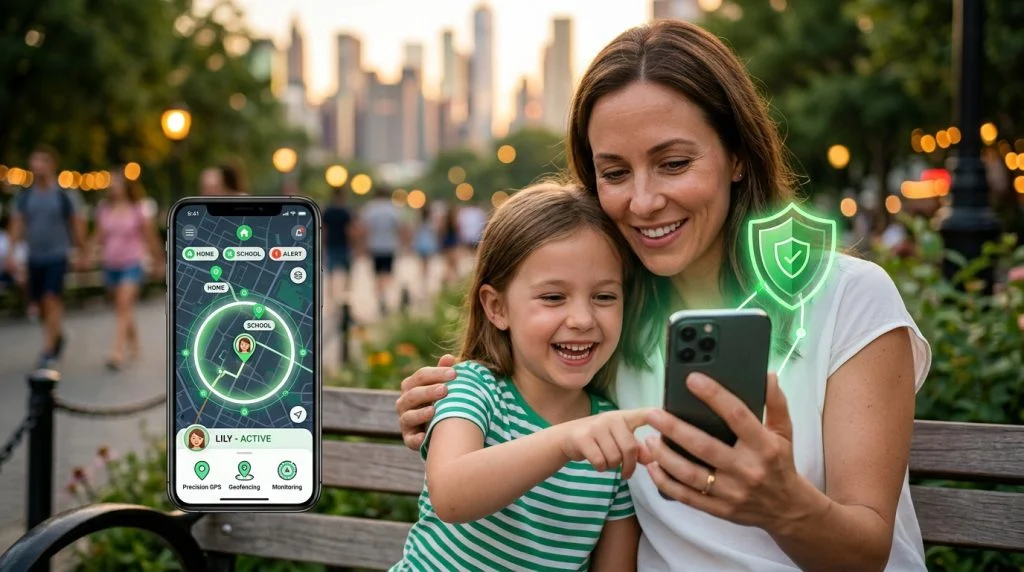
Your child just walked out the front door with their own smartphone in their pocket. It is a defining milestone of modern parenting—exciting, overdue, and undeniably nerve-racking. While you want them to explore neighborhoods, walk home with classmates, and build independence, you also carry the quiet, persistent worry that comes with knowing the world is unpredictable. Choosing the right family location sharing app is not about hovering over every sidewalk they cross. Done correctly, it creates an unobtrusive safety net that gives young people room to mature while giving parents genuine peace of mind.
Over the past two decades, location technology has shifted from an expensive novelty into a household utility. When configured thoughtfully, these tools do not breed mistrust or turn domestic life into an interrogation. Instead, they eliminate frantic text threads, reduce morning friction, and provide unambiguous answers during genuine emergencies. To get that balance right, parents need to look past flashy marketing claims and focus on the technical capabilities and relational strategies that actually protect children.
Why Modern Households Rely on Location Tracking
The rhythm of family life has shifted dramatically over the past generation. Children participate in diverse extracurricular activities, split their time across blended households, and travel longer distances to attend specialized magnet schools or sports programs. Simultaneously, parents are navigating demanding professional schedules that make constant manual check-ins impractical.
Balancing Physical Independence with Daily Coordination
For most households, the everyday value of a location app is logistical before it is protective. Consider the typical late afternoon: athletic practices end early, school buses run late, and carpools juggle shifting pickup windows. Relying on teenagers to remember to send a text message while chatting with peers is a recipe for parental frustration. Checking an active location map for five seconds answers the question immediately without interrupting the child or driving an anxious narrative.
Research published by the Pew Research Center demonstrates that mobile devices have fundamentally altered how family members coordinate basic logistical tasks, with the vast majority of parents utilizing digital check-ins to stay synchronized. Rather than an instrument of control, passive location sharing serves as a collaborative dashboard for modern transit, sports schedules, and unexpected schedule disruptions.
Addressing Real-World Physical and Digital Vulnerabilities
Beyond everyday convenience, real-world risks require clear-headed preparation. Children walking home from transit stations or navigating unfamiliar parts of town face environmental hazards, traffic risks, and unpredictable interactions with strangers. When a child fails to arrive at a friend’s house on time, every passing minute feels intolerable.
Having accurate location history removes panic-driven assumptions. It tells you instantly whether your child is stuck in slow-moving traffic on the highway, sitting at the wrong bus stop, or lingering outside the library. Knowing precisely where to send assistance transforms an emergency from a chaotic guessing game into a coordinated, calm response.
Key Features in a Family Location Sharing App
Not all location platforms are built to the same standard. Basic mapping utilities often rely on sporadic network updates, leaving huge temporal gaps that undermine their protective value. When evaluating software designed to safeguard your household, three architectural capabilities matter above all others.
Precision GPS Tracking and Real-Time Movement Updates
A reliable location platform must leverage multiple positioning technologies rather than relying on a single data feed. The most capable tools synthesize three distinct signals:
- Assisted GPS (A-GPS): Uses satellite constellations to pinpoint outdoor coordinates within a few meters.
- Wi-Fi Positioning Systems (WPS): Maps ambient Wi-Fi network IDs to calculate accurate locations inside malls, subway stations, and concrete school buildings where satellite signals cannot penetrate.
- Cellular Triangulation: Gathers tower signals to provide a baseline location even when GPS antennas struggle or power-saving restrictions clamp down on satellite radios.
Real-time updates should reflect actual transit conditions. If your child is riding a bicycle or sitting in an automobile, the tracking engine should dynamically increase its reporting frequency so you see smooth movement along roads rather than sudden, confusing teleportations across city blocks.
Historical Route Logs and Location Breadcrumbs
Live coordinates represent only a single frame of the broader picture. Historical route logs—often referred to as breadcrumb trails—provide the context necessary to identify problematic patterns before they escalate into dangerous situations.
A comprehensive route log records timestamps, travel speeds, and dwell times at specific stops. If a route home from school that typically takes fifteen minutes suddenly consumes an hour, an archived trail reveals whether your child took a harmless detour to a convenience store or stopped at an address you have never discussed. Looking back through movement trends helps parents spot subtle shifts in behavior, such as skipping study halls or wandering through hazardous industrial zones, opening up opportunities for early, constructive intervention.
Battery-Efficient Background Tracking Performance
Nothing renders a safety tool useless faster than a dead smartphone battery. If an application drains an operating system’s reserves by lunchtime, teenagers will aggressively force-close the process or disable background permissions altogether. Reliable location tools solve this through intelligent polling algorithms.
Rather than running a high-draw GPS radio continuously, advanced applications rely on the device’s internal accelerometers and gyroscopes. When the phone rests motionless inside a backpack during math class, the app enters a dormant low-power mode, polling only cellular towers at wide intervals. The moment the accelerometer registers sustained movement, the tracking engine ramps up GPS polling to capture the journey accurately. On Android, this requires properly configured exceptions in Settings → Battery → Battery Optimization; on iOS, it requires explicit approval under Settings → Privacy & Security → Location Services set to “Always Allow” alongside active Background App Refresh.
Geofencing: Setting Safe Zones and Instant Alerts
Passive tracking still requires parents to open an app and inspect a map. In contrast, geofencing turns location data into an automated guardian by alerting you only when critical boundaries are crossed.
Creating Customized Virtual Boundaries
A geofence is an invisible, digital perimeter drawn around a physical address on a map. High-grade safety tools allow parents to establish geofenced zones with adjustable radii down to tens of meters. Essential zones typically include:
- The Primary Household: Confirms morning departures and safe evening arrivals.
- School and Campus Grounds: Verifies arrival before the first bell and departure at dismissal.
- Extracurricular Facilities: Tracks when children arrive at dance studios, athletic fields, or community centers.
- High-Risk or Prohibited Zones: Alerts you immediately if a child enters dangerous intersections, railroad yards, or unapproved neighborhoods.
Setting up these zones requires deliberate calibration. If a geofence around a suburban high school is drawn too tightly, a student eating lunch on the sports field or waiting for a bus across the street may trigger repeated, false departure alerts. Effective tools allow parents to draw customized polygons that mirror actual property lines rather than forcing simple, imprecise circular perimeters.
Automated Notifications Without Alert Fatigue
Notification fatigue is a genuine safety vulnerability. When an app sends dozens of pointless alerts every day, parents begin ignoring incoming pings, ultimately missing the one notification that matters. Geofencing engines must allow you to apply conditional rules based on schedules.
For example, you should receive an alert if your child leaves school grounds between 9:00 AM and 2:30 PM, but not during standard dismissal at 3:00 PM. Similarly, an alert triggered by arrival at soccer practice at 4:15 PM provides helpful reassurance, while an unexpected exit before practice finishes at 6:00 PM provides an immediate reason to check in.
Geofencing Implementation: A Practical Setup Matrix
To avoid false triggers and excessive battery drain, use this baseline framework when configuring geofences inside your family monitoring software:
- Home Perimeter: Set a 100-meter radius. This provides sufficient buffer against minor GPS drift while ensuring an alert fires the moment a vehicle turns the corner down your street.
- School Campus: Use a customized polygon covering academic buildings, athletic complexes, and official student pick-up bays. Avoid including adjacent commercial parking lots unless your child has explicit permission to visit them.
- Workplace / Office: If you are monitoring devices deployed for teenage apprentices or company couriers, establish tight boundaries around designated job sites to verify punctuality and time-card accuracy.
- Alert Buffers: Configure a 2- to 3-minute dwell threshold where possible. This prevents nuisance notifications when a child briefly walks past an exit door before sitting back down in class.
Privacy and Open Communication with Your Children
Technology cannot replace a healthy family relationship. Installing location software without discussing it first creates an atmosphere of paranoia, encouraging tech-savvy children to search online for bypass methods, mock-location utilities, or burner phones. Honest, age-appropriate transparency is essential.
How to Discuss Monitoring Tools Constructively with Teenagers
Older children and adolescents naturally crave autonomy. When introducing a location-sharing platform, frame the conversation around freedom rather than suspicion. A child who shares their location requires fewer anxious check-in calls, enjoys broader travel boundaries, and gains a rapid lifeline if an uncomfortable situation arises at a party or social gathering.
Review the software interface together. Show them the specific geofences you have established and explain precisely why those boundaries exist. Avoid monitoring silently unless there is an active, documented crisis involving severe self-harm, substance abuse, or dangerous behavioral spirals. The goal is to establish the software as a seatbelt: an unobtrusive safety measure that stays in the background until something goes wrong.
Establishing Clear Rules of Engagement
Trust is a two-way street. Make clear commitments about how you will interact with the data. Promise your teenager that you will not interrogate them over a ten-minute stop for ice cream with classmates or monitor their step-by-step movement across school corridors during class changes. When kids realize that location sharing eliminates nagging rather than increasing it, their resistance typically fades.
Remember that lawful and ethical standards apply inside the home as well. As children approach the age of majority, their legal rights evolve. In our decades of engineering digital monitoring solutions across shifting technological eras, we have consistently found that monitoring succeeds best when grounded in clear consent, transparent boundaries, and an explicit commitment to protecting the child’s long-term well-being.
Enhancing Safety Beyond Basic Location Sharing
Physical coordinates tell you where a child is standing, but they offer zero insight into what is happening inside their digital world. A teenager can sit safely in their bedroom, well within your home geofence, while facing relentless cyberbullying, predatory grooming, or illicit solicitations through encrypted social networks. Physical proximity no longer guarantees safety.
Relying exclusively on GPS coordinates leaves critical blind spots that modern families must address:
- Digital Harassment: Severe peer-to-peer bullying occurs via direct messages and disappearing chats that never reflect on a physical map.
- Predatory Contact: Grooming behaviors often involve establishing secret off-platform communications long before an in-person meeting is ever proposed.
- Digital Footprint Risks: Sharing sensitive media or participating in dangerous online challenges happens behind closed doors without altering location data.
To establish comprehensive protection, many parents choose to combine physical GPS tracking with deeper device-level monitoring. Comprehensive suites like the SPYERA family safety software bridge this exact divide. By pairing precise geocoding with granular oversight of calls, keystrokes, and chat applications across platforms, parents gain a complete view of their child’s safety profile.
Whether you deploy advanced tools on an Android parental monitoring software configuration or manage an ecosystem using specialized iPhone tracking and monitoring tools, the principle remains identical: contextual awareness is what keeps kids safe. Verifying that a child is physically where they belong is step one; ensuring they are safe from unseen digital pressures is the crucial second half of modern parental stewardship.
Practical Checklist: Evaluating Location Software
Before installing any platform on your family’s personal hardware, walk through this quality and safety checklist:
- Cross-Platform Parity: Does the software operate smoothly if parents use iOS while children use Android, or vice versa?
- Update Frequency: Can the reporting interval be customized depending on whether the child is stationary or in transit?
- Data Encryption: Is location telemetry encrypted end-to-end so unauthorized third parties cannot intercept your child’s whereabouts? Guidance from the Federal Trade Commission on child privacy highlights the critical need to choose services that adhere to stringent data-protection standards.
- Tamper Detection: Does the system alert parents immediately if GPS permissions are revoked, network access is cut, or the host device enters extended airplane mode?
- Holistic Visibility: Does the platform allow you to expand monitoring into messaging logs, web browsing history, and environmental audio if escalating safety risks demand deeper oversight?
How SPYERA Can Help
SPYERA has helped parents and employers with family location sharing app since 1999. Monitor calls, messages, locations, and app activity on Android, iPhone, Windows, and Mac — used responsibly, with consent, on devices you own or are authorized to monitor.
Frequently Asked Questions
Will a family location sharing app drain my child’s phone battery quickly?
Modern location apps use dynamic geofencing and cell-tower triangulation alongside GPS to minimize power consumption. Battery drain typically spikes only if an app continuously pings satellites in low-reception areas or if background processing settings are misconfigured.
How accurate is GPS location tracking inside buildings or school campuses?
Pure satellite GPS can drift up to thirty or fifty feet indoors due to structural interference. However, devices that combine GPS with local Wi-Fi network scanning and cellular handshakes maintain reliable room- or wing-level accuracy inside most school facilities.
Can older kids or teenagers bypass or disable family location tracking?
Teens can toggle off location permissions in device system menus, enable airplane mode, or use mock location tools on certain operating systems. Mitigating this requires pairing open communication with platform-level parental controls that restrict modifications to privacy and location settings.
Is it legal to install a location sharing and monitoring app on my child’s phone?
In most jurisdictions, parents and legal guardians have the legal right to monitor the devices of their minor children for safety and welfare purposes. However, monitoring an adult without their explicit, informed consent violates privacy laws in nearly every region.
Why is location tracking sometimes not enough to keep kids safe?
Location data verifies where a physical device is, but it reveals nothing about who your child interacts with online or what content they consume. Critical risks like cyberbullying, predatory grooming, and dangerous messaging happen entirely on-screen, regardless of physical location.