
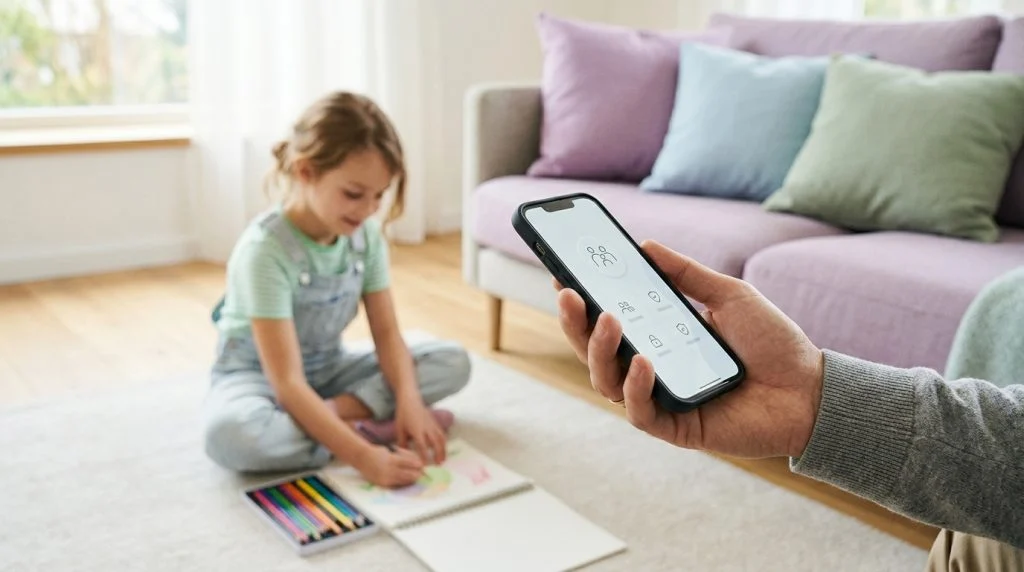
Handing a child their first smartphone marks a major milestone. It gives them a direct line home, instant access to educational tools, and a doorway to their social circle. At the same time, it places an unfiltered window to the wider world right in their pocket. For any caring parent, the instinct to protect can quickly clash with the desire to foster independence.
Part of our complete guide: Phone Monitoring Software: The Complete Guide
The solution is not to lock technology away or hover anxiously over their shoulder. Effective phone monitoring for parents offers a balanced middle ground: establishing invisible guardrails that keep children safe from real-world digital dangers while allowing them room to learn, socialize, and mature. Navigating this landscape requires understanding where built-in safeguards end, what dedicated monitoring tools provide, and how to maintain family trust every step of the way.
Understanding Modern Digital Threats Facing Children
The modern mobile ecosystem is dynamic, fast-moving, and frequently opaque to adults. Children today do not merely browse websites; they inhabit interactive digital communities where communication happens in real time through disappearing messages, live audio rooms, and algorithm-driven recommendation feeds.
Identifying Core Digital Risks
While the benefits of connectivity are clear, several serious categories of risk demand active parental awareness:
- Cyberbullying and Peer Exclusion: Unlike playground conflicts that end when the school bell rings, digital harassment follows children into their bedrooms. Harassment frequently unfolds in private group chats, anonymous Q&A apps, or through deliberate social exclusion, often leading to severe anxiety and social withdrawal. Resources like StopBullying.gov emphasize that early identification of cyberbullying is critical to preventing long-term psychological harm.
- Online Predators and Coercion: Unregulated direct messaging across gaming platforms and social channels gives bad actors unvetted access to minors. Grooming behaviors rarely start with overt threats; they often begin as friendly gaming camaraderie, flattering comments, or shared interests designed to lure children into private channels or coerce them into sharing compromising media.
- Inappropriate and Algorithmic Content: Young users rarely seek out adult material intentionally. Instead, engagement-driven algorithms on video platforms and social networks can rapidly funnel curiosity toward violent imagery, disordered eating content, dangerous viral stunts, or self-harm communities.
Why Native OS Parental Controls Fall Short
Both major mobile operating systems provide built-in management tools: Apple offers Screen Time (accessed via Settings > Screen Time), and Google provides Family Link (configured via Settings > Digital Wellbeing & parental controls). These tools are valuable starting points for managing screen addiction, setting bedtime lockouts, and restricting purchases.
However, native tools were built primarily for usage management, not proactive safety intervention. They have distinct architectural limitations:
- No Visibility into Encrypted Chat Content: Apple and Google restrict their native reporting to high-level usage metrics. Screen Time can tell you your teenager spent three hours on WhatsApp or Snapchat, but it cannot reveal who they spoke with, what was said, or whether they received inappropriate media.
- Workarounds and Bypasses: Tech-savvy children routinely discover simple methods to circumvent system controls. Common workarounds include changing the device time zone, running secondary browsers in incognito mode, utilizing burner applications hidden inside utility folders, or resetting system settings.
- Disappearing Messages: Standard OS tools have no mechanism to capture ephemeral media or self-deleting messages on platforms like Signal, Telegram, or Instagram vanish mode before they disappear permanently.
When a child faces an escalating threat, knowing the category of an app they used is insufficient. Parents need actionable context before a minor problem turns into a crisis.
What to Look for in Phone Monitoring for Parents
Selecting a monitoring solution requires evaluating how the software functions under real-world conditions. A dependable parental monitoring platform must strike a balance between deep technical capability, low device impact, and ease of review.
Essential Capabilities: Location, Logs, and Metadata
At an absolute baseline, a robust monitoring application must provide reliable physical and telephonic oversight. Real-time GPS tracking with geofencing allows you to establish safe perimeters—such as school, home, or a friend’s neighborhood—and receive automated notifications when those boundaries are crossed. Detailed call logging should record not just phone numbers, but contact names, exact timestamps, and call durations, providing a clear record of who has direct access to your child.
Background Execution and Reliability
For monitoring to remain effective, the underlying application must operate quietly in the background without causing performance hitches, sudden battery drain, or persistent system alerts that disrupt the normal operation of the phone. When software causes noticeable lag or triggers intrusive operating system warnings, it often prompts children to factory-reset their devices or attempt unauthorized modifications that compromise overall device security.
Cross-Platform Compatibility Across Android and iOS
Households rarely use a single operating system. Your household might pair an Android smartphone with an iPad, or an iPhone with a Windows desktop. A comprehensive monitoring system should manage multi-device environments seamlessly from a centralized web dashboard, offering unified reporting regardless of whether the target device runs on Android or iOS.
Parental Monitoring Evaluation Matrix
To help evaluate potential monitoring software, consider how different approaches compare across key protective criteria:
| Capability | Native OS Tools (Screen Time / Family Link) | Standard App Blockers | Advanced Monitoring Software |
|---|---|---|---|
| App Time Limits | Full support | Full support | Configurable |
| GPS Geofencing | Basic location sharing only | Varies by vendor | Real-time alerts & route history |
| Social Chat Content | Not supported (Usage time only) | Not supported | Full incoming/outgoing text & media |
| Keystroke Logging | Not supported | Not supported | Complete search & draft history |
| Ambient Safety Audio | Not supported | Not supported | On-demand remote listening |
| Bypass Resistance | Moderate (Prone to OS bypass tricks) | Low (Easily deleted) | High (Protected system service) |
How SPYERA Delivers Comprehensive Family Protection
When native operating system controls prove inadequate for addressing serious safety concerns, specialized software steps in to close the visibility gap. Having developed monitoring solutions continuously since 1999, SPYERA provides parents with the deep-level insight required to safeguard children across modern connected hardware.
Deep Social Media and Messaging Oversight
Children communicate primarily through third-party platforms rather than traditional SMS. SPYERA captures incoming and outgoing communications across major platforms, including WhatsApp, Instagram Direct, Snapchat, Facebook Messenger, and Telegram. By capturing both sides of the conversation alongside attached media, photos, and voice notes, parents can immediately spot instances of predatory outreach, cyberbullying, or illicit content distribution.
For households operating Apple hardware, deploying an iPhone spy app allows parents to inspect messages and activity that standard iCloud backups miss. Similarly, parents utilizing Google-powered hardware can rely on a dedicated Android spy app to maintain full visibility across third-party communication channels even when apps run inside secure folders.
Surroundings Listening and Ambient Recording
Digital safety frequently intersects with physical security. One of the most decisive protective features available to parents is ambient audio monitoring. Through advanced environment listening technology, parents can remotely activate the device microphone to hear what is happening around the phone in real time.
Consider a scenario where a child fails to return home from school on time, misses their curfew, and does not answer incoming calls. Rather than panicking, a parent can listen to the device’s immediate physical surroundings to verify whether the child is safely in transit, stuck in a noisy public space, or in genuine distress. This ambient context turns raw GPS coordinates into actionable peace of mind.
Keylogger and Behavioral Analytics
Dangers often begin with a private web search or a message that was typed out and deleted before being sent. An integrated keystroke logger records every key pressed across every application on the device. If a child searches for concerning terms related to self-harm, weapon acquisition, or illicit substances, the parent is notified immediately.
Tracking keystrokes also illuminates burner accounts and secret profiles. Even if a teenager creates an alternate social media account under an alias, the keylogger captures the credentials used during setup, giving parents a comprehensive picture of their child’s digital footprint. Learn more about implementing comprehensive safeguards through our guide to protecting your family.
Balancing Digital Supervision with Trust and Communication
Deploying technical tools without establishing open interpersonal communication rarely succeeds. Technology can highlight problems, but resolving them requires thoughtful, supportive parenting. Monitoring should never function as a punitive surveillance system; it is an extension of parental care designed to guide young people as they learn to navigate an increasingly complex world.
Establishing Clear House Rules: The Digital Agreement
Before handing a child an internet-connected device, hold a frank, calm discussion about the privileges and responsibilities that come with it. Organizations like ConnectSafely provide excellent frameworks for creating family digital contracts that align expectations between parents and teenagers.
Consider establishing clear baseline rules, such as:
- Screen-Free Zones and Hours: Devices charge in a central location (such as the kitchen or living room) overnight to protect sleep hygiene and prevent late-night unmonitored browsing.
- The “Front Door” Rule: Children must understand that online interactions with strangers should meet the same safety standards as opening the physical front door of the home. No meeting up with online contacts without prior parental vetting.
- Open Disclosure of Monitoring: In most situations, informing your child that their device includes monitoring software reinforces safety boundaries. Frame it clearly: “My job is to keep you safe until you are old enough to handle these challenges alone. This software acts as a digital seatbelt, not a lack of trust in you.”
Knowing When and How to Intervene
One of the most common pitfalls parents encounter is micromanagement. Reading every minor text exchange between middle school friends can lead to unnecessary friction and erode family trust. To maintain a healthy dynamic, establish clear criteria for intervention:
- Minor Peer Drama vs. Targeted Bullying: Occasional disagreements between friends are a normal part of adolescent social development. Allow your child the space to resolve everyday disagreements independently. Step in only when you see persistent abuse, threats, exclusion campaigns, or severe emotional distress.
- Proactive Keyword Triggers: Rely on automated keyword alerts (such as flags for drugs, explicit language, suicide, or addresses) rather than constantly reading through conversational logs. This approach respects your child’s routine privacy while ensuring you are alerted the moment a safety threshold is crossed.
- The Restorative Conversation: When intervention is necessary, approach the conversation calmly. Avoid opening with an accusatory tone like, “I saw what you typed on your phone.” Instead, say: “I noticed something online that made me concerned for your safety. Let’s sit down and talk through what’s going on.” This opens the door to honest dialogue rather than defensive concealment.
A Brief Note on Lawful and Ethical Use
Modern monitoring software offers immense capability, which brings an equally significant legal responsibility. Under federal and local privacy laws, parents and legal guardians have the right to install monitoring applications on devices used by their minor children whom they financially and legally support. However, these tools must never be deployed on devices belonging to spouses, partners, or other adults without their informed, written consent. Adhering to responsible, lawful usage ensures that your protective measures withstand legal scrutiny and maintain family integrity.
How SPYERA Can Help
SPYERA has helped parents and employers with phone monitoring for parents since 1999. Monitor calls, messages, locations, and app activity on Android, iPhone, Windows, and Mac — used responsibly, with consent, on devices you own or are authorized to monitor.
Frequently Asked Questions
Is phone monitoring for parents legal?
Yes, parents and legal guardians have the full legal right to monitor the mobile devices of their minor children under 18 years of age. However, using monitoring software on an adult’s personal device without their informed consent is illegal in most jurisdictions.
Can native tools like Apple Screen Time replace third-party monitoring software?
Native controls are effective for enforcing screen limits and basic content filters, but they cannot monitor inside encrypted chat apps, detect deleted messages, or provide keystroke history. Dedicated software is necessary when parents require deep visibility into messaging and ambient safety.
Will installing monitoring software slow down my child’s phone or drain the battery?
Well-engineered monitoring software operates silently in the background with minimal system overhead. Modern applications optimize data syncing during periods when the device is idle or connected to Wi-Fi to avoid noticeable battery consumption or performance drops.
Should I tell my child that I am monitoring their phone?
Most child development and safety experts recommend being transparent with children about monitoring, presenting it as a safety measure rather than a punishment. Explaining the specific boundaries and risks helps preserve family trust while ensuring they know you are keeping them safe.
EOF