
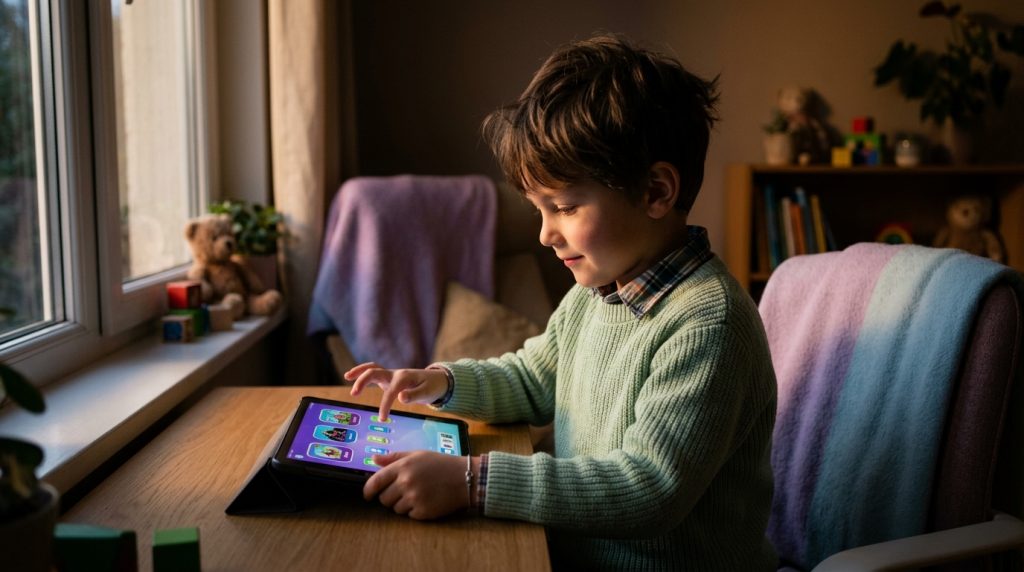
Handing a child their first smartphone or tablet is a major milestone. It offers convenience for family logistics, provides instant access to educational resources, and helps kids stay connected with friends. Yet, for most parents, that milestone arrives with an uncomfortable realization: modern mobile operating systems are vast, connected ecosystems designed to capture attention and encourage unmetered consumption.
Part of our complete guide: Phone Monitoring Software: The Complete Guide
When left unmonitored, children rarely use mobile devices strictly for homework or quick phone calls. Instead, they navigate dynamic app stores filled with algorithmic video feeds, peer-to-peer messaging networks, and interactive games with built-in social features. Relying on casual glance checks across the room is no longer enough. To understand how your child spends their digital hours, deploying a reliable kids app usage tracker offers the objective clarity needed to guide their digital habits safely.
Digital parenting is not about invading privacy out of malice; it is about establishing boundaries, understanding risk vectors, and providing quiet guardrails while children build emotional maturity. This guide examines the hidden architecture of modern mobile applications, evaluates the core technical capabilities required in monitoring software, and outlines how to combine silent oversight with transparent family communication.
The Hidden Dangers Lurking in Modern Mobile Apps
The contemporary mobile landscape looks drastically different than it did a decade ago. Today, even basic utility applications, mobile games, and collaborative classroom tools frequently feature unmoderated social channels, direct messaging, and recommendation engines tuned to keep users scrolling.
How Hidden Chat Functions and Predatory Algorithms Put Minors at Risk
Many parents review app age ratings on the Apple App Store or Google Play Store and assume an age-appropriate rating guarantees safety. Unfortunately, age ratings rarely capture the interactive realities of modern software. Simple mobile games—ranging from casual puzzles to multi-user sandbox worlds—frequently embed direct chat channels. In these virtual lobbies, strangers can initiate contact away from the view of standard social media platforms.
Social video platforms utilize complex recommendation algorithms designed to maximize session duration. These feeds serve an endless sequence of high-stimulus micro-content. For a developing brain, the endless novelty loop makes self-regulation exceptionally difficult. According to digital wellness research from Common Sense Media, interactive media and immersive feeds exploit developmental vulnerabilities, often leading children toward age-inappropriate content faster than traditional web browsing ever did.
The Correlation Between Unmonitored Screen Time and Digital Addiction
Unrestricted mobile usage rarely remains static; it expands into early mornings, school hours, and late-night bed routines. When children spend four, six, or eight hours daily toggling between algorithmic feeds and messaging apps, the physiological impacts become apparent:
- Disrupted Circadian Rhythms: Late-night blue light exposure and push notifications interrupt critical sleep cycles, directly impacting mood, school performance, and cognitive retention.
- Dopamine Baseline Shifts: Rapid-fire video platforms provide instant dopamine hits, reducing a child’s tolerance for slow, effort-intensive tasks such as reading, studying, or offline hobbies.
- Secretive Behavioral Patterns: As children become more attached to their devices, they often develop workarounds to hide their activity, utilizing “vault” apps (calculators or utility apps that conceal hidden photo galleries and browsers behind password locks).
The American Academy of Pediatrics (AAP) emphasizes that without structured limits and parental oversight, excessive digital media consumption significantly displaces vital offline developmental milestones, physical exercise, and family engagement.
Key Benefits of Using a Kids App Usage Tracker
While native mobile operating systems offer built-in parental tools, they often fall short when tech-savvy minors find simple bypasses—such as altering device time zones, using temporary private browsing windows, or sideloading alternate versions of restricted apps. A specialized kids app usage tracker operates independently of surface-level settings, providing comprehensive visibility into real device activity.
Gaining Complete Visibility into Installed and Hidden Applications
Children frequently install new apps, test them briefly, and delete or disguise them before a parent manually checks the physical phone. A dedicated tracker logs every application the moment it is downloaded, launched, updated, or removed. This ensures you know whether a generic “Calculator” icon on the home screen is actually a basic math tool or a secure container used to conceal unmonitored photos and alternate messaging accounts.
Tracking Daily Time Spent Across Social Media, Games, and Messaging Tools
Rather than presenting vague category groupings (such as “Entertainment: 4 Hours”), robust monitoring tools generate granular, timestamped breakdowns. You can inspect exact app metrics:
- The exact minute an app was launched and how long it remained in the foreground.
- The distribution of active device usage versus background audio streaming.
- Historical usage patterns across days and weeks to identify emerging digital dependencies.
Receiving Real-Time Alerts When Suspicious or Age-Inappropriate Apps Open
Proactive protection means you do not have to spend hours analyzing raw usage logs every evening. Advanced tracking tools allow parents to establish custom alert triggers. If an unauthorized messaging platform, a newly installed browser, or a restricted social app is launched, the system instantly logs the event and flags it on your management dashboard, enabling timely intervention.
Native Parental Controls vs. Dedicated Kids App Usage Trackers
To understand why standard platform utilities are often insufficient for comprehensive digital safety, consider how native operating system controls compare against dedicated tracking software:
| Monitoring Feature | Native Tools (Apple Screen Time / Google Family Link) | Dedicated Usage Tracker (e.g., SPYERA) |
|---|---|---|
| App Visibility | Shows total category time; can miss renamed or hidden vault applications. | Captures full package names, sideloaded binaries, and concealed vault tools. |
| Keystroke Logging | Not supported due to platform restrictions. | Logs all typed inputs, search queries, and outgoing chats across all third-party apps. |
| Bypass Resistance | Easily circumvented via factory resets, guest accounts, or time-zone tweaks. | Runs continuously at the system level; immune to clock or profile manipulations. |
| Cross-Platform Reporting | Fragmented (Apple devices report to Apple; Android to Google). | Unified dashboard monitoring Android, iOS, Windows, and Mac devices simultaneously. |
| Activity Evidence | Summary charts only; no context on specific chats or media content. | Exact timestamps, keystrokes, application logs, and ambient screen data. |
Essential Features to Look for in App Monitoring Tools
Selecting an effective monitoring tool requires understanding which technical features actually provide actionable safety insights. Many entry-level applications marketed to parents offer little more than basic web URL filters. For true digital oversight, prioritize the following core capabilities.
Silent Background Tracking
Monitoring software should operate smoothly behind the scenes without degrading hardware performance, draining battery life prematurely, or displaying intrusive pop-ups. When software runs efficiently at the root level, children use their devices naturally, giving parents an accurate, unvarnished look at daily digital behaviors rather than sanitized activity performed only when they know a timer is ticking.
Keylogger Functionality Across Third-Party Apps
Modern communication rarely happens via standard SMS. Children interact through disappearing messages, in-game chats, and niche social platforms. An integrated Android keylogger or iOS keystroke recorder captures all typed text—including search phrases, direct messages, and account credentials—even if the underlying application uses end-to-end encryption or deletes the chat history immediately after sending.
Cross-Platform Compatibility Across Android, iOS, and Tablets
Modern households rarely rely on a single operating system. A child might carry an Android phone, complete schoolwork on a Windows laptop, and use an iPad for evening entertainment. Robust software must bridge these environments. Solutions like SPYERA for Android and SPYERA for iPhone allow parents to monitor diverse devices from a single, centralized web dashboard.
How SPYERA Provides Total Control Over Child Device Usage
With engineering refined through more than two decades of real-world device monitoring experience since 1999, SPYERA delivers the deep technical architecture needed to maintain absolute oversight of modern connected hardware. While surface-level apps merely report surface metrics, SPYERA operates directly within the operating system core to provide undeniable clarity.
Step-by-Step Setup: Installing and Monitoring Application Activity
Deploying SPYERA on your child’s phone or tablet follows a straightforward process that grants you immediate visibility into their digital world:
- Choose Your License: Select the package matching your child’s hardware (Android, iPhone, iPad, Windows, or Mac) from the secure portal.
- Install on the Target Device: Follow the step-by-step setup guide to download and configure the client directly on the child’s device. The setup requires one-time physical access and takes only a few minutes.
- Configure Permissions: Grant the necessary accessibility and system-level permissions to enable comprehensive keystroke capture, application tracking, and activity logging.
- Access the Web Portal: Log in to your secure SPYERA dashboard from any web browser to review real-time application logs, active screen sessions, and installed software lists.
Through our dedicated platform to protect your family, parents can review historical logs detailing which apps were accessed during school hours or late at night, complete with full text transcripts of in-app searches and conversations.
Remote Management and App Restriction Capabilities
Visibility is only half the battle; parents also require the ability to take decisive action when risky behaviors emerge. SPYERA enables parents to remotely inspect running processes, view installed application packages, and disable problematic software directly from the control panel. If an inappropriate app appears on the device, you can intervene immediately without needing to physically confiscate the hardware.
Ethical & Legal Note: SPYERA is designed exclusively for lawful use. Parents and legal guardians possess the full legal authority to monitor devices used by their minor children. Monitoring adult individuals or employees without their explicit, written consent is strictly prohibited and violates regional surveillance laws.
Best Practices for Building Healthy Screen Habits
Software is a powerful protective tool, but it works best when paired with thoughtful parenting strategies. The goal of monitoring is not to catch your child in a trap; it is to mentor them into becoming self-aware, responsible digital citizens.
Balancing Silent Oversight with Open Conversations
Technical monitoring should serve as the diagnostic tool that informs your real-world parenting. When you notice concerning trends in your dashboard logs—such as excessive time spent on a new social platform or late-night messaging—use that data to guide open, non-confrontational discussions.
Instead of saying, “I saw in the logs that you were on this app at 2:00 AM,” try framing the observation around their well-being: “I’ve noticed you seem exhausted in the mornings lately. Let’s talk about how nighttime phone use affects sleep, and put together a plan to keep devices out of the bedroom after 9:00 PM.”
Establishing Clear, Enforceable Daily Boundaries
To prevent device friction before it starts, establish clear household rules regarding when, where, and how mobile devices may be used:
- Create Device-Free Zones: Keep family dining tables, study desks during homework hours, and all bedrooms overnight completely free of phones and tablets. Establish a central charging station in a common area.
- Differentiate Content Types: Help your child distinguish between active/creative screen time (coding, digital art, educational research) and passive screen time (scrolling short-form video feeds). Apply stricter time caps to passive consumption.
- Review Privacy Principles Together: Teach your child the golden rule of digital safety: anything typed into an app, sent in a direct message, or posted to a temporary story can be captured, saved, and shared permanently.
How SPYERA Can Help
SPYERA has helped parents and employers with kids app usage tracker since 1999. Monitor calls, messages, locations, and app activity on Android, iPhone, Windows, and Mac — used responsibly, with consent, on devices you own or are authorized to monitor.
Frequently Asked Questions
Can my child bypass a dedicated kids app usage tracker using a VPN or incognito mode?
Native browser tools and standard parental controls can sometimes be bypassed with third-party browsers or VPN profiles. However, professional monitoring software operating at the operating system level captures raw application launches, keystrokes, and active screen processes regardless of whether a private browsing window or VPN is active.
What is the difference between Apple Screen Time, Google Family Link, and specialized app trackers?
Built-in operating system tools provide high-level summaries of time spent in app categories and let you enforce basic schedules, but kids frequently find workarounds. Specialized app trackers offer deeper insight, including real-time keystroke capture, logs of hidden or renamed vault apps, and exact activity timestamps without easy on-device bypasses.
Is it legal to install an app usage tracker on my child’s phone?
In most jurisdictions, parents and legal guardians have the legal right to monitor the mobile devices, tablets, and computers used by their minor children without explicit consent. However, monitoring an adult without their informed written consent is illegal, so always ensure you comply with your local regional laws.
Will an app tracker significantly drain the battery on my child’s device?
Well-engineered monitoring software is optimized to run silently in the background with minimal CPU usage and low battery overhead. While continuous GPS location streaming can consume power, tracking application launches, text logs, and usage duration uses negligible battery resources on modern iOS and Android hardware.