
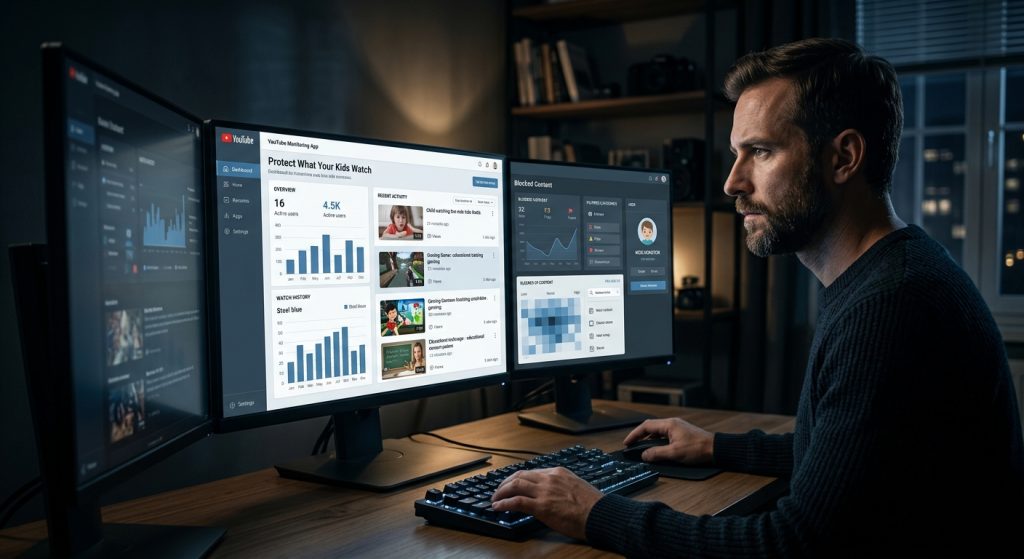
The Reality of Modern Video Streaming for Families
YouTube has quietly become the default television, classroom, and social hub for an entire generation. From educational science demonstrations and coding tutorials to gaming streams and music videos, the platform offers an endless library of knowledge. Yet for all its positive utility, handing an unmonitored screen to a child comes with distinct challenges that standard platform filters rarely solve on their own.
Part of our complete guide: Phone Monitoring Software: The Complete Guide
The sheer velocity of content uploaded every minute means automated moderation cannot catch every risk in real time. For parents seeking to safeguard their children without resorting to heavy-handed device bans, implementing a dedicated YouTube monitoring app provides a reliable, transparent way to observe what your kids encounter, intervene when necessary, and guide them toward healthy digital habits.
Understanding how video platforms operate behind the scenes is the first step toward building an effective home digital safety strategy. When you combine the right technological oversight with continuous, supportive communication, you can give your children room to explore the internet while preserving their safety.
Hidden Risks Children Face on YouTube Today
Most parents assume that inappropriate content on video platforms looks obvious—explicit imagery, extreme violence, or vulgar language. In practice, the digital risks children encounter are far more nuanced, subtle, and difficult to detect through casual over-the-shoulder checks.
Algorithmic Rabbit Holes and Unfiltered Themes
Recommendation engines are engineered for a single primary metric: viewer retention. When a child clicks on a benign animation or a Minecraft gameplay video, the recommendation sidebar immediately serves related suggestions designed to keep them clicking. Over several consecutive videos, this automated pathway can gradually shift from innocent entertainment toward disturbing animations, sensationalized pranks, extremist commentary, or age-inappropriate horror trends.
Because these recommendations adapt dynamically to viewing habits, a child can find themselves deep inside an unsettling content bubble within fifteen minutes—often without ever typing a single questionable search term.
Predatory Comments, Unmoderated Live Streams, and Direct Interaction
Video content is only half the ecosystem. The interactive elements surrounding video streams frequently present the greatest hazards:
- Live Chat Exploitation: Gaming and influencer live streams feature fast-scrolling, unmoderated chat boxes where anonymous viewers share external links, post abusive messages, or solicit private contact details.
- Targeted Cyberbullying: If your child uploads their own clips or shorts, public comment sections can quickly expose them to hostile commentary, harassment, or organized trolling.
- Off-Platform Grooming: Bad actors regularly use video comment sections to establish rapport with younger viewers before steering them toward unmonitored messaging apps or private chat servers.
The Illusion of Safety in Automated Kids Filtering
Many families turn to dedicated child-oriented apps assuming they offer complete insulation from mature material. However, automated systems periodically fail to classify sophisticated or deceptive uploads. Content creators sometimes disguise disturbing themes using popular cartoon characters—a phenomenon well-documented by child safety advocates like Common Sense Media. Because algorithmic filters rely on metadata tags that uploaders can manipulate, automated gatekeeping alone cannot replace direct parental awareness.
Why Native Parental Controls Fall Short
Platform-level safety toggles such as YouTube Restricted Mode and device-level screen management tools are useful baseline precautions. However, relying solely on these built-in controls leaves significant operational blind spots.
The Technical Limitations of Native Settings
Restricted Mode operates as an opt-in filter driven by automated algorithms, community flagging, and basic age restrictions. It does not actively report what your child watched, how long they stayed on a specific video, or what search terms they entered before finding a clip. Restricted Mode only applies to the specific browser or app instance where it was activated. If a child opens a different web browser, logs out of their profile, or launches an embedded video inside a messaging app, the filtering instantly disappears.
Common Methods Kids Use to Bypass Restrictions
Today’s children grow up natively navigating software interfaces. When faced with basic platform barriers, they routinely discover straightforward workarounds:
- Private and Incognito Windows: Launching an incognito tab strips away account-level restrictions and history logging entirely.
- Secondary Google Accounts: Creating an alternate, unlinked email account allows minors to bypass parental oversight tied to their primary family profile.
- Clearing Watch and Search Histories: Manually wiping search caches before handing a device back to a parent removes all native evidence of what was viewed.
- Third-Party Wrapper Sites: Accessing proxy sites or alternative front-ends allows direct streaming of blocked content without triggering platform-level account rules.
Comparison: Native Controls vs. Dedicated Monitoring Apps
To understand why active oversight requires dedicated tools, consider how native settings compare to professional-grade digital safety software:
| Feature / Capability | Native YouTube Settings | Dedicated Monitoring Software |
|---|---|---|
| Search Term Logging | Easily cleared by the user | Recorded in real time to a secure dashboard |
| Incognito Session Tracking | Disabled completely | Full visibility regardless of browser mode |
| Keystroke Capture | Not available | Logs typed search queries and comments |
| Automated Screen Capture | Not available | Visual evidence of actual on-screen activity |
| Tamper Resistance | Disabled via settings or account switch | Runs silently in the background |
Key Features to Look for in a YouTube Monitoring App
Selecting the right software requires evaluating how deeply the application integrates with target operating systems. A reliable safety solution should deliver objective, verifiable activity logs without destabilizing the device or alerting tech-savvy kids to easy bypass routes.
1. Real-Time Search and Watch History Recording
The core capability of any effective video monitoring tool is maintaining an immutable log of viewing behavior. The software must capture exact video titles, direct URLs, timestamps, and search queries the moment they happen. Even if a user clears their browser history or deletes their account viewing log five seconds later, the monitoring utility should already have synchronized that data to your administrative panel.
2. Keystroke Logging and Search Input Capture
Visual playback data tells only part of the story. Capturing what your child types—whether search phrases, channel queries, or comments left under a stream—provides essential context. Keystroke recording helps you identify when a child searches for concerning topics, such as self-harm, cyberbullying queries, or risky online challenges, before those searches escalate into harmful actions.
3. Visual Screen Capture and Live Application Tracking
Some content risks are purely visual or embedded within dynamic live streams where video URLs alone do not convey what appeared on screen. Periodic, automated screen capture allows parents to verify exactly what was displayed during a streaming session, including overlay chats, pop-up ads, and private video feeds.
4. Cross-Platform Persistence and Tamper Protection
If a monitoring app can be uninstalled with a single tap or stopped via the standard device application manager, its protective value is negligible. Robust monitoring tools run quietly in the background, resisting unauthorized modification or removal by unauthorized users.
How SPYERA Delivers Complete Digital Protection
Rather than relying on superficial browser extensions that can be disabled in two clicks, SPYERA operates at the operating system level to provide dependable oversight across all your family’s devices.
Unified Oversight Across Android, iOS, Windows, and Mac
Modern households rarely rely on a single operating system. A child might watch video tutorials on an iPad for school, play games on an Android phone on the bus, and browse desktop streams on a Windows or Mac computer at night. SPYERA covers every endpoint:
- Deep mobile integration via our specialized Android monitoring application and iPhone monitoring software, capturing in-app video activity, chats, and search trends.
- Comprehensive desktop oversight through dedicated Windows tracking software and macOS tools, ensuring private browser sessions and desktop applications remain visible.
- Cross-device synchronization that pools data from all monitored hardware into a single, intuitive web panel.
Centralized Intelligence via the Web Control Center
With engineering heritage built over two and a half decades in the digital monitoring field, SPYERA focuses on providing parents with structured, actionable insights rather than overwhelming raw data. Through the secure online control center, parents can review chronological search logs, inspect captured screenshots, and set proactive keyword alerts that notify you instantly if sensitive terms appear on screen.
Holistic Social Media and Multi-App Supervision
Video consumption rarely happens in total isolation. Risky video links are frequently shared through private chats on WhatsApp, Instagram, or TikTok. Because SPYERA provides comprehensive device oversight, parents can track not only YouTube usage but also the wider ecosystem of social messengers and web browsers, helping you effectively protect your family across their entire digital footprint.
Best Practices for Open Conversations About Online Safety
Technology provides the visibility parents need, but healthy communication provides the long-term guidance children require to develop sound judgment. Monitoring should never replace conversation; it should inform it.
Balancing Parental Supervision with Age-Appropriate Privacy
As children mature into their teenage years, their need for personal autonomy naturally increases. The goal of monitoring is not to micromanage every minute of entertainment, but to maintain safety boundaries against external dangers. Be transparent with older children about your safety expectations. Explain that monitoring software is installed on family-owned devices as a protective guardrail—similar to a seatbelt or a curfew—designed to keep them safe from online exploitation and harmful content.
Practical Framework for Establishing Family Screen Rules
Clear, consistent household rules make digital safety feel predictable rather than punitive. Consider adopting the following operational guidelines:
- Designate Device-Free Zones: Keep screens out of bedrooms overnight. Charging phones and laptops in a central family area prevents late-night, unmonitored video marathons that disrupt sleep.
- Establish Stream Time Budgets: Use device scheduling tools to define distinct blocks for schoolwork, active play, and video entertainment.
- Co-Watch and Discuss Content: Regularly sit down with younger children to watch their favorite channels. Ask open-ended questions about their favorite creators to encourage critical thinking about online media.
- Clarify Reporting Protocols: Reassure your child that if they encounter something frightening, violent, or confusing online, they can come to you without fear of losing their device privileges.
Responsible and Legal Use of Monitoring Tools
Monitoring software should always be deployed responsibly and ethically. In parental safety contexts, tools like SPYERA are designed for parents and legal guardians supervising minor children on devices owned by the household. In professional contexts, employers utilize monitoring software on company-owned hardware with appropriate employee notification and compliance with local statutory regulations. Always ensure your monitoring practices align with local laws and ethical standards.
How SPYERA Can Help
SPYERA has helped parents and employers with YouTube monitoring app since 1999. Monitor calls, messages, locations, and app activity on Android, iPhone, Windows, and Mac — used responsibly, with consent, on devices you own or are authorized to monitor.
Frequently Asked Questions
Can my child bypass native YouTube parental controls easily?
Yes. Children frequently bypass native controls by opening private browsing windows, switching to unmanaged secondary accounts, or accessing YouTube directly through embedded third-party links.
How does a YouTube monitoring app differ from standard Restricted Mode?
While Restricted Mode merely attempts to filter out adult-flagged videos using automated tags, a dedicated monitoring app logs actual search queries, watch timestamps, and screen captures in real time.
Is it legal to install monitoring software on my child’s device?
Yes, parents and legal guardians have the legal right to monitor the mobile phones, tablets, and computers used by their minor children to ensure their safety.
Can YouTube monitoring software track activity across both mobile and desktop?
Comprehensive solutions like SPYERA track YouTube activity seamlessly across Android, iOS, Windows, and macOS, centralizing all video logs into a single administrative dashboard.