
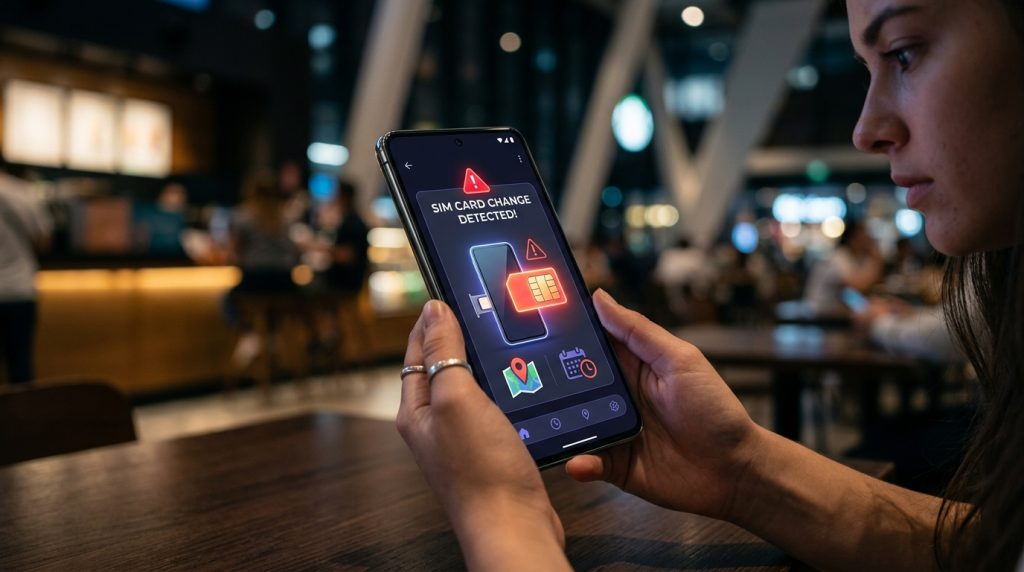
What Happens When a SIM Card Is Replaced?
When someone removes a SIM card from a smartphone, the physical link between that handset and the subscriber’s carrier account is severed. In everyday circumstances, swapping a SIM is completely routine—you might be traveling internationally, taking advantage of a better data plan, or upgrading your carrier contract. However, when an unauthorized party handles that swap, the consequences are immediate and severe.
Part of our complete guide: Phone Monitoring Software: The Complete Guide
Setting up a proactive SIM card change alert ensures that the moment a physical card or digital profile is swapped, the device owner or administrator receives an instant notification with the replacement number and carrier details. Without this automated layer of visibility, a replaced SIM card can leave parents, fleet managers, and business owners completely blind to where a device is and who is operating it.
Understanding the Security Risks of Unauthorized SIM Swaps
To understand the danger of an unexpected card replacement, you have to look at the two distinct ways SIM manipulation occurs: account-level SIM hijacking and physical card extraction.
Account-level swaps happen when a malicious actor impersonates a subscriber and convinces a carrier representative to port the legitimate phone number to a criminal’s SIM card. According to consumer safety warnings from the Federal Trade Commission, this technique allows attackers to intercept incoming SMS verification codes, hijack online banking portals, and compromise private email accounts.
Physical card extraction, on the other hand, occurs directly on the hardware. If a child removes their carrier card to insert an untracked prepaid card, or if an employee swaps out a corporate SIM to bypass company data logging, the phone remains functional but communicates over an unmonitored channel. The device continues to operate, but all incoming and outgoing cellular traffic routes through an unexpected number, making direct reachability impossible unless you know that new number.
How Device Theft Often Leads to an Immediate SIM Card Replacement
Street thieves and opportunistic finders follow a predictable playbook when they get their hands on an unattended smartphone. Within seconds of grabbing a phone, the first physical action taken is almost always ejecting the SIM tray using a paperclip or dedicated tool.
Thieves do this for two practical reasons:
- Severing carrier-level tracking: Removing the active SIM terminates the existing cellular connection, preventing the original owner from calling the device or pinging the cellular carrier for tower-triangulated location coordinates.
- Repurposing the hardware: By inserting a cheap, active prepaid SIM, the thief checks whether the handset is carrier-locked, verifies if device-level activation locks trigger, and attempts to establish data access on their own terms.
If you rely solely on carrier-provided family locators or basic network portals, your visibility ends the moment that tray pops open. A dedicated device-level monitoring utility, however, remains resident on the phone’s internal storage, quietly waiting for the operating system to initialize the next SIM card so it can report home.
How a SIM Card Change Alert App Protects Your Devices
Modern mobile operating systems treat cellular connectivity as a low-level hardware service. When a device boots or detects a tray closure, the radio interface layer queries the inserted card for its foundational identity records. An advanced monitoring application taps into these hardware broadcast events to provide uninterrupted security oversight.
Automated Detection Mechanics: ICCID and IMSI Tracking
Every SIM card houses two critical identifiers that distinguish it from every other card in the world:
- ICCID (Integrated Circuit Card Identifier): An 18-to-20-digit serial number physically engraved on the card and burned into its microchip, representing the physical card itself.
- IMSI (International Mobile Subscriber Identity): A unique 15-digit number provisioned by the network operator to identify the subscriber on the cellular network (incorporating the Mobile Country Code, Mobile Network Code, and Mobile Station Identification Number).
When you install an advanced monitoring solution like SPYERA for Android or SPYERA for iOS, the application records a baseline snapshot of the authorized ICCID and IMSI during initial configuration.
Whenever the phone detects a state change—such as a tray re-insertion, an eSIM profile activation, or a cold reboot—the monitoring software compares the active card credentials against the baseline. If the strings do not match, the software immediately marks the event as an unauthorized swap and initiates its defensive routines.
Receiving Immediate SMS and Dashboard Notifications with the New Phone Number
The primary hurdle after a SIM replacement is communication. If the phone now has a new, unknown telephone number, how does the administrator reach it or discover what that number is?
A dedicated SIM card change alert solves this through an automated dual-channel notification:
- Silent SMS Dispatch: The software uses the newly inserted SIM card’s own cellular service to send an automated, background text message directly to a pre-configured emergency phone number. This message contains the newly assigned telephone number, carrier name, IMSI, and current timestamp. This dispatch happens entirely at the system level, leaving no footprint in the standard messaging outbox.
- Encrypted Web Portal Logging: As soon as the replacement card establishes mobile data connectivity or connects to a local Wi-Fi network, the application securely uploads the full telemetry log to your centralized web control panel.
This automated handshake ensures you are never left guessing the new phone number. You receive the exact contact digits within seconds of the new card connecting to a cellular tower.
Maintaining Persistent Device Tracking Despite Carrier Changes
Standard carrier tracking subscriptions tie their location records to an active SIM billing account. If that card is discarded in a trash bin, the carrier’s tracking portal points directly to the trash bin, not the smartphone.
Because device-level monitoring software lives inside the phone’s non-volatile operating system directories, changing the carrier has zero impact on core functionality. The software re-establishes its background services automatically, pulling precise GPS coordinates, logging incoming and outgoing calls made on the new line, and updating network status logs. Whether the device moves from Verizon to T-Mobile, or from Vodafone to an unlisted local prepaid provider abroad, your administrative channel remains intact.
SIM Alert Comparison: Native Tools vs. Dedicated Monitoring
Understanding the differences between basic operating system protections and dedicated monitoring utilities helps clarify why automated alerts are essential for comprehensive security.
| Security Feature | Standard OS Finders (Apple / Google) | Carrier Family Plans | Dedicated Monitoring Software (SPYERA) |
|---|---|---|---|
| Alert on Physical SIM Removal | No alert generated | No alert generated | Instant SMS and web notification |
| Captures Replacement Phone Number | No | No | Yes, logs exact new number |
| Reports Replacement IMSI / ICCID | No | No | Yes, complete hardware profile |
| Remote Control via Silent SMS | Limited (Requires active Apple/Google ID) | No | Yes, full command set over cellular |
| Works Across Swapped Prepaid SIMs | Requires data connection / Apple ID login | Breaks immediately upon swap | Persistent across all carrier profiles |
Essential Use Cases for Families and Employers
Managing mobile hardware requires balancing personal autonomy with safety and operational security. Whether you are managing family devices or overseeing a company-owned device fleet, real-time SIM change awareness serves as an early-warning diagnostic tool.
Parental Control: Preventing Secondary SIM Rule Bypasses
Parenting in an era of ubiquitous mobile connectivity requires clear boundaries. Many parents implement content filters, schedule screen-time limits, and establish rules regarding who their children can contact. A common workaround among tech-savvy teenagers is purchasing a cheap, secondary prepaid SIM card or borrowing one from a classmate.
By slipping a secondary SIM into their phone after school or late at night, a teen can:
- Bypass carrier-level parental controls tied to the family data plan.
- Create unmonitored social accounts using a temporary, unlinked phone number.
- Engage in unvetted messaging channels without parental awareness.
With an automated alert in place, parents receive an immediate text the moment the tray opens and a foreign card registers. As covered in our guide on how to protect family devices responsibly, this prompt notification allows parents to address behavioral workarounds early through direct, constructive conversation rather than discovering unmonitored activity months down the line.
Employee Monitoring: Safeguarding Corporate Assets and Preventing Data Leaks
For corporate IT departments and small business owners, smartphones representing significant capital investments frequently leave the office containing proprietary emails, customer contact lists, and internal credentials. When deploying hardware across a mobile workforce, clear oversight protocols are non-negotiable.
Unauthorized SIM card swaps on corporate hardware present several acute enterprise risks:
- Asset Misappropriation: An employee or third party may attempt to repurpose company-owned premium smartphones for personal use by inserting their own personal carrier cards.
- Bypassing Corporate Auditing: Business communications conducted on personal SIM cards inserted into company hardware evade standard corporate compliance archives, creating regulatory vulnerabilities.
- Preventing Corporate Espionage: In competitive industries, rogue actors may swap SIM cards to export corporate data over unmonitored cellular networks. Organizations tracking high-risk hardware use monitoring software to actively defend against corporate espionage risks and unauthorized device modifications.
Ethical & Legal Standard: Corporate monitoring should always be conducted transparently. Employers must ensure employees review and sign an acceptable-use policy acknowledging that corporate-owned devices are monitored for operational integrity and data protection.
How to Configure SIM Change Notifications with SPYERA
Setting up SIM change detection involves a simple installation followed by configuring your emergency notification numbers. Drawing on more than twenty-five years of specialized engineering in mobile system management, SPYERA handles this process entirely in the background without interrupting device workflows.
Step-by-Step Setup for Alert Notifications
- Install and Activate the Application: Deploy the client application onto the target Android or iOS device following the platform-specific onboarding instructions provided in your welcome package. Complete the initial permission configurations to allow network state inspection.
- Log in to the Web Control Center: Navigate to your secure web dashboard from any desktop or mobile browser. This dashboard serves as your unified command console.
- Define Your Alert Notification Number: In the dashboard settings menu, navigate to Alert Settings → SIM Change Notification. Enter the primary phone number (including international country code) where you want to receive emergency SMS notifications.
- Set Web Dashboard Triggers: Toggle on dashboard notifications to generate an immediate high-priority flag inside your event log whenever the IMSI string updates.
- Save and Sync: Apply the settings. The monitoring client silently synchronizes with the host server, establishing the current SIM card’s ICCID as the authorized baseline.
Accessing Remote Device Controls After a SIM Swap
Once a SIM replacement occurs and you receive the SMS alert containing the new telephone number, you retain administrative reach even if the device loses its internet connection.
Because you now possess the active phone number, you can dispatch secure SMS command strings directly to the phone. These system commands are captured by the monitoring client and never displayed in the standard SMS inbox. Using these commands, you can:
- Request an immediate GPS location refresh broadcast back via encrypted SMS.
- Force the device to initiate a manual data sync as soon as cellular data or Wi-Fi becomes active.
- Restart core monitoring services remotely to ensure continuous telemetry collection.
- Safely trigger diagnostics to inspect operating system health and battery status.
This persistent command loop ensures that changing the SIM card never severs your administrative control over the physical asset.
Practical Checklist: What to Do When You Receive a SIM Change Alert
Receiving an unexpected notification requires a measured, methodical response. Use this checklist to handle alerts effectively:
- Verify Authorized Maintenance: Check whether the device user (your child or field employee) recently visited a carrier store for a scheduled plan upgrade or replacement card.
- Review the Incoming Telemetry: Note the new phone number, network operator name, and the exact timestamp transmitted in the initial SMS notification.
- Check Real-Time Location: Log into your dashboard to inspect recent GPS breadcrumbs and verify if the device is at an expected location (such as school, home, or a designated client job site).
- Attempt Direct Contact: Call the newly reported phone number directly. If an unauthorized individual answers or the call is rejected, you can proceed with device-recovery or administrative lockdown measures immediately.
- Document for Incident Response: For business administrators, archive the IMSI change log in your IT security records to document any breach of company hardware policy.
How SPYERA Can Help
SPYERA has helped parents and employers with SIM card change alert since 1999. Monitor calls, messages, locations, and app activity on Android, iPhone, Windows, and Mac — used responsibly, with consent, on devices you own or are authorized to monitor.
Frequently Asked Questions
What triggers a SIM card change alert?
A SIM card change alert is triggered whenever a mobile operating system detects a change in the unique Integrated Circuit Card Identifier (ICCID) or International Mobile Subscriber Identity (IMSI). When a new physical SIM or eSIM profile is loaded, the monitoring service identifies the mismatch against its baseline and immediately dispatches a notification.
Will a SIM card change alert work if the phone number changes?
Yes, the system is designed specifically to capture the new phone number alongside carrier details upon card insertion. The alert delivers this updated cellular data directly to your designated emergency contact number via silent SMS and logs it within your web dashboard.
Can a SIM swap alert notify me if the phone is turned off during the swap?
The physical card swap itself occurs while the device is powered down, but the detection routine executes instantly upon initial boot. As soon as the device reconnects to a cellular tower or Wi-Fi network, the alert packet transmits without delay.
Is using a SIM monitoring tool legal for corporate devices?
Monitoring company-owned hardware is standard practice when conducted in compliance with local workplace regulations. Employers should establish a clear acceptable-use policy and notify employees that corporate hardware includes administrative tracking safeguards.
Does eSIM technology eliminate the need for SIM change alerts?
No, because users can still add, switch, or delete digital eSIM profiles to route communications through alternate carriers. Modern monitoring tools track profile identifier adjustments on eSIM-compatible devices just as effectively as physical card removals.