
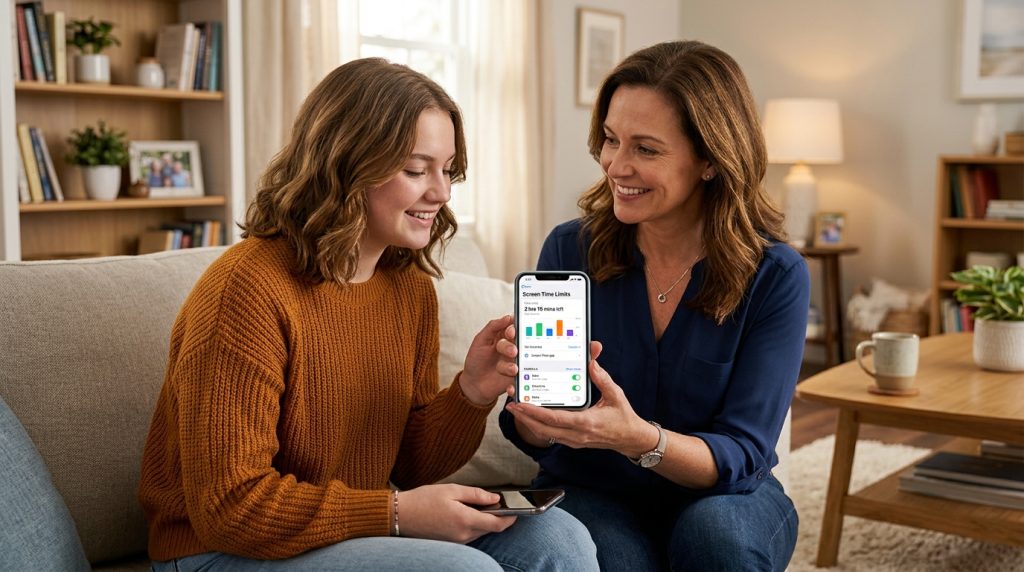
Handing a smartphone to a teenager is a major milestone. It gives them independence, connects them with friends, and unlocks useful educational tools. Yet, it also brings late-night notifications, constant social comparison, and the battle over digital boundaries. Finding the right balance rarely happens on its own, which is why choosing an effective teen screen time app has become a vital step for modern parents.
Part of our complete guide: Online Safety for Kids: The Complete Parent Guide
The goal of managing device use is not to lock your child out of the modern world. Rather, it is about teaching them how to develop a healthy relationship with technology before screen habits compromise their sleep, schoolwork, and emotional well-being. With practical rules, open conversation, and reliable monitoring tools, you can give your teenager space to mature while keeping a watchful eye on potential hazards.
The Impact of Excessive Device Use on Teenagers
Teens today are navigating a digital landscape engineered to capture and hold their attention. Algorithmic feeds, ephemeral messaging, and reward loops in mobile gaming are specifically designed to maximize daily engagement. When screen habits go unchecked, the consequences often spill into critical areas of development.
How Prolonged Screen Exposure Affects Sleep Cycles and Mental Health
The most immediate casualty of unchecked screen use is restorative sleep. The blue light emitted by smartphones, tablets, and laptops suppresses the production of melatonin, the hormone responsible for regulating the body’s internal clock. When teens scroll through social feeds or watch videos in bed, their brains remain in a hyper-aroused state, delaying sleep onset and reducing rapid eye movement (REM) sleep.
According to clinical guidance from the American Academy of Pediatrics, chronic sleep deprivation in adolescents is linked to impaired cognitive performance, mood swings, and a weakened immune system. When a teen starts their day running on five hours of interrupted sleep, their emotional resilience drops significantly.
Beyond physical fatigue, excessive exposure to curated online feeds contributes to a continuous cycle of social comparison. Teenagers frequently judge their everyday lives against highlight reels, resulting in what psychologists call the Fear of Missing Out (FOMO). Over time, constant connectivity can elevate symptoms of anxiety, low self-esteem, and depressive moods.
Recognizing the Warning Signs of Digital Burnout and Social Media Fatigue
Digital burnout rarely happens overnight. It typically manifests as subtle shifts in mood, daily habits, and academic motivation. Being able to recognize these signs early allows parents to step in before unhealthy digital habits solidify into deeper behavioral issues.
- Sudden Academic Declines: Unfinished homework, late assignments, and difficulty concentrating during study hours.
- Defensiveness and Irritability: Extreme reactions, anger, or anxiety when asked to put the phone away or during routine device checks.
- Disrupted Sleep Patterns: Waking up exhausted, staying up past midnight on devices, or waking up in the middle of the night to check notifications.
- Social Withdrawal: Losing interest in physical sports, offline hobbies, and face-to-face interactions with friends and family members.
- Phantom Vibration Syndrome: Constantly checking pockets or screens even when no alert or call has occurred.
Key Features to Look for in a Teen Screen Time App
Not all monitoring solutions are created equal. Some apps only track total minutes spent with an unlocked screen, offering little actionable insight into what your teen is actually doing. To establish meaningful digital safeguards, parents need a comprehensive solution that combines schedule management, granular activity tracking, and strong tamper resistance.
Real-Time App Usage Tracking and Automated Schedule Management
Knowing that your child spent four hours on their phone is only half the story. You need to know whether those hours went toward research for a school project or an uninterrupted video-streaming marathon on a school night. A capable screen time tool should provide real-time breakdowns of usage by individual application and category.
Automated scheduling is equally critical. Setting strict downtime windows during dinner hours, study periods, and bedtime removes the need for daily arguments. When rules execute automatically on the device level, boundaries become consistent, predictable, and fair.
Advanced Content Filtering and Comprehensive Activity Reporting
Limiting screen time is valuable, but ensuring that active hours are safe is just as important. Advanced platforms provide automated filtering against adult content, gambling, violence, and malicious websites. High-tier monitoring software takes safety further by offering detailed audit trails, including keylogging, chat message tracking, and media logs.
Parents seeking complete visibility across all digital touchpoints often rely on comprehensive software like SPYERA to protect family members. Whether deployed on an Android smartphone or an iPhone, deep monitoring software uncovers risks such as cyberbullying, inappropriate contact from strangers, and covert app installations that simple timers fail to register.
Tamper Resistance to Prevent Circumvention
Teenagers are resourceful. If a monitoring tool is easy to disable, delete, or pause via a quick settings toggle, they will find a way around it. A high-quality teen screen time app must feature robust administrative protection, preventing unauthorized uninstallation or process termination without the parent’s master passcode.
Operating as a discreet background service ensures that the monitoring software cannot be easily circumvented or modified through third-party bypass utilities found on social video tutorials.
Built-In OS Controls vs. Dedicated Monitoring Software
When parents decide to implement screen limits, their first step is usually turning on native operating system tools, such as Apple Screen Time on iOS or Google Family Link on Android. While these built-in utilities are convenient and free, they come with substantial limitations that tech-savvy adolescents quickly discover.
Why Teens Easily Bypass Native Apple Screen Time and Google Family Link
Native tools are designed primarily as voluntary wellness features rather than robust supervisory solutions. Consequently, internet forums and social media channels are filled with simple workarounds that allow teens to bypass built-in OS limits entirely.
Some of the most common bypass methods include:
- Time Zone Manipulation: On iOS, shifting the device clock backward manually can trick Screen Time into resetting daily app limits prematurely.
- App Deletion and Re-installation: Deleting a time-restricted social media app and reinstalling it from cloud backups frequently resets its daily tracking counter.
- Alternative Browsers and In-App Viewers: If Safari or Chrome is locked down, teens often use web browsers built into social apps, translation tools, or notes apps to surf without restrictions.
- iMessage Video & Link Previews: Teens frequently share and view restricted YouTube clips or social posts directly inside messaging threads, evading category-specific browser blocks.
- Factory Resets and Secondary Accounts: On Android devices, setting up a secondary user profile or performing a quick device reset can wipe basic Family Link configurations instantly.
Official support resources, such as Apple Support and Google Help, frequently publish updates to patch these loopholes, but determined teens continue finding new methods to bypass standard controls.
How Dedicated Monitoring Tools Provide Deeper Safety Insights
In our twenty-five years of developing device intelligence and security solutions at SPYERA, we have seen digital safety evolve from simple call logs to intricate app ecosystems. Dedicated monitoring platforms provide an entirely different level of administrative oversight compared to basic system controls.
Rather than relying solely on easily manipulated operating system timers, dedicated tools record low-level system activity. This includes keystrokes entered inside private chat sessions, direct messages sent across encrypted platforms, web addresses visited inside private browsing tabs, and exact geographical locations.
| Feature / Capability | Native OS Controls (Screen Time / Family Link) | Dedicated Monitoring Software (e.g., SPYERA) |
|---|---|---|
| Basic App Time Limits | Yes (Can be bypassed via clock/reinstall tricks) | Yes (Tamper-resistant scheduling) |
| Social Media Chat Logging | No (Only shows total time inside the app) | Yes (Reads individual chats, media, and attachments) |
| Keystroke Logging | No | Yes (Captures search queries, drafts, and passwords) |
| Tamper Prevention | Moderate (Can be bypassed with known exploits) | High (Hidden background service, password protected) |
| Cross-Platform Consistency | Limited (Ecosystem locked to Apple or Google) | Broad (Works across Android, iOS, Windows, Mac) |
Note on Ethical Use: Monitoring software must always be utilized in full compliance with local laws. As a parent or legal guardian, you have the authority and responsibility to protect your minor children. If you operate monitoring software in an employment context, always ensure you have explicit written consent from employees on company-owned equipment.
Best Practices for Enforcing Healthy Digital Boundaries
Software is an essential safety net, but technology alone cannot replace engaged parenting. Setting boundaries works best when rules are clearly explained rather than arbitrarily imposed. By blending technological limits with collaborative household guidelines, you can teach your teen self-regulation.
Having Transparent Conversations About Online Safety and Privacy
Surprising your teenager with unexpected restrictions often breeds resentment and encourages them to seek hidden ways to access devices. Instead, frame screen limits around health, focus, and security.
Sit down together and discuss why these limits exist:
- Focus on Sleep and Brain Health: Explain the biological impact of blue light and late-night stimulation on their focus and energy.
- Discuss Online Risks Realistically: Address real-world concerns like phishing, predatory behavior, cyberbullying, and permanent digital footprints without relying on scare tactics.
- Establish Clear Expectations: Define exactly what happens when rules are broken, such as temporary loss of weekend device privileges.
- Review Screen Data Together: Spend five minutes every Sunday looking at weekly usage reports together. Let them see where their hours actually went.
Implementing Screen-Free Zones and Balanced Daily Routines
The most effective screen time rules are physical and environmental. When entire areas of the home are designated screen-free, you eliminate the constant friction of negotiating device use.
- Keep Bedrooms Screen-Free Overnight: Charge all family phones, tablets, and gaming consoles in a central docking station in the kitchen or living room starting at 9:00 PM. This single habit eliminates late-night scrolling.
- Protect the Dinner Table: Make family meals a strict device-free zone for both parents and kids. Meaningful face-to-face conversation requires zero screen interference.
- Encourage Screen-Free Hobbies: Balance digital entertainment with structured offline activities, such as organized sports, music, reading, or outdoor recreation.
- Lead by Example: Teenagers quickly notice hypocrisy. If parents are constantly glued to their phones during family time, teens will naturally resist screen limits. Model the digital habits you want your children to adopt.
How SPYERA Can Help
SPYERA has helped parents and employers with teen screen time app since 1999. Monitor calls, messages, locations, and app activity on Android, iPhone, Windows, and Mac — used responsibly, with consent, on devices you own or are authorized to monitor.
Frequently Asked Questions
Can teens bypass native screen time controls on iPhone and Android?
Yes, teens frequently bypass built-in OS tools using methods like changing time zones, uninstalling and reinstalling apps, or using secondary browsers. Dedicated monitoring software provides tamper-resistant oversight that built-in tools lack.
What is the healthiest daily screen time limit for a teenager?
Most pediatric guidelines suggest limiting non-academic recreational screen use to around two hours per day. However, focusing on content quality, sleep preservation, and physical activity is often more effective than strictly counting hours.
Is it legal to install a screen time monitoring app on my teenager’s phone?
Yes, parents and legal guardians have the legal right to monitor the devices of their minor children under their care. It is always recommended to use these tools ethically and discuss digital boundaries openly with your teen.
How does dedicated monitoring software differ from basic parental control apps?
Basic parental control apps typically rely on native operating system permissions that teens can disable or work around. Dedicated tools like SPYERA operate in the background, logging comprehensive keystrokes, messages, and app activity without being easily bypassed.
Will using a screen time app damage my relationship with my teen?
When implemented transparently alongside honest communication, monitoring tools build safety rather than mistrust. Clear rules and collaborative goal setting help teens understand that limits exist for their well-being, not as arbitrary punishment.