
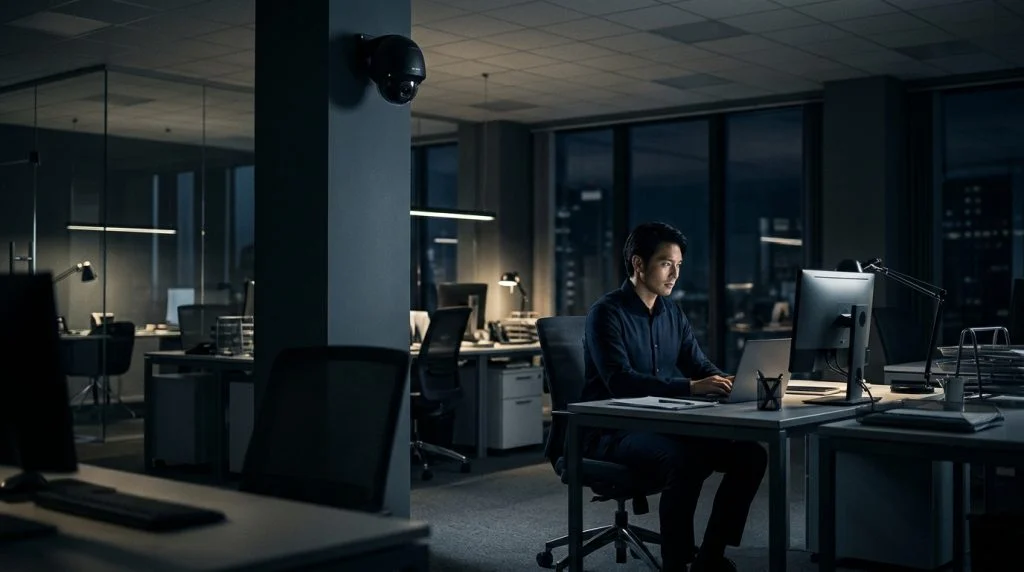
Walk into almost any modern workplace, and you will spot them: small domes mounted on warehouse ceilings, discreet lenses overlooking cash registers, or wide-angle cameras sweeping across parking garages. For business owners, surveillance represents loss prevention, worker safety, and operational clarity. For staff, an unblinking lens can easily feel like an unspoken declaration of distrust. When managers decide to monitor employees on camera, they step straight into a complex intersection of property rights, employment law, and personal privacy.
Part of our complete guide: Employee Monitoring: The Complete Guide for Employers
The short answer to whether you can monitor employees on camera is yes, but that power is not absolute. The law does not grant employers carte blanche to turn the workplace into a panopticon. Surveillance that crosses statutory lines risks devastating employee morale, civil lawsuits for invasion of privacy, and, in some cases, criminal wiretapping charges. Striking the right balance means understanding where your property rights end and where your workers’ legal protections begin.
Whether you manage a busy distribution hub, run a creative agency, or coordinate a hybrid office, knowing your operational boundaries protects both your balance sheet and your workplace culture. Here is what the law actually says about video surveillance at work, where recording crosses into illegal territory, and how modern organizations handle accountability without creating a climate of suspicion.
When Is It Legal to Monitor Employees on Camera?
In the United States and many other jurisdictions, the law grants employers considerable latitude to protect physical assets and oversee daily operations on their property. Employers generally have the right to inspect, manage, and safeguard the facilities they own or lease. However, this authority is not derived from unchecked ownership; it relies on the presence of a legitimate, demonstrable business justification.
Legitimate Business Interests That Justify Video Recording
Courts consistently uphold an employer’s right to install cameras when the surveillance directly supports genuine business operations. Arbitrary surveillance or surveillance installed merely to intimidate staff does not pass judicial muster. Recognized legitimate interests include:
- Theft prevention and asset protection: Monitoring retail floors, inventory rooms, shipping bays, and cash registers to discourage employee theft, shoplifting, and stock shrinkage.
- Physical safety and liability management: Documenting high-hazard environments like manufacturing floors, construction sites, and loading docks to ensure workers follow OSHA guidelines and to clarify the facts surrounding slip-and-fall incidents.
- Quality control and operational workflow: Evaluating bottleneck points in assembly lines, ensuring customer-facing counters run efficiently, and verifying that standard operating procedures are maintained.
- Security and access control: Monitoring perimeter gates, server rooms, reception areas, and emergency exits to prevent unauthorized visitors from entering the premises.
The Reasonable Expectation of Privacy Standard
The primary legal benchmark determining whether surveillance is lawful is whether the employee holds a reasonable expectation of privacy in the area being monitored. Established through common law torts—specifically the doctrine of intrusion upon seclusion—and Fourth Amendment jurisprudence, this standard asks two questions: Did the employee expect privacy in that specific spot? And would society view that expectation as objectively reasonable?
In common work areas, courts almost universally answer “no.” An employee working on an open assembly line, sitting in an open-plan bullpen, or greeting customers at a retail counter cannot reasonably expect total seclusion. Because colleagues, supervisors, and customers freely move through these areas, silent video recording is generally considered lawful. However, as an area becomes more private or detached from core business functions, an employee’s reasonable expectation of privacy increases exponentially, shifting the legal burden back onto the employer.
Areas Where Video Surveillance Is Strictly Prohibited
While an employer owns the real estate, property ownership does not extinguish an employee’s fundamental human dignity. State statutes and federal case law draw hard, non-negotiable boundaries around areas where personal privacy overrides any business interest. Violating these boundaries leads directly to catastrophic legal consequences.
High-Privacy Zones in the Workplace
Installing cameras in the following locations is almost universally illegal, regardless of whether the cameras are hidden or in plain sight:
- Restrooms and changing stalls: There is never a legitimate business justification for recording inside a bathroom. Courts view cameras in restrooms as per se invasions of privacy.
- Locker rooms and shower facilities: Wherever employees routinely undress, change uniforms, or store personal belongings, video surveillance is an explicit criminal violation in most jurisdictions.
- Lactation and mother’s rooms: Federal law under the PUMP Act requires employers to provide private, shielded spaces for nursing mothers to express milk. Placing surveillance equipment in these rooms violates both federal labor protections and statutory privacy rights.
- Designated employee break rooms: Several states, including California and New York, maintain explicit labor codes that forbid recording employees in areas dedicated to rest, relaxation, or eating. Even where not explicitly barred by statute, recording break areas can trigger regulatory scrutiny.
Surveillance and Union Activity
Beyond personal privacy, the National Labor Relations Act (NLRA) creates an additional operational boundary. Under Section 7 of the NLRA, employees have the right to organize, discuss working conditions, and engage in concerted activity without interference. The National Labor Relations Board (NLRB) strictly prohibits employers from using cameras to spy on union meetings, monitor employees handing out organizing flyers, or track workers gathering to discuss wages. Doing so constitutes unlawful surveillance and voter intimidation, leading to severe federal labor sanctions.
Civil and Criminal Liabilities of Invasive Recording
When an employer installs cameras in prohibited areas, the penalties are swift and severe. Employers face tort liability for intrusion upon seclusion and intentional infliction of emotional distress, which often result in massive punitive damages. Many state penal codes classify unauthorized recording in private zones as felony voyeurism or illegal electronic surveillance. In these cases, company executives and facility managers can face personal criminal indictments, hefty fines, and prison sentences.
Video vs. Audio Recording: Understanding Wiretap Laws
Perhaps the most dangerous legal pitfall for managers occurs when security systems record both sights and sounds. Business owners often purchase modern IP cameras, plug them in, and fail to realize that the built-in microphones are actively streaming. Capturing audio alongside video fundamentally transforms a basic security installation into an electronic wiretap.
Federal and state wiretapping laws are far stricter than visual recording rules. Under Title III of the Omnibus Crime Control and Safe Streets Act (the Federal Wiretap Act), it is a federal crime to intercept oral communications when speakers have a reasonable expectation that their conversation is not being recorded. While an employee working in an open office cannot reasonably expect visual privacy, they can expect that their quiet, personal conversation with a coworker across a desk is not being captured through a parabolic microphone.
One-Party vs. Two-Party Consent Statutes
Audio recording laws hinge heavily on the principle of consent, which varies dramatically depending on your state:
- One-Party Consent Jurisdictions: Under federal law and in roughly 35 states, an audio recording is legal if at least one person participating in the conversation consents to it. However, an employer monitoring a room via an automated ceiling camera is not an active participant in the conversation. Therefore, a silent, automated overhead recording device fails even the one-party consent standard unless an active participant has agreed in advance.
- Two-Party (All-Party) Consent Jurisdictions: In states such as California, Connecticut, Florida, Illinois, Maryland, Massachusetts, Montana, New Hampshire, Pennsylvania, and Washington, every single participant in a conversation must consent to being recorded. If a camera captures an audio exchange between two employees—or between an employee and a customer—without the explicit consent of everyone present, the recording constitutes an illegal wiretap.
The Federal Trade Commission highlights clear guidance on digital privacy and transparent security measures on its business guidance portal, reiterating that deceptive or concealed data capture exposes organizations to immediate enforcement. If your surveillance hardware includes active microphones, disable them immediately unless you have implemented an airtight, legally vetted audio recording consent framework.
Key Steps to Monitor Employees on Camera Legally
If you determine that physical camera surveillance is essential for your facilities, implementation must be methodical, transparent, and legally defensible. Operating in secret rarely serves an employer well; clear communication deters bad behavior far more effectively than hidden traps, and it preserves mutual trust.
1. Draft a Clear Workplace Surveillance Policy
Never install cameras without an established, written corporate policy. Your policy should detail:
- The specific business purposes for surveillance (e.g., loss prevention, worker safety, perimeter control).
- The exact locations where cameras are installed and where they will never be placed.
- Who has authorized access to live feeds and archived footage.
- The company’s data retention schedule, stating precisely how long video files are stored before automatic deletion.
- How video evidence will be handled during internal disciplinary procedures.
2. Secure Written Acknowledgments
Provide the written surveillance policy to every new hire during onboarding, and redistribute it annually to your existing staff. Require employees to sign an acknowledgment form confirming they have read, understood, and agreed to the policy. While an acknowledgment form does not grant an employer permission to violate statutory privacy zones, it firmly eliminates any claim that an employee had an expectation of visual privacy in designated common workspaces.
3. Install Prominent Physical Signage
Do not rely entirely on employee handbooks. Place conspicuous, professional signs at all facility entrances, loading docks, customer counters, and warehouse zones. Signs stating “Security Cameras in Operation on These Premises” serve two crucial purposes: they warn external visitors who have not signed your internal policies, and they reinforce to staff that common areas are actively monitored, solidifying the absence of a reasonable expectation of privacy.
4. Establish Strong Safeguards Against Misuse
Collecting surveillance footage creates a new corporate liability: data security. Video files must be treated as sensitive internal assets. Restrict system access credentials strictly to essential personnel, such as your head of security or HR director. Implement multi-factor authentication on all Network Video Recorders (NVRs) and cloud storage portals. Unauthorized internal sharing of security footage—such as supervisors sharing embarrassing employee clips online—exposes the business to severe defamation and privacy lawsuits.
Implementation Checklist: Workplace Video Surveillance
Before switching on any camera system, use this practical checklist to audit your compliance posture:
- [ ] Business Purpose Defined: Is every camera linked to an explicit need (theft, safety, access control)?
- [ ] Zones Verified: Are all cameras completely outside bathrooms, locker rooms, nursing rooms, and break rooms?
- [ ] Audio Functions Disabled: Have hardware and software microphones been permanently turned off?
- [ ] Physical Signs Installed: Are notices visible at every main point of entry?
- [ ] Written Policy Signed: Has every employee on-site acknowledged the surveillance terms in writing?
- [ ] Access Controls Locked: Are feeds restricted behind administrative permissions and audit logs?
Beyond Cameras: Smarter Digital Alternatives for Workplace Oversight
Physical cameras make sense for a loading dock or a jewelry store counter. But for modern knowledge work, corporate offices, and hybrid teams, pointing a camera at an employee’s desk is a remarkably blunt and ineffective tool. A camera can show that an employee is sitting in their chair, but it cannot tell you if they are completing a financial model or scrolling through social media. Worse, demanding that remote employees turn on home webcams invites serious privacy disputes and destroys morale.
When businesses examine their core concerns—protecting sensitive customer data, tracking project milestones, and stopping the theft of trade secrets—the risk rarely unfolds in physical space. It happens on endpoints: laptops, workstations, and corporate mobile devices.
Over the past twenty-five years, developers specializing in device oversight have created sophisticated digital tools that address these risks without the hostility of physical surveillance. Rather than watching an employee through a lens, organizations monitor company-owned assets using dedicated endpoint management software.
Desktop and Endpoint Monitoring vs. Physical Cameras
For organizations managing workstations, specialized software like SPYERA for Windows and SPYERA for Mac offers direct visibility into operational security that a ceiling camera could never capture. On company-owned machines, configured with employee awareness and consent, these solutions allow administrators to:
- Monitor file transfers to detect unauthorized downloads of sensitive customer databases.
- Track software and application usage to ensure licenses are utilized efficiently and non-work distractions are managed.
- Protect the company from intellectual property leaks and dangerous corporate espionage before proprietary files exit the network.
- Verify that remote workers log active hours on company hardware without invading the sanctity of their private homes.
Digital oversight shifts the focus from physical presence to actual output and system integrity. Because it runs directly on the device, administrators can set up automated alerts for sensitive policy violations—such as copying proprietary code to an unapproved USB stick—rather than requiring human managers to scrub through hundreds of hours of mundane camera footage.
A Clear Reminder on Lawful and Ethical Use
Just as with physical cameras, digital monitoring must be deployed ethically, transparently, and within the bounds of the law. Workplace monitoring tools should only be installed on devices owned by the organization, used for business purposes, and accompanied by a signed Acceptable Use Policy. Employers must never use monitoring software to capture personal credentials from an employee’s private personal accounts, nor should tools be used on an employee’s personal device without explicit, legally bounded arrangements. Respecting these boundaries preserves workplace trust while providing rock-solid operational security.
How SPYERA Can Help
SPYERA has helped parents and employers with monitor employees on camera since 1999. Monitor calls, messages, locations, and app activity on Android, iPhone, Windows, and Mac — used responsibly, with consent, on devices you own or are authorized to monitor.
Frequently Asked Questions
Can an employer monitor employees on camera without telling them?
While federal law generally permits silent video recording in public work areas without explicit notice, several states require advance written disclosure. Hidden cameras carry severe legal risks and are strictly illegal in private areas or if used to monitor union activities.
Is it legal to record audio along with workplace security video?
Capturing audio is significantly more restricted than silent video because it triggers federal and state wiretap laws. In all-party consent states, recording workplace conversations without every participant’s explicit permission is a felony.
Can an employer install cameras in break rooms or lunch areas?
Laws vary by state, but recording break rooms is legally perilous. States like California and New York strictly prohibit cameras in areas designated for employee rest, relaxation, or changing clothes.
Can employers monitor remote workers through webcams at home?
Requiring employees to leave webcams running inside their personal homes invites substantial invasion-of-privacy claims. Most courts treat the private home as an area with the highest reasonable expectation of privacy, making digital activity logging a far safer alternative.