
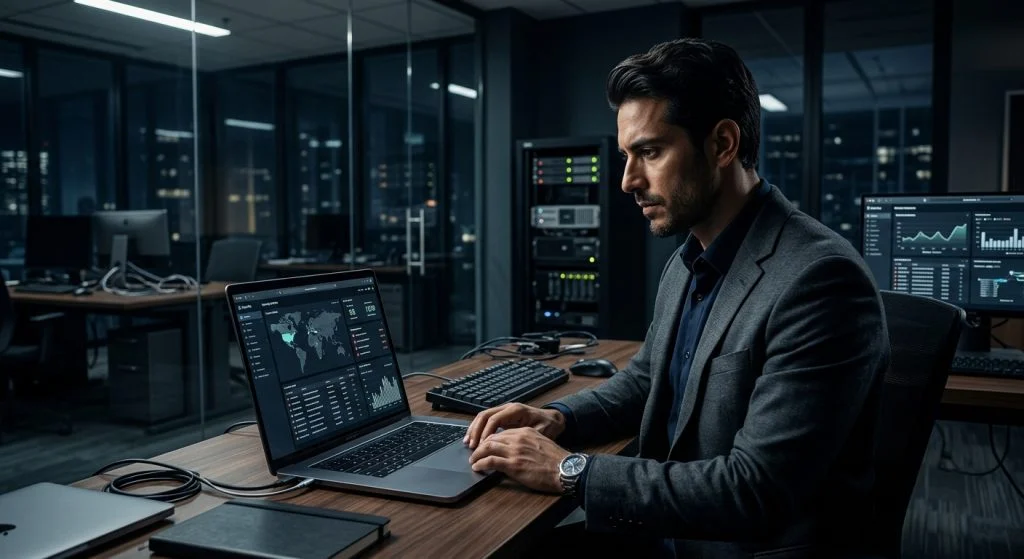
Why Modern Workplaces Need macOS Oversight
For years, enterprise IT departments treated Apple hardware as an exception rather than the rule. MacBooks were often reserved for creative directors or executive suites, operating on the periphery of corporate networks under the assumption that macOS was inherently immune to common enterprise security risks. Today, that landscape looks entirely different. Driven by employee choice programs and the realities of distributed work, Apple workstations represent a substantial share of business hardware. Protecting corporate assets requires acknowledging that modern threat models apply equally across operating systems, making comprehensive mac employee monitoring an operational necessity rather than an afterthought.
Part of our complete guide: Employee Monitoring: The Complete Guide for Employers
Rising Adoption of Apple Hardware in Enterprise and Remote Environments
The influx of Apple hardware into enterprise environments has reshaped standard network perimeters. Remote and hybrid arrangements mean laptops frequently connect from domestic Wi-Fi setups, airport lounges, and shared co-working spaces. While macOS provides robust hardware-level protections like FileVault encryption and the Secure Enclave, these mechanisms safeguard the physical device against external theft rather than addressing user-level actions. When business data resides on distributed Mac endpoints, visibility into how files are manipulated, shared, and stored becomes essential for maintaining operational continuity.
Unique Insider Threat Vectors and Data Leak Risks on macOS
Data exfiltration on macOS often leverages native operating system conveniences that security administrators overlook. Consider features such as AirDrop, iCloud Drive synchronization, Universal Clipboard, and effortless integration with personal iOS devices. An employee preparing to join a competitor might move proprietary source code or client databases via a personal iCloud account, an unauthorized external drive, or AirDrop to a nearby personal iPhone. Standard perimeter firewalls cannot inspect or block these peer-to-peer or encrypted transfers once a device leaves the corporate network. Mitigating these risks requires active oversight at the endpoint level, documenting file interactions directly as they happen.
Core Capabilities of Effective Mac Employee Monitoring
Deploying oversight on macOS requires purpose-built software engineered to interface with Apple’s architecture. Basic network loggers or periodic check-in scripts fail to capture the nuanced workflows of modern desktop users. Effective monitoring relies on a coordinated suite of forensic and observational capabilities designed to identify risks before data loss occurs.
Real-Time Keystroke Logging and Application Usage Tracking
Keystroke logging serves as an essential audit trail for investigating internal security incidents, data breaches, and unauthorized system access. When sensitive credentials, unencrypted proprietary formulas, or unauthorized financial transactions are handled on a machine, an accurate record of text input provides verifiable context. Utilizing a reliable Mac keylogger allows administrative teams to capture input across all running software, including private browser windows, specialized IDEs, and encrypted terminal sessions.
Alongside keystroke data, granular application tracking maps out daily operational patterns. It documents when specific applications launch, the total active time spent within each window, and idle periods. This level of detail distinguishes genuine productivity from automated mouse-jiggling utilities or extended periods of off-task activity, giving leadership actionable data regarding workflow bottlenecks.
Automated Screenshot Capture and File Transfer Logging
Text logs provide valuable records, but visual evidence establishes definitive context. Automated screenshot capture acts as a visual timeline of workstation activity. Configurable triggers allow administrators to capture periodic snapshots at defined intervals or immediately upon specific user actions, such as visiting unauthorized URLs or launching restricted software. When reviewing suspect behavior, seeing the screen exactly as the user saw it eliminates ambiguity.
Equally critical is monitoring file system activity. An effective oversight system tracks the complete lifecycle of corporate files:
- Documenting when files are created, renamed, modified, or deleted across internal drives.
- Auditing file transfers to external media, including USB flash drives, SD cards, and portable external hard drives.
- Recording uploads through web browsers, cloud storage synchronization clients, and peer-to-peer file sharing protocols.
- Logging print jobs and shared network drop locations where intellectual property might be duplicated.
Stealth Operation and System Privilege Management
In high-security enterprise environments or during sensitive insider investigations, monitoring software must operate quietly without alerting unauthorized actors who might attempt to conceal evidence. Professional monitoring platforms run in the background without populating the macOS Dock, appearing in the menu bar, or generating disruptive desktop notifications. These tools incorporate self-preservation controls that prevent local users—even those with standard local administrative rights—from terminating the tracking daemon or modifying its configuration files.
Legal and Privacy Guidelines for Tracking Mac Workstations
Technological capability must always align with legal compliance and ethical responsibility. Implementing employee tracking on Mac hardware without clear legal footing exposes an organization to regulatory penalties, damaged workplace trust, and potential litigation. Security teams and business leadership must work closely with legal counsel to establish clear operational parameters.
Establishing Clear Workplace Acceptable-Use Policies
Surprise is the primary driver of workplace resentment and employee disputes regarding digital oversight. Employers protect their organizations and maintain trust by establishing a transparent Acceptable Use Policy (AUP). Every employee should review and sign this document before receiving corporate hardware. A comprehensive policy must clearly state:
- Ownership of Assets: Explicit confirmation that the Mac hardware, operating system accounts, network access, and all data stored on the machine belong entirely to the company.
- Expectation of Privacy: Clear language specifying that employees have no reasonable expectation of privacy when using company-owned equipment or network resources.
- Scope of Monitoring: Plain-language disclosure outlining what categories of activity are tracked, including keystrokes, application usage, file transfers, and web activity.
- Permitted and Prohibited Conduct: Concrete examples of unacceptable behaviors, such as unauthorized file exfiltration, installing unapproved software, or accessing inappropriate web content.
Balancing Productivity Oversight with Employee Privacy Rights
Monitoring should always be proportionate to legitimate business needs. Regulatory frameworks such as the European Union’s General Data Protection Regulation (GDPR) and various United States state statutes emphasize data minimization. Organizations should collect only the data necessary to protect corporate assets and verify work performance. For guidance on corporate asset protection and regulatory standards, administrators can review resources from the Federal Trade Commission on business cybersecurity standards.
Maintaining ethical boundaries also requires restricting access to monitoring dashboards. Only authorized compliance officers, HR leads, or IT security personnel should possess access to employee activity records. Regular audits of who accesses monitoring data ensure that oversight tools are never misused for personal curiosity or interpersonal leverage within the company.
Implementing SPYERA for Seamless macOS Security
Deploying employee monitoring across modern versions of macOS requires software that adapts to Apple’s evolving security posture. Apple updates its operating systems frequently, introducing stricter sandbox controls and permission frameworks. Drawing on over two decades of engineering experience in desktop and mobile monitoring solutions, SPYERA Mac monitoring software provides enterprise-grade oversight engineered to function smoothly within this rigorous technical environment.
Administrative Configuration and System Privileges
Modern macOS updates enforce strict Transparency, Consent, and Control (TCC) frameworks designed to regulate access to sensitive system APIs, including Screen Recording, Accessibility, and Full Disk Access. In an unmanaged consumer setup, granting these permissions requires manual approval through System Settings. For detailed technical specifications on Apple’s permission models, administrators can consult the official Apple Platform Deployment documentation.
In enterprise settings, IT administrators deploy Privacy Preferences Policy Control (PPPC) payloads using their Mobile Device Management (MDM) platform—such as Jamf, Kandji, or Apple Business Manager. By pre-authorizing the application’s bundle identifiers and cryptographic code requirements, administrators configure SPYERA silently across corporate fleets without triggering disruptive user prompts or requiring manual intervention at each desk. This ensures comprehensive security coverage while maintaining a consistent administrative baseline across all deployed endpoints.
Centralized Web Reporting for Actionable Management Insights
Raw data is only valuable when it can be interpreted efficiently. SPYERA aggregates all endpoint events into a secure, browser-based management portal. Rather than sifting through endless streams of raw system logs, administrative teams can navigate structured reports that highlight critical security trends:
- Unified Timeline Views: Correlate keystroke logs with simultaneous application activity and automated screenshots to establish a clear chain of events.
- Keyword Alerts: Receive automated notifications when specific sensitive terms—such as internal code names, confidential client tags, or regulatory data—are typed or searched.
- Data Leakage Prevention: Identify unauthorized file transfers to external storage or cloud services in real time, supporting corporate defenses against corporate espionage and deliberate IP theft.
- Cross-Platform Compatibility: Manage your Mac workstations alongside Windows PCs and corporate mobile devices from a single centralized console.
Decision Matrix: Selecting the Right Oversight Strategy
Choosing an oversight model depends on your company’s risk tolerance, regulatory requirements, and organizational structure. The table below outlines three common deployment strategies for Mac hardware.
- Baseline MDM Only: Suitable for low-risk environments. Focuses on device-level configuration, remote wiping, and basic inventory tracking. Does not provide visibility into internal data exfiltration or user-level file transfers.
- Active Endpoint Auditing: Incorporates background monitoring tools like SPYERA. Captures keystrokes, application usage, and file movements. Best suited for remote teams, finance departments, engineering teams handling proprietary source code, and organizations with strict intellectual property requirements.
- Targeted Forensic Investigation: Temporary deployment on specific workstations to investigate credible insider threat allegations or non-compete violations, supported by structured logs and screenshot captures.
Securing corporate Mac workstations does not require choosing between technical control and employee respect. By combining transparent corporate acceptable-use policies with robust, purpose-built monitoring tools, business owners can protect proprietary assets, satisfy regulatory mandates, and foster a productive, accountable workforce.
How SPYERA Can Help
SPYERA has helped parents and employers with mac employee monitoring since 1999. Monitor calls, messages, locations, and app activity on Android, iPhone, Windows, and Mac — used responsibly, with consent, on devices you own or are authorized to monitor.
Frequently Asked Questions
Is mac employee monitoring legal for remote and in-office staff?
Yes, monitoring company-owned Mac computers is legal in most jurisdictions when conducted for legitimate business, security, or compliance reasons. Employers must maintain written acceptable-use policies and review applicable local privacy laws regarding employee notification.
How does macOS handle administrative monitoring permissions?
Modern macOS versions enforce strict Transparency, Consent, and Control (TCC) frameworks covering screen recording and accessibility. Organizations typically manage these privileges seamlessly across corporate hardware using Mobile Device Management (MDM) configuration profiles.
Can employee monitoring software track encrypted communications?
Endpoint monitoring solutions capture activity at the workstation level before or after encryption occurs, recording keystrokes and application interactions directly. This provides visibility into data handling without attempting to break network-layer cryptographic protocols.
What is the best way to introduce monitoring without hurting team morale?
Transparency is the most effective approach to preserving morale. Clearly communicate what data is collected, emphasize that oversight protects organizational integrity, and establish clear boundaries that protect personal employee privacy.