
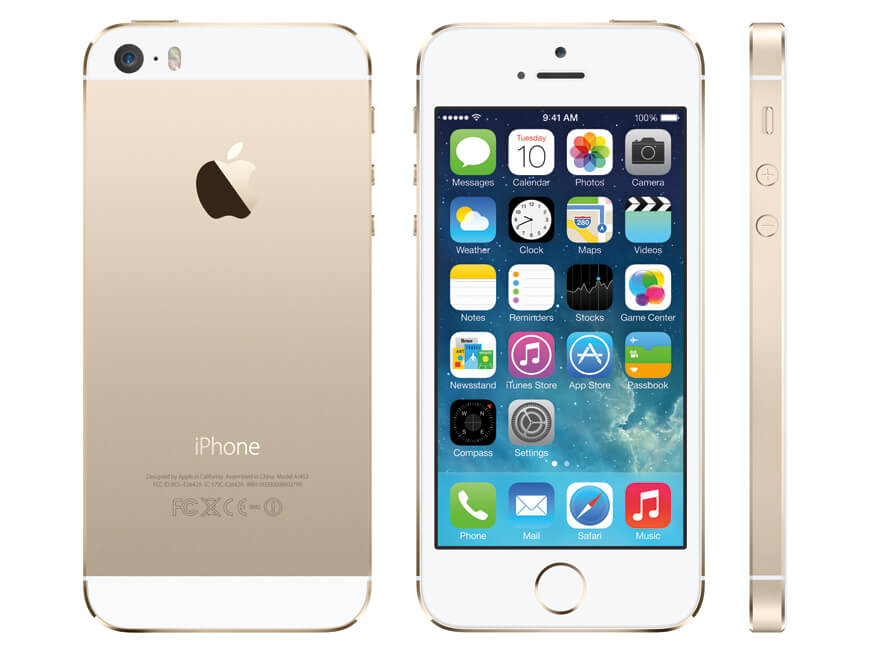
Why You Need Cell Phone Monitoring Software for iPhone 5S
The iPhone 5S occupies a unique space in today’s digital landscape. Though it is a legacy device, its compact design, durable build, and budget-friendly secondary-market price make it an incredibly common choice for parents looking to give their child their very first smartphone. Similarly, many small businesses continue to deploy the iPhone 5S as a dedicated, cost-effective tool for field employees, delivery drivers, or customer service representatives. However, providing access to the digital world comes with undeniable responsibilities.
Choosing to deploy a Cell Phone monitoring software for iPhone 5S allows you to bridge the gap between granting independence and maintaining safety. In our 25 years of helping parents and employers navigate the evolution of mobile technology, we have found that proactive, thoughtful oversight is always more effective than reactive damage control. By understanding the specific digital risks associated with legacy iOS devices, you can establish a secure environment that protects both your family and your business assets.
Understanding the Digital Safety Risks on Legacy iOS Devices
While Apple is known for its robust ecosystem, older devices like the iPhone 5S—which supports iOS versions from iOS 7 up to iOS 12—lack many of the advanced, built-in parenting controls found in modern iOS versions. For example, contemporary features like Screen Time and advanced communication safety filters are either entirely absent or highly limited on legacy operating systems. This technical gap leaves young users vulnerable to online hazards without the safety net that modern smartphones provide.
Children using an older iPhone 5S can easily encounter inappropriate web content, online predators, or cyberbullying. Because the device’s native restrictive settings are easily bypassed by tech-savvy teenagers, parents require a dedicated external solution. Without comprehensive monitoring, you may remain entirely unaware of problematic interactions until they have already escalated. For a deeper look at establishing healthy digital boundaries, the family safety guidelines on ConnectSafely offer excellent, non-alarmist strategies for parents.
Discreetly Monitoring Social Media, Instant Messages, and Web Browsing
Social media platforms and instant messaging applications are the primary hubs of modern communication. Even on an older device like the iPhone 5S, users can access platforms like WhatsApp, Viber, and iMessage. This constant connectivity can become a source of distraction for employees during work hours or a vector for peer-to-peer harassment among school-aged children.
A professional monitoring solution operates quietly in the background to log conversations, shared media, and web browsing history. Rather than constantly confiscating the device to perform manual spot-checks—which often damages trust and invites secretive behavior—you can review web traffic and chat logs remotely. This ensures that web browsing habits remain safe and that company-owned devices are utilized strictly for professional, work-related tasks.
Real-Time GPS Tracking and Geofencing
Physical safety is just as critical as digital security. Whether your child is walking home from school for the first time or your delivery drivers are out on the road, knowing their precise physical location provides immense peace of mind. The iPhone 5S contains a built-in GPS chip, but native location-sharing features like “Find My” can easily be disabled by the user or interrupted by system updates.
Utilizing dedicated monitoring software ensures that you receive continuous, tamper-resistant location updates. You can view real-time coordinates, review historical route paths, and verify that your loved ones or employees are exactly where they are supposed to be. For businesses, this serves as an invaluable tool for logistics optimization and verifying time-card accuracy.
Key Monitoring Features of SPYERA for iOS 7 through iOS 12
The iPhone 5S originally shipped with iOS 7, and over its lifecycle, Apple permitted updates up to iOS 12. This range of operating systems requires a monitoring tool designed with deep backward compatibility. SPYERA’s iPhone spy app is engineered to interface directly with these specific iOS architectures, providing deep-level access that standard app-store monitoring utilities simply cannot match.
Ambient Listening and Live Call Interception
One of the most advanced capabilities of professional-grade monitoring software is the ability to understand the physical environment surrounding the device. SPYERA allows you to remotely activate the iPhone 5S microphone to listen to the device’s surroundings in real time. This ambient listening feature is incredibly helpful for parents who fear their child may be in an unsafe physical environment, or for employers verifying the safety of lone workers in the field.
In addition to ambient recording, the software supports live call interception. When a call is placed or received on the monitored iPhone 5S, you can receive a silent SMS alert, allowing you to join the call in progress as a discreet third party. This feature is particularly useful for corporate quality control and training purposes, ensuring your staff maintains professional standards during client interactions.
Tracking Popular Messaging Apps: iMessage, WhatsApp, and Viber
Traditional SMS text messages have largely been replaced by rich communication services and instant messaging apps. SPYERA monitors these channels comprehensively, capturing not just the text of the messages, but also the contact names, timestamps, and any attached media files. Supported platforms on the iPhone 5S include:
- iMessage: Monitor all native iOS-to-iOS conversations, including group chats.
- WhatsApp: Read incoming and outgoing messages, view profile pictures, and track shared locations.
- Viber: Log call histories, text conversations, and media attachments sent through the platform.
Because these conversations are captured at the system level, they are logged even if the user attempts to delete them from the device’s visible chat history shortly after sending or receiving them.
Remote Access to Photos, Videos, Contacts, and Calendars
Smartphones are repositories for our personal and professional lives. To truly understand how a device is being used, you need access to its local storage. SPYERA grants you remote access to the iPhone 5S camera roll, allowing you to view every photo and video saved on the device. This helps parents identify any inappropriate media sharing before it becomes a legal or social issue.
Furthermore, you can monitor the device’s address book and calendar entries. By reviewing contacts, you can ensure your child isn’t communicating with unapproved strangers, and employers can verify that proprietary client lists aren’t being altered or exported. For a granular look at keystrokes and search queries, integrating the SPYERA iPhone keylogger ensures that every single input is documented, providing a complete safety net.
How to Install SPYERA on Your iPhone 5S
Installing advanced monitoring software on an iOS device requires a structured approach. Because Apple restricts deep-level system access to protect its proprietary ecosystem, standard apps from the App Store cannot perform advanced tasks like call interception or keylogging. To bypass these administrative barriers, a process known as jailbreaking is required.
Understanding the Role of iOS Jailbreaking
Jailbreaking is the process of removing software restrictions imposed by Apple on iOS operating systems. It allows the installation of applications and modifications not authorized by the official App Store. For advanced monitoring software to function, jailbreaking is an absolute technical necessity; without it, no software can access secure databases like WhatsApp messages or ambient microphone controls.
While jailbreaking sounds highly technical, the process has become incredibly streamlined over the years. Before beginning, it is highly recommended to back up the target iPhone 5S using iTunes or Finder to prevent any accidental data loss. For detailed guidance on managing legacy device backups, you can consult Apple’s official support documentation.
Step-by-Step Installation Guide
Once you have confirmed your target iPhone 5S is ready, follow these clear steps to install the software safely and discreetly:
- Check the iOS Version: Navigate to Settings → General → About on the target device to identify the exact iOS version (e.g., iOS 7.x, 8.x, up to 12.x).
- Perform the Jailbreak: Use a reputable, version-compatible jailbreak utility (such as evasi0n for iOS 7 or unc0ver for iOS 12) on a computer to jailbreak the device. This process will install the “Cydia” app on the iPhone 5S.
- Open Cydia and Add Source: Launch Cydia on the iPhone 5S, navigate to the Sources tab, tap Edit, then Add. Enter the unique SPYERA download URL provided in your purchase confirmation email.
- Install SPYERA: Search for the SPYERA package within the newly added source, tap Install, and allow the device to download and configure the software.
- Activate the Software: Once installed, launch the application on the device, enter your license activation key, and configure your basic monitoring preferences.
- Choose Visibility Settings: Decide whether to keep the Cydia and SPYERA icons visible on the home screen. For children’s safety or corporate asset protection, hiding these utility icons prevents accidental deletion or tampering.
Accessing Your Secure Web Control Panel
After the installation is complete, you will no longer need physical access to the iPhone 5S. All captured data is encrypted and transmitted securely via the internet to your personal, web-based control panel. This dashboard can be accessed from any desktop browser or mobile device.
From your control panel, you can filter logs by category (such as calls, messages, or GPS locations), set up custom alert keywords, and download reports. The dashboard is designed to be clean, intuitive, and easy to navigate, ensuring you don’t have to be a technology expert to interpret the data and keep your loved ones or business safe.
Legal and Ethical Boundaries of Device Monitoring
While technology provides us with powerful tools to oversee mobile devices, these tools must always be used responsibly and within legal boundaries. In most jurisdictions, it is entirely legal to install monitoring software on a device that you own and which is being used by your minor child under the age of 18. This is considered an act of proactive parenting aimed at ensuring physical and digital safety.
For business owners, monitoring company-owned devices distributed to employees is generally legal, provided that the employees are fully informed and have given written consent to the monitoring policy. Transparency not only protects your business from legal liabilities but also fosters an environment of mutual trust and professional accountability. Never attempt to use monitoring software to track an adult without their explicit, legal consent.
How SPYERA Can Help
SPYERA has helped parents and employers with Cell Phone monitoring software for iPhone 5S since 1999. Monitor calls, messages, locations, and app activity on Android, iPhone, Windows, and Mac — used responsibly, with consent, on devices you own or are authorized to monitor.
Frequently Asked Questions
Can I install monitoring software on an iPhone 5S without jailbreaking?
No, advanced monitoring features like call interception, keylogging, and instant message tracking require the device to be jailbroken. Standard, non-jailbroken solutions are highly limited and cannot access the secure system databases required for deep-level monitoring.
Is the iPhone 5S still supported by SPYERA?
Yes, SPYERA maintains full backward compatibility for legacy iOS versions, including iOS 7 through iOS 12, which are the operating systems run by the iPhone 5S. This makes it one of the few professional monitoring solutions capable of supporting older hardware.
How do I view the monitored data from the iPhone 5S?
All captured data is securely uploaded to an online server. You can view this information remotely at any time by logging into your private, web-based SPYERA control panel from any computer or smartphone browser.
Is it legal to use cell phone monitoring software?
Monitoring is legal when used to track your minor children on devices you own, or when monitoring employees on company-owned devices with their explicit, written consent. Always consult your local laws to ensure compliance in your specific region.
Will the user know the monitoring software is installed?
During the installation process, you can choose whether to hide the software icon and the jailbreak utility (Cydia). Hiding these icons ensures the software runs discreetly in the background, preventing accidental uninstallation or tampering by children.
Part of our complete guide: Parental Controls for iPhone & iPad: The Complete Guide